Author: David Harrison

  • Notes from Zoom meeting – 16th July 2020

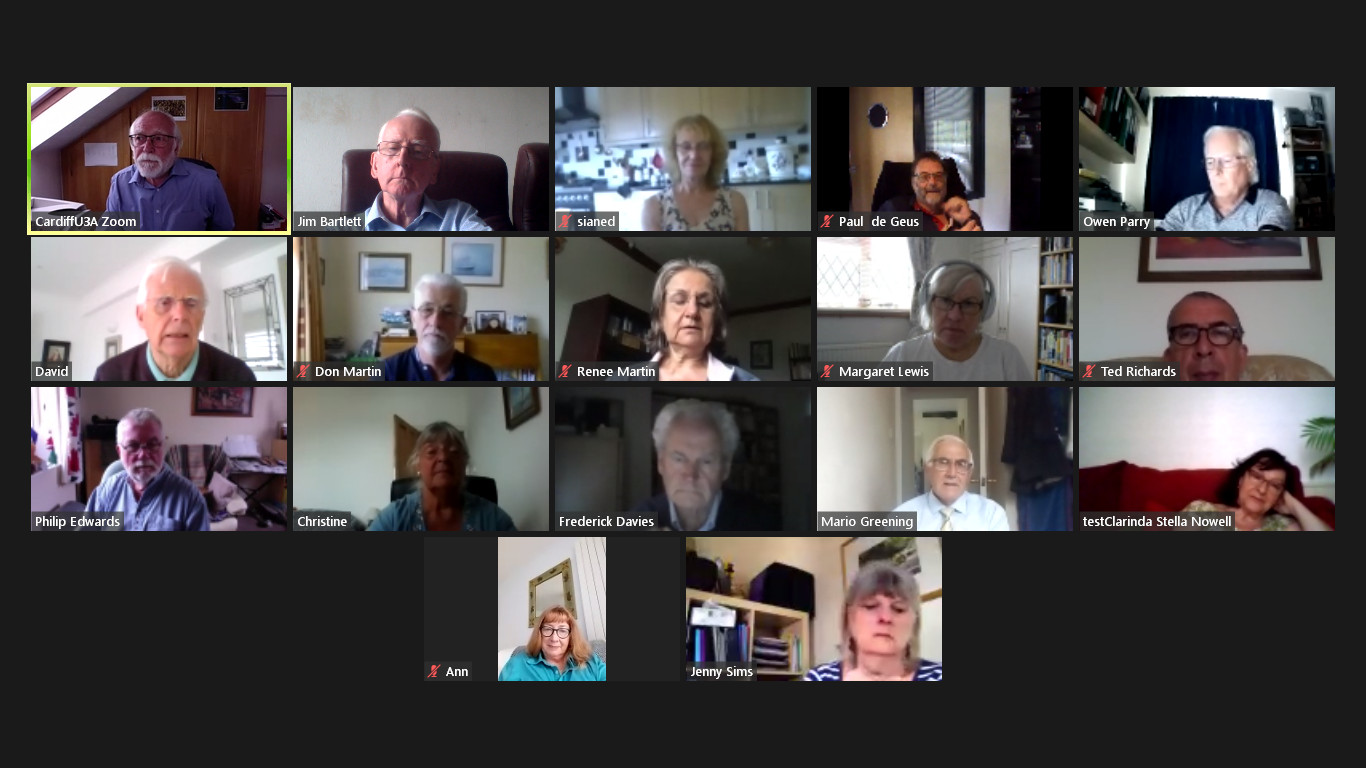
    So we arrive at the penultimate meeting of the year – just one to go! A few apologies for absence with members being searched out by grandchildren being a very valid reason after so many weeks of separation. So what went on …

    Fred asked for guidance on how to get WhatsApp working properly on his phone – we didn’t answer that one, but did suggest there was a way using WhatsAppWeb on a browser that would answer his question. I promised to send him a link – here it is – that would assist in getting WhatsApp working on a desktop/laptop.

    Christine reported that her new Cello Tv was having some problems connecting to the Internet and her son had advised purchasing a BT Powerline adapter to provide a stronger single, or indeed hard-wire connction. I’ve used this sort of device in the past and they can get round the problem well. She then enquired … “what is the best 43″ TV at the moment?” This created a lively discussion and ultimately it comes down to what you actually want from your TV. For me it’s the display quality. Smart features can be added-on, but it’s the screen and the menu facility of the set that’s most important. For that reason I’ve chosen to purchase the new Samsung 43″ QLED set – when it comes into Richer Sounds. You may be able to get it elsewhere, but I’ll wait until I can get it from them as they were so helpful in assisting me get to the decision I’ve made. One thing I need to clarify after the meeting though. It’s only OLED screens made by LG that are used by Panasonic, Sony and others, not LED. The competing standard is QLED from Samsung which is probably not as good as OLED but it’s only Samsung that offers a 43″ screen at this improved picture standard. Our existing set is a 10+ year old 32″ LED, we are upgrading to a 43″ QLED. Hope that makes it clear.

    Paul related his experiments with stop-start gmail and google calendar and has found a workaround by starting Google Chrome, and then re-starting it. This seems to fix the other problems. This does seem to point to a problem with Google accounts in some way and we talked a little about the Google Dashboard as well. These can be reached at https://myaccount.google.com/ and https://myaccount.google.com/dashboard respectively (when logged in). It would be well worth your time spending a little while on these two pages and perhaps refining some of your settings with Google services as a result. Paul also promised to tell us all in the autumn about his CCTV installation as he edges nearer to making a decision on the system he’s going to deploy.

    John indicated that he’d like some guidance on the WordPress system, the differences between .com and .org installations and how to use the Block Editor. I offered to do something for the session next week and try and recommend a good tutorial/book for using the wordpress.com site.

    Stella‘s problems with exiting from her BT Broadband contract continue – she’s only got two weeks left and they are sending her messages that would seem to be suggesting she’d lose connection to services such as her photos on iCloud. This is patently not accurate, but for her peace of mind we did suggest that she download her photos onto her laptop and perhaps move them to an external device for safe keeping. She should do that by going to https://icloud.com logging in with her AppleID and Password and then downloading the Photos from the screen that would appear. However one thought did occur to me afterwards. If you have supplied your BT email address to be your AppleID then you need to change that before the end of the month. This goes for any other services that you might have supplied with your BT email address as this will cease to be active shortly after the account is closed. So … check your online services and see if you have used a BTinternet.com email address on any of them and change that to (in your case Stella) your yahoo address. If you close your BT account your email will remain active for 60days and you will have the chance to migrate to BT Premium Mail which is a chargeable service – you will probably be chased to take this up, but it’s advisable to take the opportunity to move to a non-ISP dependent service such as Hotmail, Yahoo or Gmail. You do not have the opportunity of moving the mail messages from BT to another provider. Shame on you BT!!

    Stella was also alarmed at having her account details flashed up on the screen which does appear to me at least to be strange thing to do, and she intends raising the matter with OFCOM. To top it all her connection to broadband has got worse and worse and it has taken up to 2 hours on occasion for her to connect to the Internet. Our sympathy is with Stella and we do hope she gets a good resolution from this and finds her Network 3 experience a happier one. [Jim is in the wings to provide assistance on that one.]

    Ann wanted advice and guidance as to how to get rid of WhatsApp images and videos on her phone and both Christine and Paul gave advice on both. You can delete them off your phone by going to a specific album in your Photos on your phone, and delete them from WhatsApp by pressing on the image and choosing the Delete option.

    David F&C queried the way that Photos were backing-up to Google Photos and we talked about the way that this happened. I mentioned I’d done something about this some time ago, but I fear that the post doesn’t quite hit the mark anymore – it needs re-writing, so here’s a link to Google’s page which is starting-point to learning a little about the wonderful world of Backup and Sync.

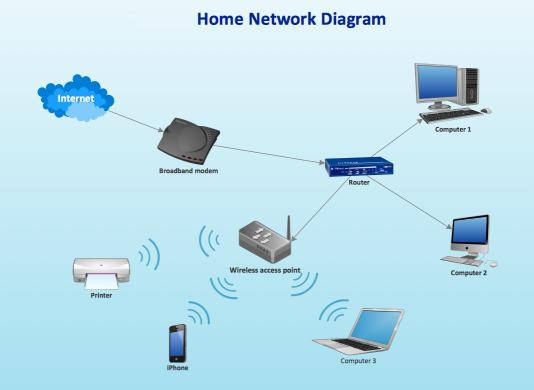
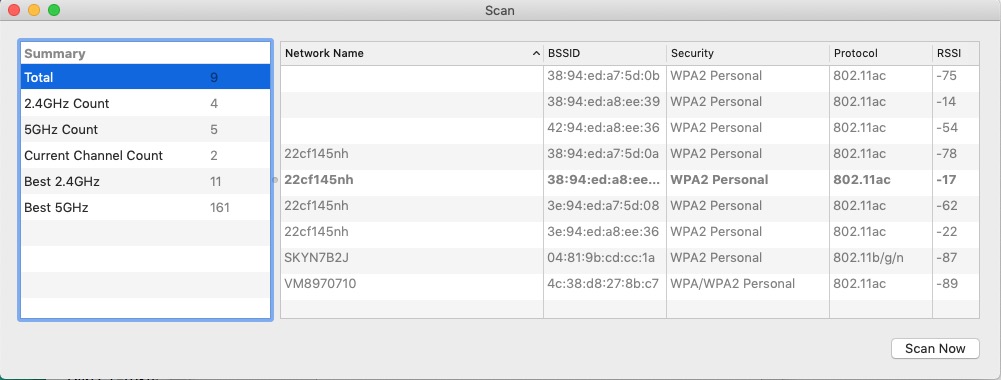
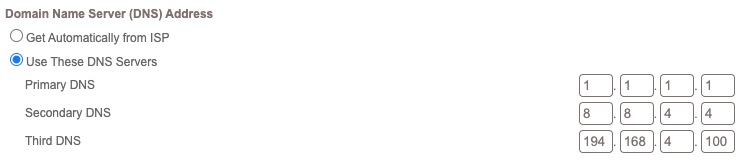
    My contribution to the meeting was to mention my surprise and pleasure at retrieving monies from a Barclaycard that we only use when on holiday which is where our refund from Singapore Airlines had been sitting since the 28th May! I also mentioned a Facebook advert that enticed a friend to seemingly purchase goods from a well-known high-street name. Just don’t do it. Be very aware! I also talked about improving Network performance i the house and promised to write-up something about that, as I did to share some guidance on using Facebook. I will do both of these on the thoughtgrazing.com site as it may be of more than general interest to a wider circle and I do need to keep some interest in that site as well!

    Finally I offered to do a little on transcoding – changing the format of videos, images and audio files – as well as the bit on WordPress, for the last meeting of the year.

  • Notes from Zoom meeting – 9th July 2020

    Another good turnout with 14 of us on my screen and such a well-behaved group of zoomers. Makes you think that perhaps we ought to be classified as “baby zoomers” doesn’t it? Anyway round the screen we wen, starting with a follow-up from the last meeting.

    Owen had investigated the Gmail closing and opening issue and reported that this had been identified as a “problem” by others specific to Chrome. The suggested solution was to uninstall Google Chrome and then re-install it. However another suggestion was that you should look at the extensions you’ve loaded into Chrome. If this is the case it would be interesting to see if the same problem happens with Brave, or Edge, which both use the Chromium code that underlies Chrome. Owen also reported that the same problem had been recorded as being associated with using some Chrome-based apps such as Alexa, or even apps that accessed Windows itself, and being related to security settings in the browser. More work needs to be done before we get a definitive answer. I await the next chapter in the story!

    Then we “went round the screen” starting with …

    Ted, who pointed us to a post he’d written on using Google Maps – which is an interesting read, as is the other work he’s been doing with the Roath History Group creating a “virtual war memorial” and resurrecting work that he and David H had done in creating Heritage Walks (for a publication/website that appears doomed to never appear). Links to both of these projects – which prove (if proof was ever needed) that Ted has been having a very busy and productive lockdown – are on his Google Maps post. Ted invited us all to review and comment on the content and presentation of both pieces of work, please do so.

    Fred has been busy doing DIY and preparing for “a big birthday”, and requested info on the availability of a Spanish wine. Owen was able to come up trumps with a local source from which it might be possible to get the wine. [I’m afraid I didn’t write down either the name of the wine, or the place where it could be purchased.]

    Paul enquired about a pop-up that he’d been seeing recently inviting him to take-out a subscription for Acronis True Image. Both Owen and I agreed that this was back-up software. It had probably been packaged with the machine when purchased with a time-limited subscription which had now expired. Since Paul wasn’t using it, it was safe to ignore the invitation!

    Stella had decided to go with getting Broadband via the 3 mobile network. From the website she wasn’t sure which offering Home, or Mobile, she should take. From discussion with Jim, it seemed likely that the Home Hub option was the one she should take. [I looked into this after the meeting and wrote to Stella and Jim with that advice. The important factor was to make sure you got a HomeFi (Huawei 535) Plus hub. The service should cost around £20-22 a month for a two-year contract and unlimited data.]

    Renée reported on a phone scam relating to a Mastercard purchase she hadn’t made. Sianed told us she’s had a similar experience and reported it to Mastercard. I reported the excellent Mastercard “track and trace” system with stopped my card when I made a transaction on Amazon Australia, sent me a text message asking me to confirm whether the last three transactions had been made by me and to answer “y” or “n” by text, which I did and which then unblocked my card. All this took place within 1 min of the transaction and was done without interfering with the purchase with Amazon. Very impressive! She also had found a way of storingvideos from her gym on Fb, which meant that her problem (as reported on WhatsApp) with Vimeo, had been resolved.

    Owen told us about Training he’d received from U3A about holding Virtual Meetings and particularly AGMs using Zoom. He had learnt a lot more about facilities in Zoom from that session and shared some of them with us including having co-hosts of a meeting. Marilyn asked whether it was possible to set up break-out groups (as she was now experiencing in a Welsh course run by the university), and Don added that these were being used by his church after the Sunday service, as well as using a poll during the service itself. We all expressed our grateful thanks to Owen for all he’s been able to do for Cardiff U3A during this difficult period and furthermore expressed the view that we were particularly fortunate to have someone with technical expertise “in charge” at such a challenging time.

    Jim continues to weed his photo collection, a repetitive but in the end very valuable and useful task!

    Sianed enquired about a problem encountered by her husband who was losing sight of emails which he had then to recover from the Draft folder of his mailer (Hotmail). Several suggestions were offered, including (and the most likely) that he had possibly changed “focus” of the browser by clicking on another window, which then caused automatic saving to draft; but the general advice was that if you were writing a long email you should do it in a text editor (not a word processor) – I use Evernote for instance – and then cut’n’paste the text into the email when you’ve finished, and then do any formatting in the email before sending it.

    Don told us he’d been looking at the zoom controls (settings) on his machine after he’d had an alert that Zoom was using 90% of the machine’s CPU. We didn’t think this should be anything to be concerned about as his machine was well above the minimum specification for Zoom and he wasn’t doing anything much in the background. However, the general advice is that if you do find things are “slowing down” then you should look to see if there are processes running in the background, and close them down. Most Zoom problems are related to poor bandwidth, not CPU or RAM problems. He also reported that he’d been amazed to be able to purchase HP compatible cartridges for his printer from IJT for c.£20 as opposed to the £75 quoted from HP. David H reported that he’d been surprised to find Amazon prices beating IJT prices for HP cartridges, so the moral is shop around!

    Phil was challenged on why “tattyjacket” as his email address and he revealed the Tatty Jacket (he plays accordion with a Morris Team). He also told us that the episode of The Chase he’d been seen on the week before was recorded more than 4 years ago, and he didn’t do any better the second-time round!!! He also told us about The Pilgrimage Way to Penrhys (and Stella told us the hill at the end was quite steep). [I’ve also written the word pop-up down – but have no idea what that was all about!]

    David H, who will now be renamed David the F&C to avoid confusion with my good self, updated us on the saga of his meeting with the VoG Planning/Licensing Committee and the relative victory in stopping the licence for the fish and chip shop on the Esplanade being extended beyond 11:00pm. Now to tackle the odour problem. He also updated us on the Jigsaw website and told us that you can get puzzles of 500 pieces as well.

    Finally I told the group that I’d had little time to do anything else but re-work the family website after the late intervention of my Australia-based IT son.

    I then kicked off a discussion about this article from The Guardian, that I felt made for uncomfortable reading in terms of the type of society we were heading for.

    I’m also including a few more links that I didn’t have time to mention in the meeting

    About Internet Society

    Consolidation in the Internet Economy

    What are the Pros and Cons of Network Neutrality – I include this because of the discussion we had the previous week about less 4K movies on Netskills, and my thought that it might be related to tiering of internet service in the US.

    Tim Berners Lee, on 30 years on, what’s next #ForTheWeb? and his idea of A Contract for the Web – we have discussed this at an earlier meeting, but it’s interesting to see the list of companies that have now signed-up for it.

  • Notes from Zoom meeting – 2nd July 2020

    I’m late again, writing up the notes, so it will be interesting to see whether my memory is better than the last time when this happened. My writing is worse than a doctor’s so that can tell you how bad it is, so between that, and my memory, please excuse me if I’ve forgotten something. In my defence however, I did all the actions required of me before I went for supper last Thursday, so I got them out of the way! You can see them in the WhatsApp group, and Paul added an item there as well about Printer Ink – of which more below …

    Paul mentioned his Zoom quiz, and it appears quite a few of us are taking part in these; he also asked whether there had been any solution to the Google Mail problem which he’d raised a fortnight before (and I can’t remember what it was …) and which Owen had kindly “volunteered” to look into.

    Fred (a self-confirmed “zoom virgin” – his words) had been mainly involved with various DIY projects around the house, something which I reluctantly have been engaged with as well!

    David H told us about the preparations for his Vale of Glamorgan Planning Appeal video-conferencing session – we look forward to the report of how it went. He also let us know that for £3 his daughter had allowed him (legally) to piggyback on their Netflix account. [ Me, I’d have said thanks very much and then forget to pay :-)] Phil reported that he thought Netflix were reducing the number of films they were streaming in 4K due to bandwidth demand, but there’s plenty of 4K content on YouTube such as watching the BBC Tuning Page of years ago. [I wonder whether the reduction of 4K content on Netflix is related in any way to the tiers of bandwidth service that are being marketed in the US – something that the Internet Society campaigned strongly against as it heralded the introduction of two- (or multi-) tiered services which was against the philosophy of the Internet as being an equal service to all. I’ll look up a bit more on this before the meeting as it relates to the theme of Corporate Control of the Internet in a way as well.] David H also recounted his pleasurable engagement with computerised jigsaws and has written an article here – many thanks.

    Stella recounted how her conversations with BT about upgrading her broadband were proceeding – they weren’t; every time she called them the price of what she was already getting was going up. We had a general discussion about broadband providers and I created a Topic on the subject here, that you might be interest in reading, and contributing to.

    John advised us about an offer pushed through his door of his apartment in a group of flats inviting him to get broadband collectively for the residents for £39.99 each. We all thought this was a bit expensive. He also told us that he’d done a full migration to Win10 now on his desktop, had shed MS Office and was now using LibreOffice. He also told us that he had a new Covid-Project – taking pictures of clouds. Very restful. I look forward to seeing some of the outcomes if we ever get the Lightroom Pantry group going again.

    Jim had bitten the bullet and decided to subscribe to Flickr Pro (£55.88pa, but reduced for 2-year subscription), and was pleased that there were no adverts as a result. He continues to weed his photo collection providing tags to them to assist in search recovery.

    Renée was engaged in more and more Zoom meetings (3 that day) and all was going well.

    Don had discovered an old Logitech 300 camera he had which he’d connected to his computer and which was improving what he could do because he could move the camera rather than rely on the built-in one. We then had a discussion about HP providing an email service (£3.50pm) to monitor ink levels and send out replacement cartridges when they were needed. Paul told us about IJT (details in WhatsApp group) who he’d found very good to provide replacement ink cartridges.

    We celebrated with Ann her backup of the BIOS on her Lenova IdeaPad 320 (4Gb) before upgrading the BIOS and all the other work she was doing on the machine.

    Phil told us about his latest project – a computerised (Raspberry Pi) microscope and showed us a picture of a dead fly to prove his success. He also entreated us to support a campaign he was thinking of setting-up to get things (what???? – my notes fail me) in the right order. He recommended a channel UKTV Play to watch loads of old TV. What he failed to tell us (perhaps he didn’t even know) was that he was to appear on a five-year old re-run of the The Chase that evening!

    Christine recounted the sad demise of their TV which broke as it was being replaced by their new Cello set – perhaps it was trying to tell us something? Anyway, it’s in the skip now!

    Finally, I talked about the installation of a new Netgear Orbi Mesh router and WiFi system which took up most of Father’s Day – the best use I could imagine for such an artificial American concoction. I also talked a little about the new Edge browser and difficulties a member of the Photographic Group had using it with Flickr, and I explained that this often happened with new browsers and old web pages which didn’t keep pace with technological change. His problem was solved by using Firefox. I expressed the view that I thought Firefox might be making a comeback as a secure and privacy-focussed browser and promised to look more into it for a meeting at some point in the future.

    A couple of members (Mike and Marilyn amongst them) had nothing to report.

    After the round-the-screen session I gave a brief demonstration of using the Block Editor to create posts on the site – I was delighted to see David H had used it in the last week.

  • Demo of Gutenberg Block Editor

    Watch this video from YouTube – amazing driving!

    Below is an embedded link from Flickr …

    Iris by pond

    But sadly, no easy way of linking to an image in Google Photos. You need to download the image to your local device and then upload it in the Image Block …

    There are more links and videos which you can read, and look at, from links in the Help menu item – How to write an article.

  • Notes from Zoom meeting – 18th June 2020

    I’ve learnt my lesson from last week and am writing up the notes immediately. First a set of topical points/issues, and then a report on “What we do with our computers”.

    Paul reported that he’d been experiencing Gmail opening, closing and then re-opening when using a browser on Windows? Is this a Windows thing, a browser thing (Chrome), or what? Owen was also experiencing it (but Renee on a Mac using a browser wasn’t). Owen undertook to investigate. Paul also asked whether anyone knew whether there was any advantage in responding to the request to Archive when prompted from Photos, or Mail on Google. I promised to look into this.

    Renée reported that her Zoom meeting (one including participants from Italy) had been a great success. She wondered whether being “upgraded” to be given more time, when she thought she was only going to get 40mins was a standard thing. Group members seemed to think that maybe this only happened on a first call, others seemed to think if there was less than 3 participants the “upgrade” was standard; others thought the “upgrade” to more than 40mins could happen at any time – perhaps this is a factor of what the demand at any time might be?

    Owen commented that some Zoom meeting hosts had implemented Mute participants on entry when it was a talk (History Group). I discovered that I could Mute All at any time – if I wanted. We’re all learning about this new technology!

    Stella was still investigating a dongle, or method for connecting her TV to headphones using BlueTooth. We talked around the issue, resolved that if the BT version was higher than the device version, it should work; but then decided that actually what Stella required was a device similar to the one that Paul/Jim had researched for Marilyn – Paul suggested this one back in October (the Search facility in WhatsApp actually works!!!). I wrote then “I did a bit of googling on the bus on the way home, and all I would (probably stating the obvious) say is that what you should be looking for is a device that attaches a Bluetooth TRANSMITTER (or one that handles both Transmitter and Receiver states) to the Headphone Jack” and I sent this link to Marilyn in addition to the one Paul had sent.” In the meeting Phil suggested that Stella also look at this page.

    Phil told us about a website he’d created for a Music application. You can see it, and try it out from this link. He also told us about the book he’d just finished – Teething Troubles – and which was available in eBook and print (from Amazon). More information about it is to be found here. He also invited us to use the quiz he’d prepared for his family, which is available on his website here with the answers here. He also thought you might like to see this from twitter.

    Ann told us about her need for an Office application as she had misplaced her licence key for MS Office. She’d looked at Google Docs and OpenOffice but because she thought the documents were always stored in the cloud (they aren’t) she’d taken out a subscription to Office 365. I suggested that she looked at LibreOffice –  a successor to OpenOffice, and one that works better with PDF and .docx files (imho); it has the following components – Writer (word processing), Calc (spreadsheets), Impress (presentations), Draw (vector graphics and flowcharts), Base (databases), and Math (formula editing) all of which (to the best of my knowledge) are compatible with Microsoft’s packages.

    Don told us about the positive experience he’d had using software from Wesley Media to attend an ex-colleagues funeral. When working on a tablet he was able to pinch the image to feel more intimately connected to the ceremony; something he couldn’t do on his laptop. He also reported that he’d tried using Brave, but had been a bit disarmed by the security controls which also incidentally prevented the software just mentioned from running on anything other than Chrome. I reported that this was quite normal and that some pieces of software are written just to run on particular browsers. Although Brave uses the same engine as Chrome (called Chromium) developers write code for specific browsers and so I often found I needed to use Chrome after I’d also tried it first on Safari (for the Mac). I also reported that I’d read some good reviews on Firefox recently, and this one too, and this might be an alternative to Brave if the security controls were too restrictive.

    Christine reminded me that she was still researching a TV replacement and looking at 4K. The advice remains the same, it has to be a large display to make 4K useful and worthwhile. Also the quality of the display is related directly to the price you pay. Whether a less-costly option, such as Cello, is worth looking into – I wouldn’t like to say [Amazon]. My criteria would be as little SMART as possible (use a secondary streaming device, eg NowTV or Roku, or Amazon Fire, or Google Chromecast); as many HDMI ports as possible; optical output for sound (if you want to connect to a soundbar, AV system or HiFi) and the correct display size for the room – not in that order!! She also enquired whether anyone had used Jitsi Meet for video-calls. I said I hadn’t but I thought sticking with something I knew, Zoom, would suit me for the time being. I did say I would look into it though, as I would look into Cello.

    We then had a general discussion about what applications we used on our computers.

    Jim used some photo-editing software (Paintshop Pro, and ImageGlass – which was looking promising). He was a Fb user and used Flickr a lot as well.

    David H valued the computer for access to online newspapers and apart from the Office applications he also used it for shopping and banking. He was a born again LastPass user!

    Christine used her computer for general organisation – meetings, searches etc as well as buying/selling on Gumtree/eBay, printing labels and genealogy.

    Don also used his computer for genealogy and printing (including labels) as well as the office apps and banking.

    Ann (aside from her iPhone/iPad) used the computer for backing-up photos and music, ripping CDs, and doing office apps (eg accountancy). She particularly enjoyed watching the video content from the Hay Festival on her laptop.

    Phil has an involvement in his websites, and uses Fb and twitter – which he said was valuable in times of crisis – I’m sure he has a keen and acute Fake News detector employed!He does online banking. We talked about the risks of online banking because Ann wouldn’t do it. With the recent enhancements to the web browser access to banking, it was probable that there was little difference in safety between mobile apps and the web browser access method.

    Stella enjoyed music and DVDs on her machine as well as buying and selling. She also liked to be able to read foreign (Italian) newspapers which kept her in touch with events there.

    Marilyn used her machine for photo-editing and had an Adobe Creative Cloud subscription. She watched quite a lot of YouTube videos to further her knowledge of photography, and followed a Welsh duo-lingo course online.

    Sianed used her computer for banking, duo-lingo French and some proof-reading of documents sent to he by her children.

    Owen was rarely far away from his computer with the U3A website, Beacon administration, Zoom administration and Writers Group internet presence to manage … but he did find time for Fb and banking!

    Renée had discovered Zoom to be a pleasurable experience with friends and bookclubs. She loved the fact that you could attend conferences and take part in webinars without having to travel to London! She was also enjoying being taught IT by her grandchildren – Giffy. Another online banking user.

    Paul did most of the above but enjoyed using the internet for researching prospective purchases. He also told us about a Dutch news aggregation site – DutchNews.nl which looks rather interesting.

    And me … websites, photography, banking everyday (takes seconds and I remember the credentials to login because I do it all the time), researching (RSS reader – Feedly), bookmarking research (Pocket), publishing (Flipboard), music (iTunes -> Apple Music), etc etc.


  • My first encounter with computers – notes from meeting

    Ted told us he’d managed to avoid computers until he started work then it was a PC – a heavy laptop which he took home (possibly a Compaq) on which he used spreadsheets like Lotus 1-2-3.

    Judith came across computers first when she started doing office work as a “temp” then later in the 60’s and 70’s she learnt how to use a word processor that led to her having an Amstrad PC at home eventually.

    Phil told us his involvement with computers started in the mid-10980’s through the Micro-electronics Programme for Schools (MEP Cymru??). he went on courses; then got involved with using a BBC-B in school and we shared a laugh at the way it loaded programmes from Cassette tapes and how you could type-in programmes from magazines such as BeebUser. Two he remembered were Base Invaders and Flight Simulator.

    Christine first encountered computers when she started working in a bank and saw a machine room; that persuaded her that this environment wasn’t for her and so she moved to a local authority computing and schools where, like Phil, she used a BBC-B.

    Ann also used a BBC micro in the late 1980’s. She went on several courses, leant quite a few pieces of application software and then went on to learning more advanced computing topics such as Oracle Database, C++ programming and learning about computer security.

    Marilyn didn’t use computers in work but did buy a Tiny PC fro a shop in town, She has been amazed at how much she has learnt from her use of computers including finding out that from a BBC website that there is a recording of Tennyson speaking his works online that was originally recorded to wax cylinder.

    Stella attended a Beginner’s Course in Computing when she was living in London. She had an Amstrad PC 1512 and thinks she probably worked on an IBM machine as well at that time. She’s impressed (like Marilyn) in what she can find online and cited the Enigma Machine in the National Archives (at Kew) as being a great example of a resource.

    Mike didn’t use the computer much in his work until it was necessary to complete MoT work (garage). His claim to fame is that he had three Sinclair ZXs and broke all three of them.

    Thanks to you all, and of course the others who talked about what they’d written here …

  • Notes from Zoom Meeting – 11th June 2020

    The meeting had a theme … “My first encounter with computers” and I’m really grateful to those members who applied fingers to keyboards and wrote something. You can see the list of submitted articles, and my notes from the contributions at the meeting here …

    … but first we went round the screen finding out if there were any issues, or updates on issues from previous weeks.

    David H. reported on his rather slow Broadband. There was general agreement that 13Mbps Download, 1Mbps Upload could be improved upon.

    Paul (and Sianed as well) reported that the Windows Bluescreen that had been reported the week before had now spread to his machine which had necessitated a re-installation of his printer drivers. A general feeling that if you have the option to Click (to get round a warning message) this should be taken – several members had done that recently. Paul later reported that the problem had seemed to have “gone away”.

    Renée asked for advice on Zoom as she was about to host a meeting. I pointed her to a webpage I’d written, and also sent her some screenshots which I also copied to Jim as he was going to do the same shortly for the Photographic Group.

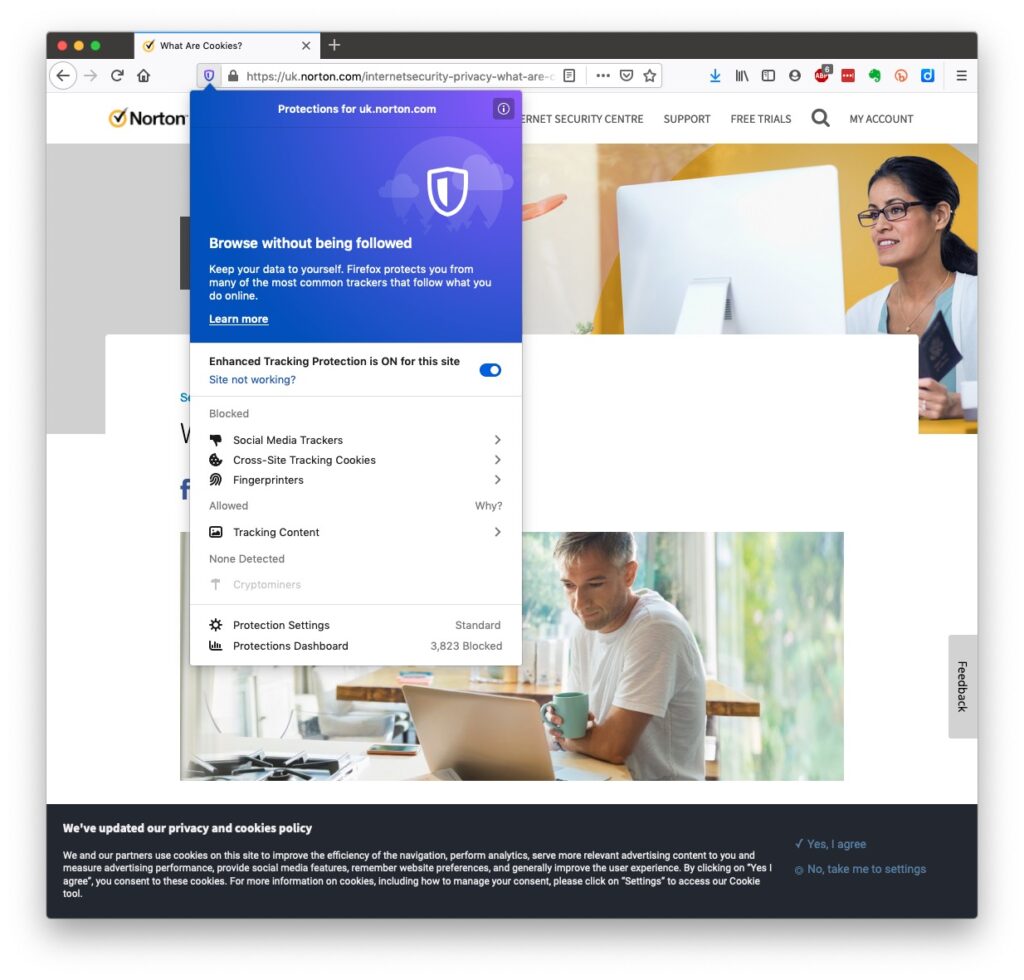
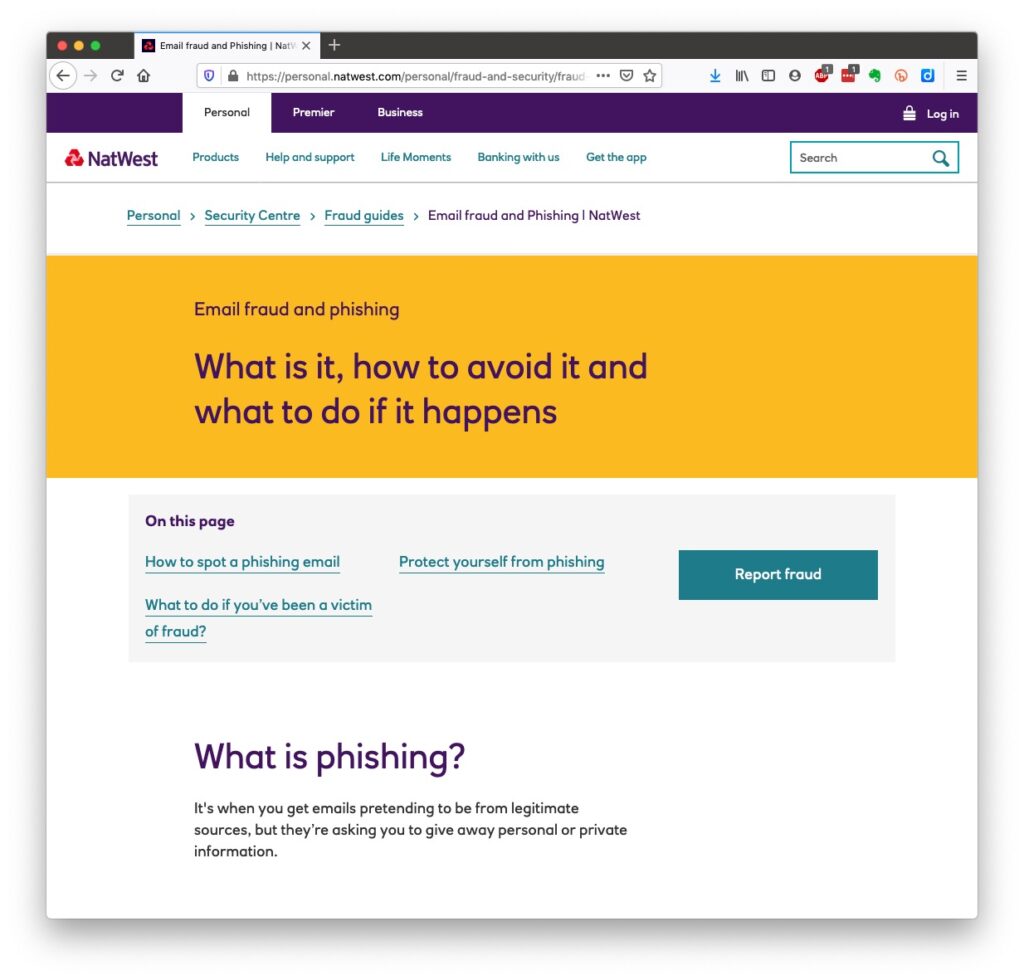
    Don was experiencing a Norton ant-virus Pop-up message in Gmail. It was felt that this was a scam, and should be ignored. Phil suggested this was a phishing scam and that we should all look at our browser extensions to see if there were any installed we didn’t ask for, or weren’t using. Good advice! I mentioned that it might also be a good idea to look at using another Browser such as Brave, or Firefox.

    Margaret was having a struggle getting all her old WhatsApp chats onto her new Galaxy S Tablet. She’s used SmartSwitch to do most of the transfer but WhatsApp was not behaving in a friendly manner (probably due to it not being a Tablet application) and had needed many keys and tokens to do the transfer(s). However she’d found a way around the problem and hoped to have finished the transfer soon.

    Ann was going to do a BIOS update on her Lenovo – my notes don’t tell me why and I’ve forgotten. We suggested finding a BIOS update program. Again my notes fail me but I seem to remember someone (Owen??) found a solution.

    I must have been asleep. I’ve got a note that says Christine – mail/TV Cello – what does that mean?!!

    Phil went through a number of things. He recommended that 4K was great for watching hi-res You-Tube videos, Paul remarked it’s only of value if you’ve got a large screen. He recommended a video to watch from Michael McIntyre – he later sent the link to the WhatsApp group. He’d setup a Netbook with a slideshow – why?? [My notes again let me down!] Also I’ve written Family Zoom and webpage??

    Judith was getting an error on her Virgin Home Page and we recommended she should look at the Status page perhaps for some further information.

    Ted talked about how you could get better quality audio for people with difficulties in hearing and there was a prolonged discussion about using AV Receivers; and also different modes on the TV set itself.

    Apologies for incomplete notes. I’ll try and do better next time.


  • My first encounter with computers

    My first encounter with computers

    For me it would be being introduced to an ICL 4130 (formerly an Elliot Computing 4130) mainframe and the use of punch card decks. I was instructed on how to program the computer using the computer language Algol-60 and I had to write the code on sheets that were then punched by punch card operators. Somewhere, I have a booklet which describes the machine … somewhere!

    Anyway, by the time I’d got started on my computing life the 4130 was getting a bit long in the tooth and the form for Universities in those days (remember everything was centrally funded by the Universities Grant and Research Grant Committees of the Education Department then) was to get a visit from the Computer Board – a group of the wise and worldly (it must have been, I went on to serve on its successor body much later on – the Joint Information Systems Committee) who would adjudicate whether an institution needed a new computer or, if it was between its regular visits, whether the Computer Centre needed new peripherals such as disk drives, printers or plotters. As a research student (at UCW Aberystwyth) I, along with my other researchers were fully prepped to be able to say the right thing just in case one of these visiting folk asked a question. What fun! The preparation must have paid off because we got a new machine.

    The ICL 4130 was replaced by an ICL 1900 series machine running George 3 – a proper operating system [I think a second machine was purchased later on and they were linked so that one could handle batch punch card jobs and the other handled teletype terminals and possibly output]. Of course this was the time when Computer Operators were needed and they ran jobs (including back-ups) overnight and had to be in attendance to change magnetic tapes, and handle printed output – a lot of which was created by me!

    I was teaching myself multi-variate statistics, mainly based on linear and multiple regression models, but also principal components and factor analysis and using standard programs which I modified in part to my research subject because I needed mapped output, on a line-printer! The main program I worked with however was written (in Fortran IV) by David Wishart from St Andrews for Cluster Analysis, so I learnt to program in Fortran and this soon replaced Algol-60 as my preferred programming language. This program and its adaptation to spatial analysis (in which I followed the work of a fellow researcher called Stan Openshaw who was using the technique in human geography to group together similar grid cells from maps) was to take up a huge part of the next 10 years of my life as I worked hard to avoid actually going out to do any field work on my research topic “Contemporary Erosion in mid-Wales”. Most of my jobs were by now being run by remote job entry at the Manchester Regional Computing Centre as the size of my data set was too large to run in the UCW Aberystwyth Computer Centre.

    It was an exciting time to be a geographer and books and monographs were being published on quantitative geography amongst which were ones in the Institute of British Geographers CATMOG series, still in my possession, by a certain John Silk. A lovely coincidence that brings John and myself together and allows us to reminisce on the early 1970’s and “the quantitative revolution” as it was called by some!

    Through the 1970’s I returned every summer holiday to Aber, and camped at the top of Penglais Hill to get time on the mainframe. In between these visits I would sit at a teletype at Doncaster College of Education, where I was now a Lecturer in Physical Geography, and submit jobs to the IBM 360 mainframe at what was then Sheffield Polytechnic. It had to be said that by 1978-9 my main interest (apart from the family that was now arriving on the scene) was in computing, not geography, and so when a friend asked me to put my knowledge to work in programming some engineering design problems, I accepted the challenge, set up my own consultancy (with my HoD’s approval) and started programming an Olivetti P6060 desktop computer using Basic. Having it at home to do the work allowed my eldest daughter (44 yesterday) to have a go at programming …

    So now the link to geography had begun to be broken. This was severed by Shirley Williams decision in 1978 to close the Teacher Training part of the College where I worked. I bravely, one of my colleagues thought foolishly given that we had by now three young children, decided to opt for voluntary redundancy on the basis of being given a year’s fully-paid retraining. I went to Bradford University and did a one-year MSc in Computer Science giving me letters after my name to go with my 10+ years programming experience. Here I was introduced to the DEC PDP-11/60 mini-computer – a lovely machine running Unix, which was a lovely operating system which I continue to use in it’s Linux incarnation, to this day. I wrote my thesis on building a disk operating system (Modus) for a PDP-8 using a high-level structured programming language (Wirth’s Modula) on the PDP-11. I could now program in Algol-60, Basic, Fortran iV, Fortran 66, Cobol, PDP Assembler, Pascal and Modula.

    It was the latter language (the first concurrent programming language and the precursor of first Modula-2 and then Ada) that enabled me to get a job as a Systems Programmer / Computer Lecturer at South Glamorgan Institute of HE at Llandaff. I was returning to Cardiff and HE. Not a very bold move and “only for 4 years max” (which is what I said to Jenny). That was not to be! At SGIHE/CIHE/UWIC I oversaw the introduction of a mini-computer service based initially on a Prime 550, then Prime 750 and so on, initially writing the systems programs for its operating system – Primos in Fortran, PL/P and SP/L, and then becoming Head of the Computer Centre where I dabbled in producing the first website for the institute, which has since been a continuing interest for me.

    Here are a few pictures of the Computer Centre at UWIC taken before I left for UWCM at UHW (The Heath) …

    The Operator’s Consoles for each system are on the left, the tape rack for the day’s tape back-ups are in the background, a terminal room with micro-computers was alongside the Computer Centre …

    The original Line printer (orange) was till in service, the Prime 750 is in the background …

    I’d become a manager, and the rest is another story, which I’ll record another day!

    At home we’d purchased one of the first BBC-B Computers – the first of a long series of domestic computers which again is another story, which I’ll record another day!

    David Harrison, June 2020


  • Notes from Zoom Meeting – 4th June 2020

    Sit still, adjust your hair, mute your microphone …

    As well as a once round the participants opportunity for members to say what they’d been “up to” in a computing sense the past week, I asked them in the light of Margaret and Lizbeth’s moving posts on WhatsApp (see below) today to give examples of “a good use of technology”.

    Mike chipped in immediately to say – Zoom Meetings; so I had to admit that yes, it was a very good use of technology and it has the unforeseen benefit in getting more members participating in the meeting. So much so that I’m wondering whether ALL meetings of the Group should now be held using Zoom. [Don’t worry, I’m not!]

    John then added that Zoom as a one-to-one instructional assistant had proved to be very useful to him as he and I worked out a problem he was having with some software. This is indeed true and I can see that once the Covid-19 crisis is over we can all examine whether we can help solve each others problems with one-to-one Zoom calls.

    Sianed told us about virtual tours of properties up for sale, and Mike told us his last home was sold solely through a virtual tour, no home visit was undertaken by the purchaser. I thought this remarkable!

    I can’t remember who it was who said Wildlife Cameras (it might have been Jim) and yes, for us the purchase of such a camera has been very interesting, to say the least.

    Don came-up with an idea for a device to alert a household to the fact that a gas ring had been left on. In our house that would have saved a couple of saucepans over the years, especially those boiling eggs!

    Marilyn told us she’d been looking at triptychs and using the software Photoscape – another project for a rainy day, me thinks!

    Renee told us about meeting-up through Facebook/Messenger with an old school friend she’d not seen since she was 15 and what joy that now communicating with WhatsApp had brought to them. I related how I’d used Fb to track down a friend for a re-unuion that all my friends had lost contact with using Fb. Yes, Facebook is good for some things!

    Stella was interested in finding out whether she could connect her Bluetooth headphones to her TV and to her laptop. We pointed her to the work that Jim had done for Marilyn in setting that up for her TV. This then morphed into a discussion on whether using a 4G router in a house (as Jim has done) was a good alternative to a wired broadband connection. I think this needs more research, but it could be a horses for courses thing as much as a cost issue.

    David raised the problem of transferring large files that couldn’t be sent by email. Two solutions were offered (or three if you count sending the file on a small USB-stick by post). One was to use cloud storage as an intermediary, sharing a link to the file with the recipient in an email. This would work with Google Drive, One Drive, and Dropbox et al. The second option was to use a file-transferring service such as WeTransfer. For both situations, perhaps you also should consider zipping (compressing) the file as well. This can often be done by right-clicking on the file and saving the compressed (zip, or other format) file to send.

    Then we had a comfort break, and when that was over a large number had excused themselves as they had limited interest in video-editing which I went through using the post I’d written, ending with another one of my knee-shaking live demos which this time, I even recorded!

    This left the remaining 5 members with a lot of questions which I attempted to answer, one of which (from Don) was about using non-copyright music in videos. Ann answered this question with a reference to this website – Freeplay Music.

    Next time it’s “My first encounter with computing“. Even if you don’t want to join the Zoom Meeting, I’d love for as many of you as can to record their memories, either in a post, or in the Topic I’ve just created, or by sending me an email.


    Margaret & Lizbeth’s WhatsApp thread. Margaret wrote …

    I have had a different computer experience this afternoon although am not sure I would recommend it. But I report it for “technical interest”, if you can call it that.

    By invitation we attended a funeral transmitted from Cardiff to geographically distant family who are not allowed to travel here at this time and any friends such as ourselves who cared to ‘tune in’. It was done by webcam by a company doing this with entry to the service at a given time with ID and password that the family or its contact gives you.

    It was good that someones full life did not just drift away when more meaningful methods are not permitted but it was so sad to see just the next of kin and his household, outnumbered by the necessary staff. The tribute, music, homily and commital were all as one might expect but experienced virtually in a physically empty situation.

    In this case the deceased was elderly, in poor health for some time and like so many had succumbed to covidn19 in a home. I am sure that in his long and productive life he could never have dreamt of a televised end!

    Lizbeth replied …

    I was the celebrant at a similar ceremony a while ago. Very difficult for all concerned. But there will be another ceremony in the autumn when we can properly celebrate that life.

    This is certainly a time when technology serves us well.

    I replied …

    A lovely couple of messages. I’m sure you’re right. Your friend would not have expected such a ceremony, but it’s good that you’ll all meet to celebrate their lives when life gets back to “normal”. We had a different experience recently which was rather lovely in a strange sort of way. The husband of my son’s next-door neighbours, who we’ve got to know quite well, passed away from cancer and though it was a sudden ending to his life, his neighbours and friends lined the streets of the route to the crematorium and clapped the passing of his hearse. His son said his father would have been tickled pink to think he’d been treated as royalty.

    We also had the opportunity of attending our late dear uncle’s ceremony whilst we were on the other side of the world. Not the same, but we were pleased to be able to hear my sister deliver my words of tribute to him. Then again, whilst Jenny actually flew to Australia to be with our son when he became an Australian citizen, I was able to watch the proceedings from Cardiff and actually talk to the mayor who was the officiate.

    Yes technology can be a wonderful aid to life as we know it, and as we hope it will be.

    It was this conversation that gave me the idea of asking members “What’s a good use of Technology?”


  • Video-editing for Dummies

    Video-editing for Dummies

    … and I am talking about myself here!

    If I wanted to do video-editing and wasn’t doing “this U3A stuff”, I’d use Apple’s iMovie which is a “really nice and easy lemon squeezy” way of producing videos, but I can’t because for the Group it has to be cross-platform, and it has to be FREE!

    I have suggested using YouTube for simple editing and indeed with the new YouTube Studio that may be your best solution – especially if you’re intending to share the video on YouTube through your Google Account; Google provides some Help & Assistance on how to do some basic video-editing and provides a useful help page with a short video on how to do video-editing using YouTube Studio, and there’s a load of other YouTube videos on the subject as you might expect.

    However, not all of you have Google/YouTube accounts, and not all of you would want to “edit in the cloud”, so we need to find another solution that ticks all the boxes.

    The one I found that does just that, and which also has a substantial amount of Help and Support documentation and video tutorials is Shotcut.

    It’s a bit daunting when you first start it up; so many controls, icons, sliders, windows, options – but don’t let that put you off. Just try the basics to get started and then go back to learn more as you need it.

    Here’s a link to a “Getting started …” video, and here’s one to a “manual” which tells you more about video-editing and using Shotcut. If you want to print something out to have beside you as you learn how to navigate the interface, you might find this short (3-page) guide useful.

    Having created your video masterpiece you’ll want to save it in a format that is playable on most online services and applications – choose MPEG4 from the Export option – and then decide what you want to do with it. You can of course upload it to Google Photos – there’s no size limitation on videos you upload apart from the 15Gb per week that you get against your free storage limit – which is 15Gb!!!! You could use YouTube of course (see above) – but the quality of the video may be downgraded as you upload it; but I’d recommend you also look at Vimeo as it’s a more privacy-orientated platform for sharing videos and has a better-quality of video playback too. You can do quite a bit with a free subscription, but if you’re into video-production in  big way it might be worthwhile paying  £72 for an annual subscription. Alternatively, you could decide to host your own videos, on your own website – but that's for another day!

    … and that's about it – except for the dreaded live-demo!

    Recorded from Zoom, my first attempt. Not all the panes were showing, so I'm afraid the Timeline pane is not to be seen – it's at the bottom of the screen. I'll need to see if I can record the whole screen – not just the Window.

    [PS: I've now found out how to share the Desktop, rather than just a Window, so there's no stopping me now. Next time, next time …]