Author: admin

  • Notes from Zoom meeting – 8th July 2021

    Owen led the meeting as David was on holiday. We did the usual round table followed by short presentations on Windows 11 and the Cardiff U3A website.

    Fred: reported continuing problems with TalkTalk especially their email offering.

    David H: David has bought a Samsung TV but struggles with multiple remotes. Jim mentioned an article in ‘Computer Active’ magazine describing an app to handle all TV activity.

    Barbara: had an issue with her iPad failing to change screen orientation on rotation. There is apparently a ‘setting’ option to handle this but well hidden. She closed down the machine and restarted to solve her problem. [Jim chatted: To control the orientation of my tablet’s screen I use an app, Rotation-Orientation Manager, available in the Android Play Store. Jim]

    Renee: was supposed to give a Zoom presentation but ended up in A&E! She has taught herself to use PhotoBooth to video herself and WeTransfer to send the file to others.

    Don: is getting used to his new Dell PC. DH has encouraged him to use LibraOffice but every time he uses it he gets a popup about MS Office. He also wanted to reorder the email accounts that he uses to see a particular one first. No obvious solution was suggested except that he might remove all the accounts from his email client and re-add them in the order he wanted, but there was no guarantee this would actually work.

    Sianed: asked for advice on the Brave browser as when trying to login to her online banking she receives a message which prevents her progressing. Others mentioned similar issues with other browsers.

    Paul: has continuing battery drain problems on his phone. There appears to be an app or service ‘RCS’ which takes most of the charge. It was noted that the NHS Covid app also takes considerable battery usage as it is constantly scanning. [Renee chatted: iPhones don’t support RCS. They use iMessage instead.]

    Jim: has been attempting to control his camera using his phone. He noted that when images are transferred to disc they no longer contain some of the desired information embedded in them.

    Steven: Looking into removing duplicate files. Jim recommends ‘AllDup’.

    Ann: mentioned that Zoom options seemed to have changed and her camera comes on automatically rather than asking her first. Owen said he would check if there had been any recent updates which might have altered this.

    Christine: mentioned that emails don’t seem to archive properly. She has had a message from a spoofed email address but realised it in time and did not open any links. Celebrated receiving a date to have an extender from Virgin.

    Owen then walked the group through the recent announcement by Microsoft of Windows 11 which seems to have a style revamp and the addition of a number of tools and features. Link is https://www.microsoft.com/en-gb/windows/windows-11 .

    Owen then followed on with a demonstration of some of the features of Google Sites which is the software he uses for the Cardiff U3A website. He demonstrated layouts, images, formatting text, the inclusion of calendars etc. In response to a question, he indicated that one shortcoming was the inability to give editor permissions at page level and had therefore had to restrict editor to himself until Google changes matters.

  • Photobooks

    Photobooks are becoming popular to keep a limited number of holiday / family photos

    in a book form. They are better than arranging individual photos in an album. Besides

    many people would prefer this format rather than seeing them on a computer or I-pad.

    The main websites / apps are Bonusprint and Vista but other alternatives are available.

    The books are composed on the website or app from digital photos from your computer,

    S.D card or flash drive.

    Prices are from £17 upwards, depending on gloss or matt finish, size, quantity and

    whether the book is hard or soft cover. Hardback is the standard type. You pay online and

    the books are delivered.

  • On-Line Reading.

    From the presentation used on April 29th, 2019. Philip Edwards.

    You can find a .pdf version of the presentation here.

    Just a quick word of warning. I originally wrote this article on my old laptop. I wiped that machine without taking one last look to see whether there was anything of value stored on its drive. Lesson learned. That’s why I’m writing this out again.

    You probably know this, but just in case you don’t, if you love reading, there is a wealth of reading material available on-line which can be read on a desk-top, lap-top, tablet or mobile phone. This is what you do.

    Ebooks and Audiobooks from Cardiff Library.

    This is not straightforward, but once you have the system up and running, everything works like a dream.

    1. You need a library membership card. Make a note of your membership number.
    2. You also need to ask the library to issue you with a PIN number.
    3. On your tablet or phone, download the Borrowbox app. This will be in the App Store for iPads and in the Google Play Store for Android devices.
    4. Open the app and login, providing your account number and PIN number. You’ll only have to do this once.
    5. You can then borrow eBooks and Audio Books for free. You can also reserve real books for collection. You can keep the borrowed eBook or Audio Book for up to three weeks. If you forget to return it, your tablet will do that automatically.

    Magazines

    This is a very similar procedure. You need the same account number and PIN number, but a different application.

    It used to be that you needed the RB Digital app but it appears that things have changed. You now need an app called Libby (from April 30th.) RB Digital app goes offline on April 30th.

    It is being replaced by a new app called Libby.

    It is already available and very easy to use.

    It also appears to be able to find ebooks as well as magazines:- a one-stop shop.

    The home page is simply a joy:- far more inviting than either Borrowbox or RB Digital.What if you want to buy reading material?

    Things you should know.

    Kindle ebooks will play on Kindle devices, on any type of tablet or mobile phone.

    You can also read Kindle content on a desktop or laptop by using the Kindle Reader application.

    Is it possible to buy and read Kindle content without purchasing a device?

    Things you should know.

    As far as I know, Apple ebooks will only play on Apple devices.

    Well, actually it might be possible but it doesn’t look easy.Another thing you should know.

    Audio books are available for Kindle, P.C.s, laptops and non-Apple devices.

    You have to buy a subscription for £7.99 per month but then have access to their whole library.

    Another thing you should know. Apple audio books are available individually.

    Just one more thing you should know. You usually have to pay for Kindle classic novels. Apple classic novels are free.

  • Screen Prints

    In case you are wondering how I take a picture of our Zoom meetings, the answer depends on which operating system you are using. (I am using Windows 10.)

    David has supplied these instructions for Apple users:

    Taking a screen shot on a Mac …

    support.apple.com/en-gb/HT201361

    Alternatively from MacOS Mojave onwards there’s a tool called Screenshot – here’s a link to the Help file …

    support.apple.com/en-gb/guide/mac-help/mh26782/mac

    To do a screenshot of an iOS or iPadOS device, press the power-off button and then the Home button.

    With a Windows computer, the simple answer involves the ‘PrtSc’ key, near the right hand end of the top row of the keypad. You might have to press the Alt key or the Fn key, on the bottom row, at the same time. You will have to experiment. A message might pop up, saying the screen shot has been saved somewhere. If that doesn’t happen, the image might have been saved to the clipboard, in which case you will have to choose somewhere to paste it.

    The less simple Windows answer involves the Snip and Sketch program, which you access by pressing the Windows key + Shift + S. This gives you the opportunity to crop the picture on the screen, so you only save the area you want.

    For Android tablets and phones, press the power and volume-down buttons at the same time. I couldn’t get that to work with my phone though. I did have success by holding the power and ‘home’ buttons together. The screen flashed to show the shot had been taken. The picture went to Google Photos and to the Gallery.

    Good luck!

    Jim

  • Last pass

    There is to  be a change to the free version of LastPass service.    At present, you  can use LastPass on as many devices as you like absolutely free. That’s changing on the 16th March.

    You’ll have to choose whether you want to use LastPass on computers or mobile devices   You won’t be able to use it on both unless you pay for the premium version.

    If you use it on both computers and mobile devices at the moment, choose which one to keep.  The first time you sign in to LastPass on or after the 16th, it’ll record which device you do it on.  That will become your free device type – so if you sign in first on your computer, you won’t be able to use the app any more (and vice versa).

    To keep access to both, you need to sign up for the premium version. If you upgrade before the 16th March, a full year costs £22 or £30 after.

  • Home Broadband using 5G

    Home Broadband using 5G

    I have for the years of my retirement chafed under the yoke of slower Internet access compared with when I was at work. Although I have had fibre from the cabinet as soon as it became available, I have rarely had more that 18-20 Mb/s download speed and commensurately slow upload speeds. I have also suffered with intermittent halts on the network where a succession of routers have decided to drop the connection back to the ISP, sometimes for several hours. And not just one ISP either. We have also had problems with Apple devices (iPad and iPhones) which frequently dislike the wireless network and have to have their lease renewed or their wireless function turned off and then on again.

    As my most recent contract was coming to an end in January 2021, I took the opportunity to explore other options. Fibre to the premises was my hope but not available and no prospect in sight. I had signed up to receive an indication of when it might become available but OpenReach has lived up to its reputation for impenetrability and Virgin Media have no interest in cabling up my end of Penylan.

    I did remember a member of the Computer Group had mentioned non-cabled access although my faulty memory suggested the word ‘radio’ and I couldn’t track that down. But the concept stuck and I looked at whether it was feasible to implement home broadband using mobile technology. The answer is of course, yes.

    I spent some time looking at the three possible providers – 3, EE and Vodafone. They all had different offerings: 3 the cheapest, EE possibly the most flexible and Vodafone another option. They all provide useful ways of determining just what service you can get at your address. 3 quickly dropped out as they did not provide 5G cover in my area. Then I investigated volume usage and checked with my existing supplier (Vodafone) as to what sort of throughput I was currently using. It turned out that EE’s highest level contract was an allowance of 300Gb per month and that if, as my wife and I do, you watch a number of subscription services over the Internet and do a lot of Zooming, you can approach that level quite easily.

    So there I was, Vodafone was the remaining option: the most expensive but offering unlimited usage. I struggled with their online system for investigating any further despite being a current customer but eventually came up trumps – I wonder if that’s a phrase that will fall out of favour now?? – using their chat system. A piece of advice : use the chat system from the sales page not the general or technical support page. The financial imperative means they give better answers and don’t want to send you to any other group!

    I quickly gained an assurance (in writing) that their 5G service would reach my house and provide good and consistent connections and importantly, there is a 14 day trial period to check it all out. I placed my order and on hearing of the difficulties I had had with the existing connection from Vodafone, have a £10 per month discount for 2 years. It’s still twice what I was paying, though.

    The Gigacube and SIM came the next day by courier. It took me 10 minutes to install, plug in my two Ethernet cable to the sockets; then 2 or 3 hours to visit every networked device and change it over to the new wireless network. My iPad is now downloading consistently at 170Mb/s and nothing in the whole set-up is slower than 45 Mb/s. Every room in the house has a good signal including the attic room two floors up.

    Issues? Yes, one. I distribute a wired Ethernet connection via powerlink devices (you connect one to the router, plug it into the mains and then get a network connection from similar devices plugged in elsewhere in the house). The main one is to my study for my PC and laptop. The new network didn’t seem to like this at first but after a few hours of head scratching and for no apparent reason, it suddenly started working. I haven’t worked out why yet.

    Verdict: well, it’s early days isn’t it? But I’m certainly very pleased so far. I’ll monitor usage and maybe ‘unlimited’ was a bit of a luxury.

  • Lockdown:- It helps to have a project.

    Harry Davies’ Pantomimes?

    Soon after retiring and  joining U3A I was asked to prepare something to show people how to use computers to research their family tree. Well, that really sparked an interest. I started researching my grandfather, George Henry Davies (Harry). He was a colliery farrier from Blaenllechau in the Rhondda Valley. I was two years old when he died. Sadly, I have no memories of him.

    As a younger man, he joined the army in 1915. After a very short period in France, he was shipped to Salonika in Greece. These days, not many people remember that any fighting went on there. Harry stayed in Salonika until early 1918.

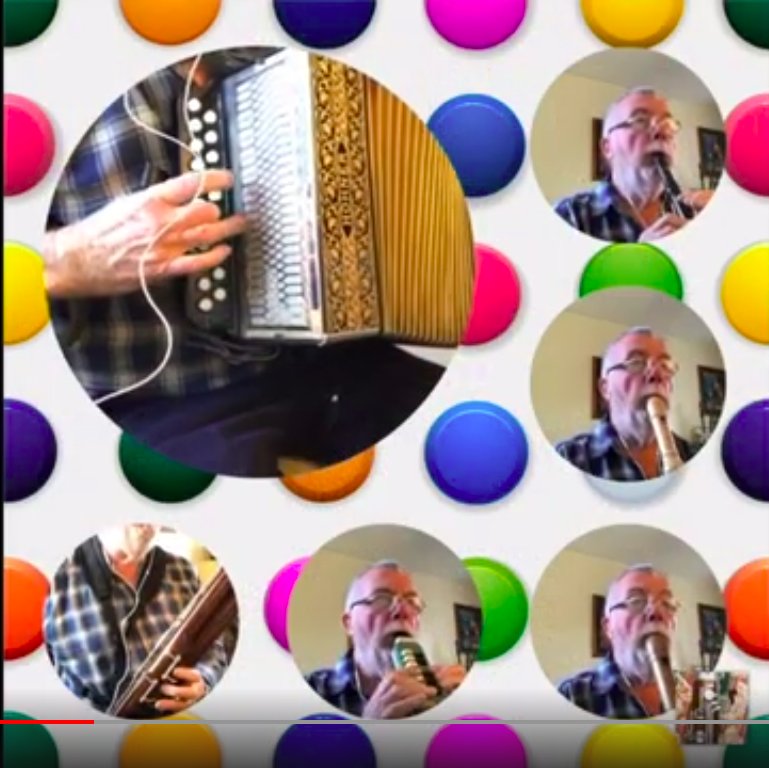
    During 2020 the whole world changed beyond all measure as countries around the globe suffered the effects of the Covid 19 pandemic. For many, including myself, had to endure many months in lockdown with limited opportunity to go out and socialise. My music making with my recorder group, Morris dancers and folk sessions all came to a grinding halt. For many months I simply didn’t feel like playing any music at all. Then a friend introduced me to the idea of making Acapella videos .

    Using this system it is possible to create little arrangements with myself playing all of the parts.

    Around the same time I learned that the Imperial War Museum had a set of pantomimes from the First World War Salonika front. These pantomimes were performed by a party of traveling ambulance men, the 85th Field Ambulance. With the help of the Salonika Campaign Society, I’ve managed to get scanned images of the three pantomimes, Dick Whittington, Bluebeard, and Aladdin in Macedonia. They provide a strange and unique insight into the lives of soldiers posted to this long-forgotten battlefront.

    At the moment, I’m trying to put together some of those Acapella videos, trying to breathe new life into those old tunes. I’m keying in each note of the tunes into Musescore software. This must be a bit like following a knitting pattern stitch by stitch with no idea what the finished item will ever look like. I’ve created some musical videos with the help of Apple iMovie and Acapella :- Pitch Perfect.

    Initially, I thought I’d try to learn one or two of the tunes. I couldn’t be certain that my grandfather Harry had ever attended any of these pantomimes but after a short period of study, I feel that he probably did.

    The Macedonia front was quite unlike the experience of the Western Front in France. During Summer, it was fiercely hot but Winter brought freezing conditions and snow. For most of the time, the battle lines were fairly static. There was little chance of any entertainment. Only lucky soldiers managed to visit the town of Salonika. Curiously, soldiers developed a strange form of entertainment:- Racing tortoises. Well, that was impossible during Winter as the tortoises would be in hibernation.

    Also, it appears that these pantomimes were incredibly popular, frequently out-performing pantomime productions staged at Drury Lane.

    Let’s imagine then that grandfather Harry did manage to get a ticket for the pantomime. Imagine him trudging through the snow to a small barn, nicknamed The Kopriva Palace Theatre. We’ll take a seat beside him and enjoy some of the tunes that he would have enjoyed all those years ago.

    I’ve finished three videos of songs from Music of Macedonia. You can see them here.

    I experienced a strange coincidence when I was looking through the music from Aladdin in Macedonia. Look at the name of the composer. Not my grandfather, G.H. Davies but a strange coincidence, another G.H. Davies.

    Farewell from Dick Whittington.

  • CCTV presentation to the Group

    CCTV presentation to the Group

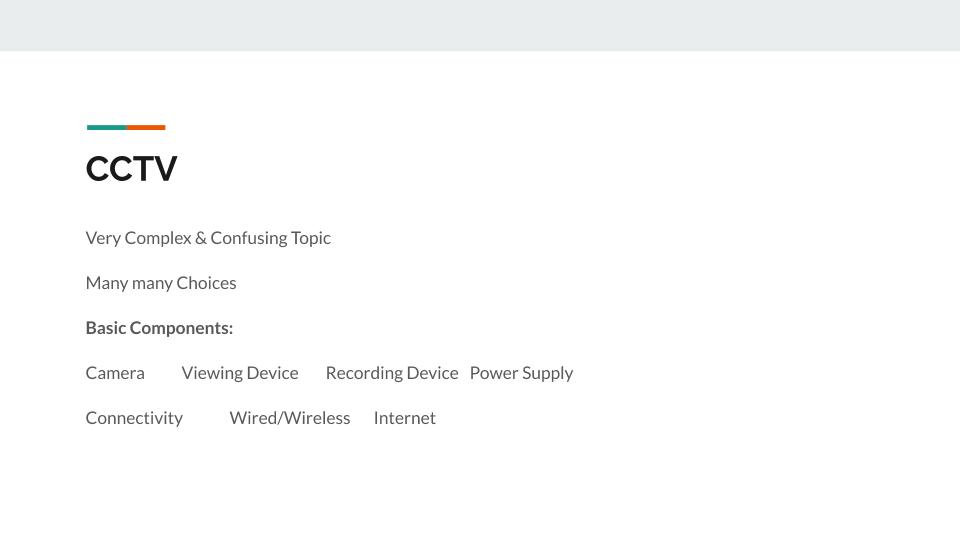
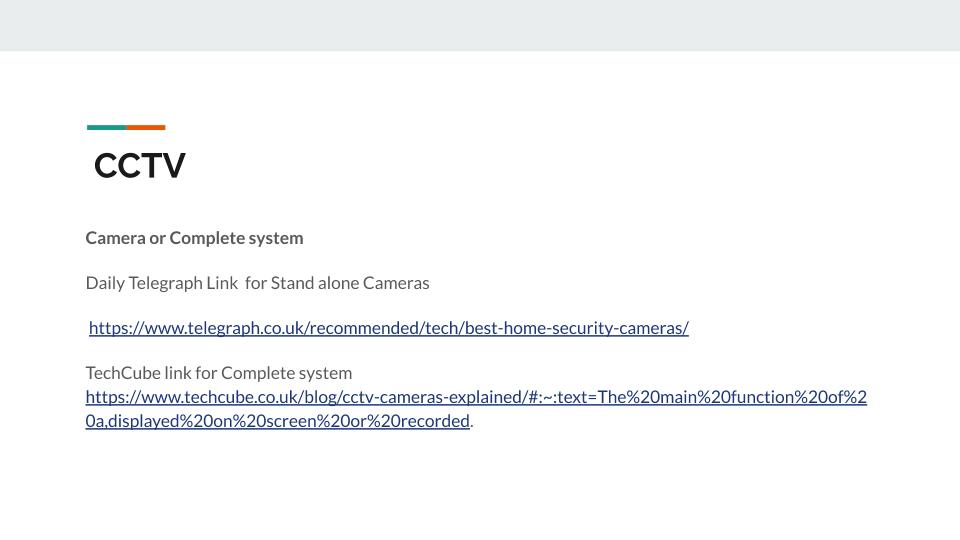
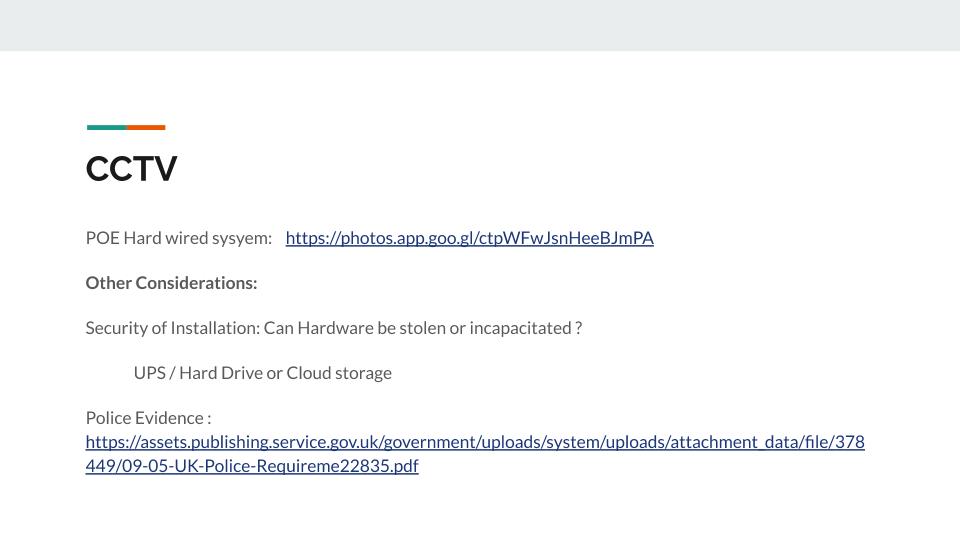
    Here are the slides from the presentation. The links unfortunately don’t work from the slides, but they are added below the relevant slides in Orange type.

    Daily Telegraph link

    TechCube link

    POE Link

    Police Evidence link

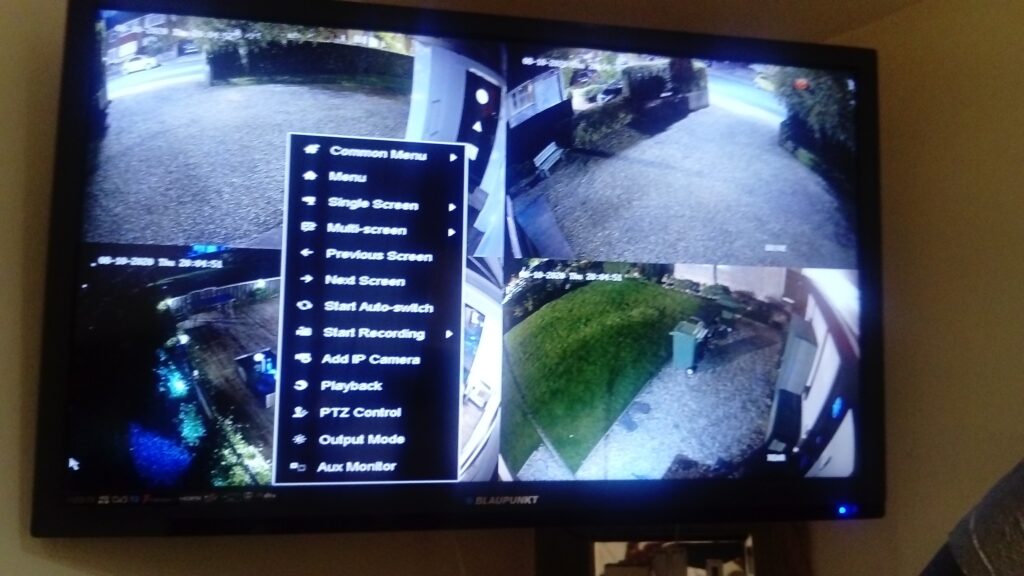
    Some screenshots from my installation of four cameras at night showing Menu screen…

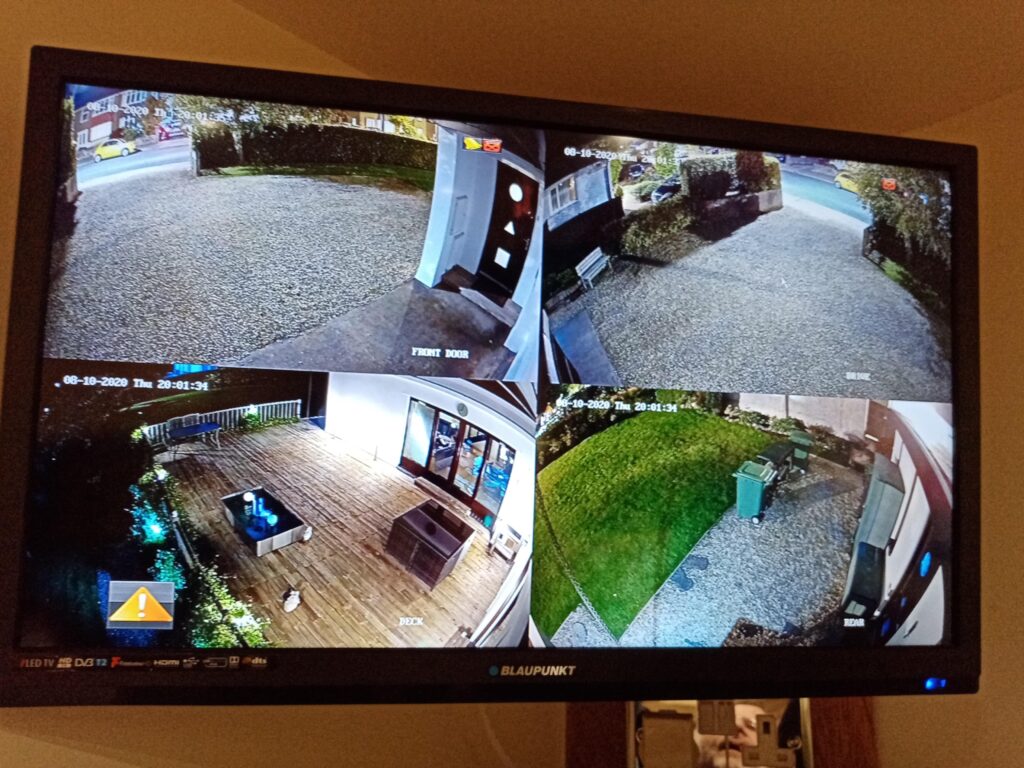
    … and showing here Normal Nightime Monitor screen …

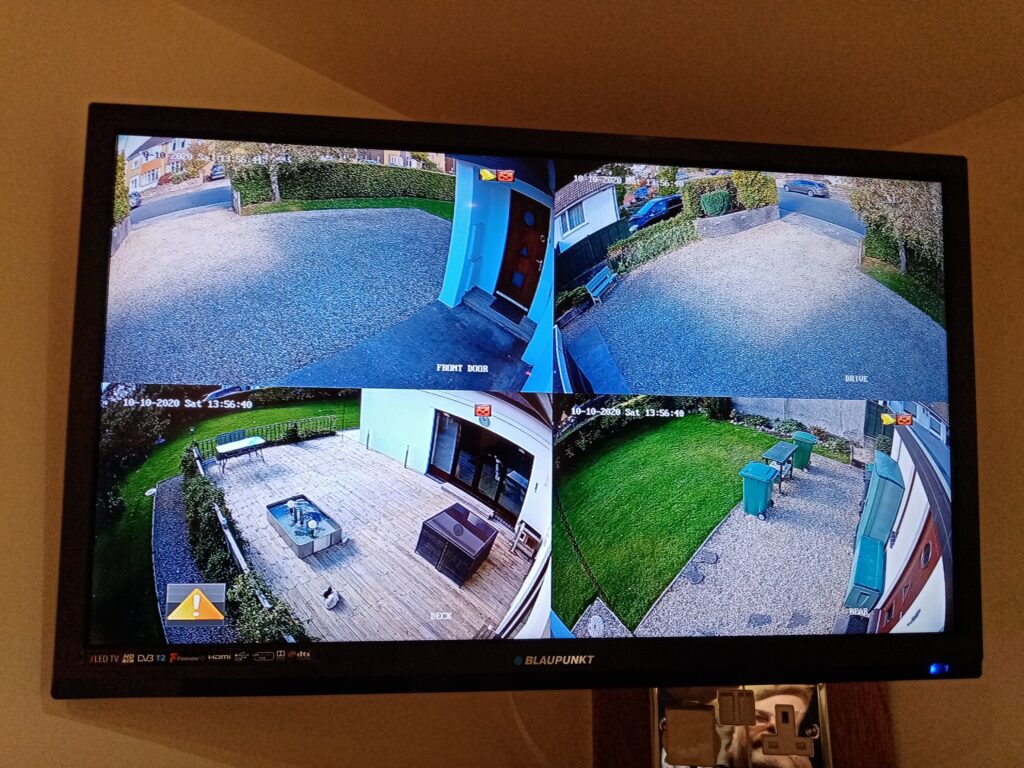
    Day time image of 4 cameras
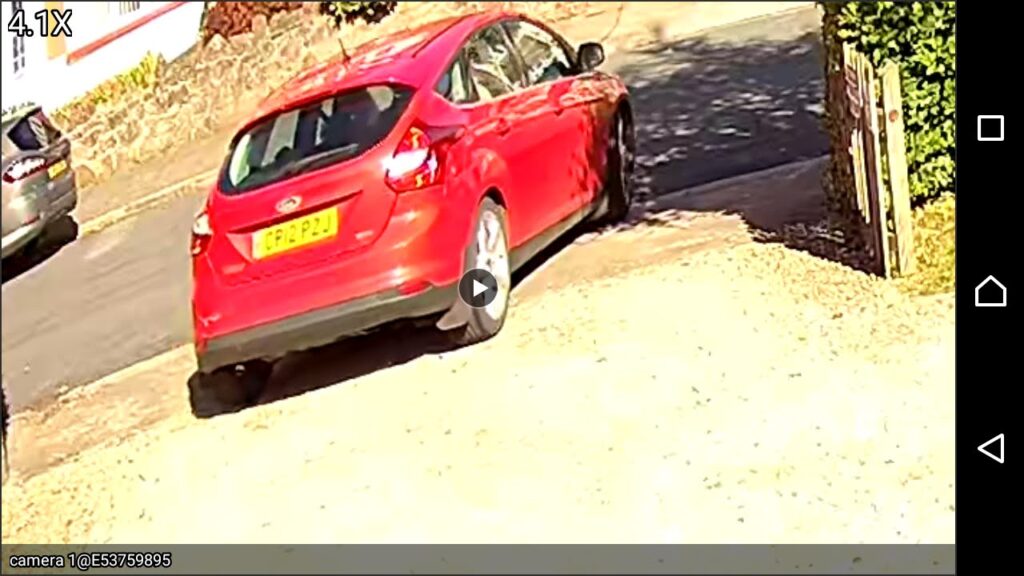
    Intruder Alert !
    Intruder Alert !
  • Protected: An extra window in your living room

    This content is password-protected. To view it, please enter the password below.

  • Protected: My Noy

    This content is password-protected. To view it, please enter the password below.