Author: admin

  • Digital Archaeology

    These were the slides and videos shown in the talk …

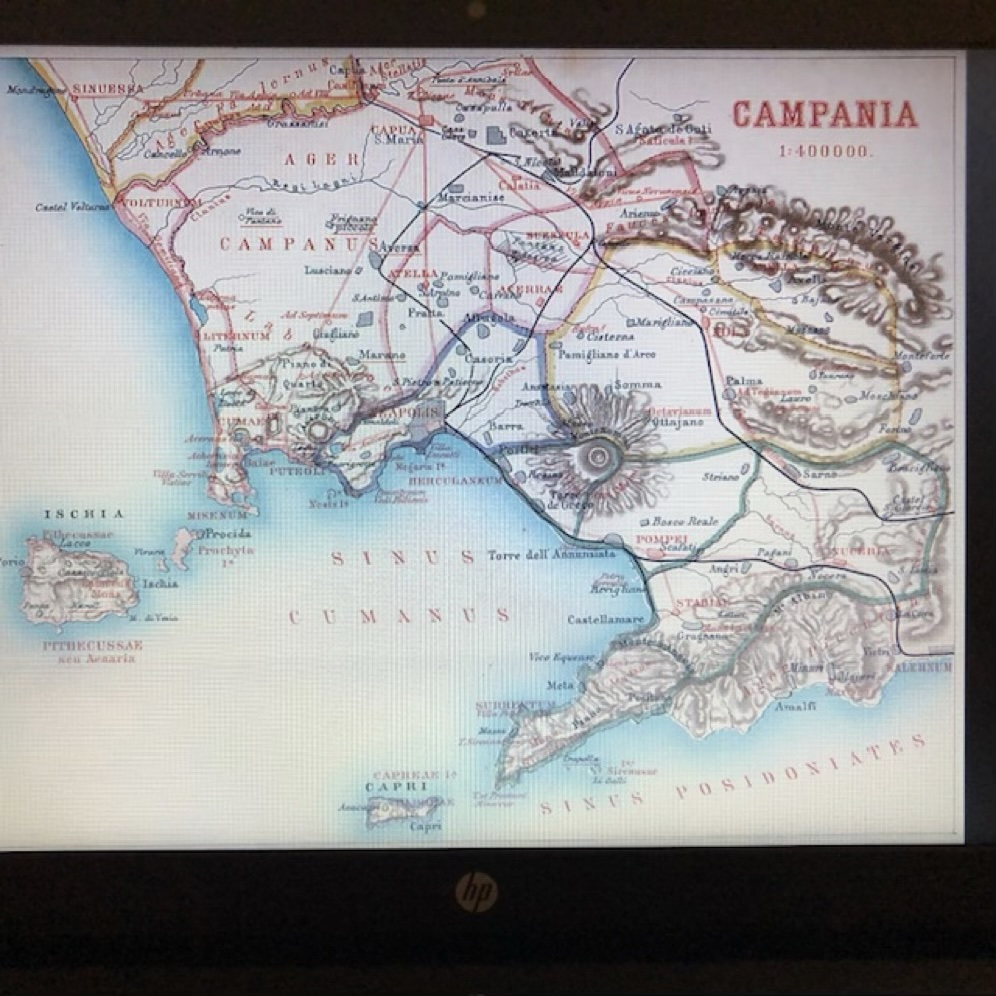
    Map of the Bay of Naples 1879 Campania

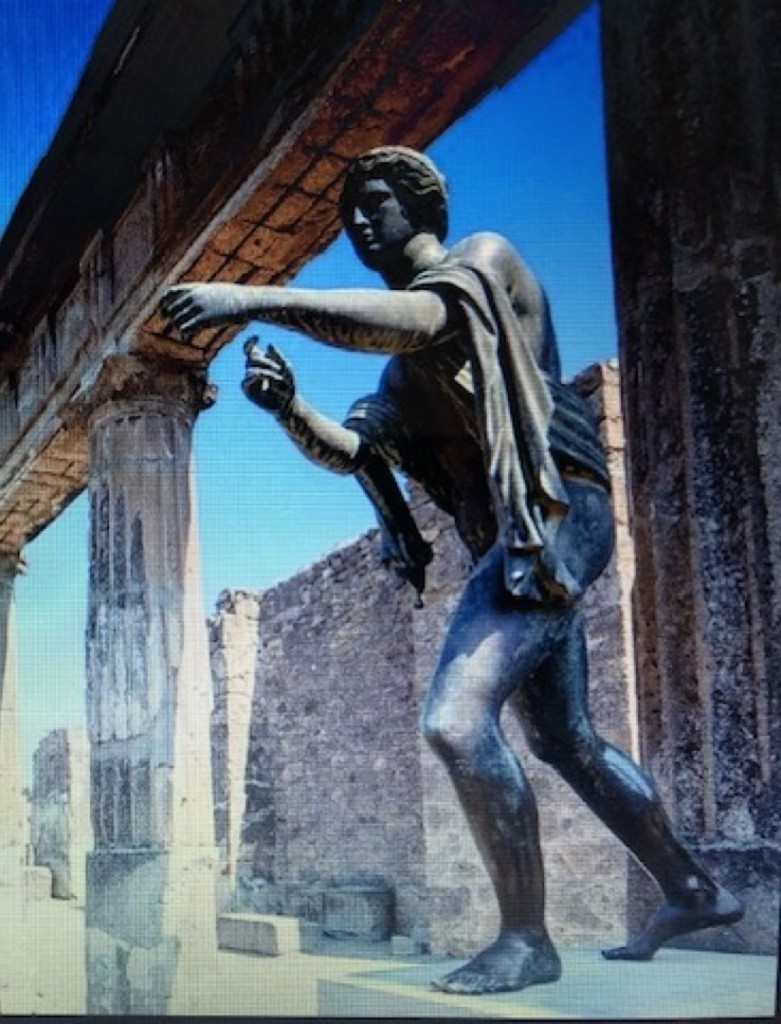
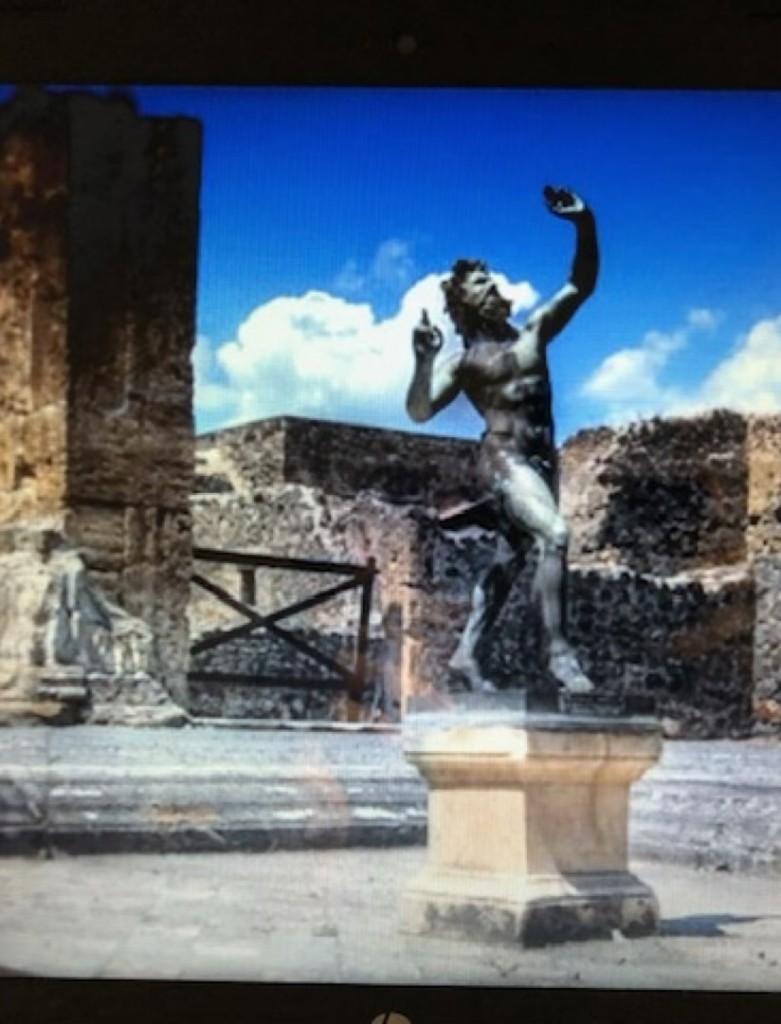
    Temple of Apollo, House of Venus in a shell, Bronze statue of Faun, Plaster cast of volcano victim – Crying Boy

    https://youtu.be/8tHaY_pw0D0?si=Ryzw37k_d9Nfk70C
    https://youtu.be/g1rN-sRh9lg?si=jXwGwmLFH4e10oxj

    Herculaneum

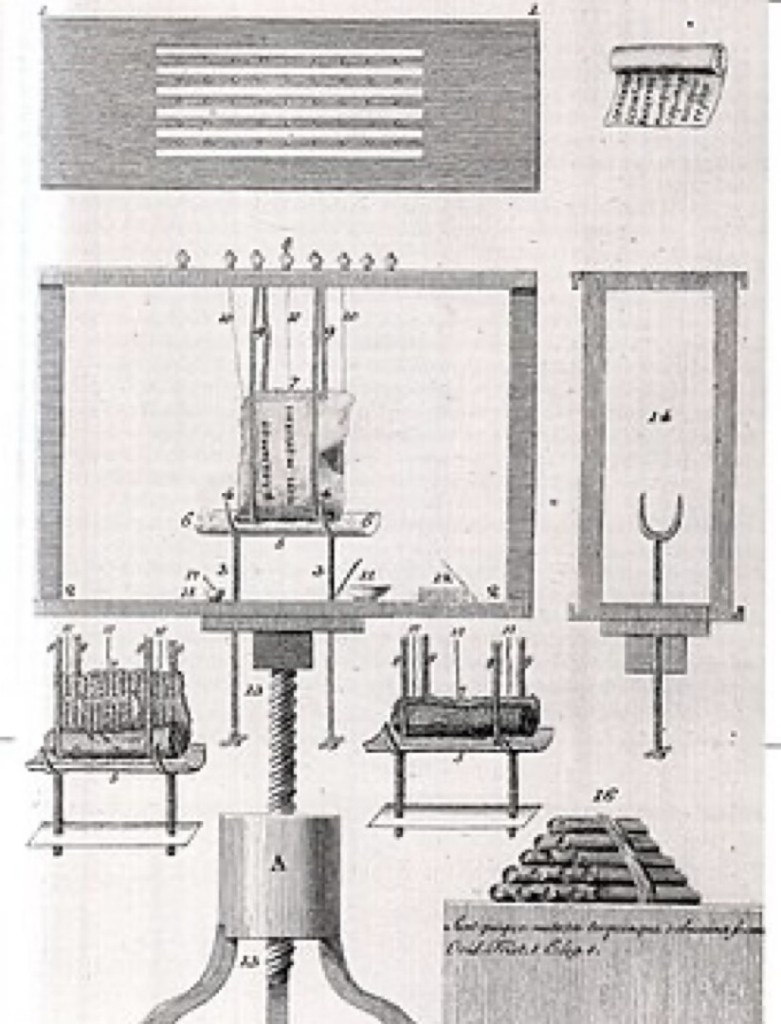
    Padre Antonio Piaggio and the Papyri Unrolling Machine for the Vatican

    Richard Wilson, Lake Avernus and the island of Capri, 1760 (Tate Gallery)

    “Lake Avernus with a
    Sarcophagus” 1765
    Dionysius

    Britain

    … and near to Cardiff …

    The talk was enjoyed by all who were there. Many thanks Stella.

  • Best kept secret

    The Best Kept Secret.

    Philip Edwards.

    A few weeks ago during one of our regular meetings, somebody brought up the topic of Apple News+. One of the features of the service is that it gives you access to over 400 magazines to peruse at your hearts content. This made me sit up and listen, because I knew of a service called Pressreader. This provides access to 7,000 newspapers and magazines from more than 120 countries in over 60 languages, all for free.

    How do you access this service? It might involve a trip to your local library.

    First, you need a library card. You might already have one, but to make this work, you need to ask your librarian for a P.I.N. number. Both are free. Make sure you keep your details of your library card and P.I.N. You will need them to sign up to the service and you really don’t want to suffer from a nasty case of Passworditis do you.

    Next, go to pressreader.com and sign up. You’ll be asked to select your local library…probably Cardiff. You’ll also be asked for your library card number and P.I.N. number. And that is it. You can then browse the catalogue, check the news in the latest newspapers or find absolutely anything from their huge range of magazines….and I’ll say this again, all for free through your local library membership.

    If you’re new to the world of on-line reading, you might want to check on another service, free through your library card membership. Visit libbyapp.com

    This is a more general library service, giving you access to thousands of electronic books and audiobooks which you can borrow, again, all for free; all part of the library service.

    Probably best to load the libby app onto your laptop, tablet or wherever you think you’d enjoy sitting back to read your recently borrowed Agatha Christie

    https://www.amazon.co.uk/photos/share/fhBBthPO3m4twXjknStaWcvSZS045foqnjpQifTqApD

  • Apple Trade In Scheme

    I had an Apple MacBook Air. I bought it early in the lockdown year 2020. At the time, I bought the base model with just 256 Gb of storage. I decided that I could probably get around that limitation simply by storing things in my Apple Cloud. For a while, that appeared to work. Then a few weeks ago I decided to find out how much actual storage I had left available. I’d actually used nearly 200 Gb.

    It was then that I discovered that Apple operated a trade in scheme. It works like this. You log on to the Trade In website and provide the details of your device; serial number and the state of its general condition. The then give you an indication of the estimated value. I was offered £275. Considering that I’d made good use of this laptop for about five years, I felt that was a good deal.

    Problem was, until then, I really hadn’t thought of getting a new computer. Perhaps about two years in the future was my thinking. However, if my laptop was worth £275 now, I really didn’t think it would be worth that much in two years time.

    I’d heard so many good things about the Apple Mac Mini that I decided that this might be for me. It dawned on me that although I’d bought a laptop five years ago, I had never ever taken it out. I had it connected to a large monitor. I also had Apple bluetooth keyboard and mouse. I really didn’t need a laptop.

    You start the Trade-In process by filling in an on-line form. Basically, you get asked about the device’s condition. Any scratches, bumps or bulges, that sort of thing. From this, you get awarded a valuation. If you accept, in a few days time, you receive a delivery; a box to pack your device and some instructions on how to proceed.

    This isn’t just limited to Apple devices. They accept other brands but they only pay out in the form of an Apple gift card.

    I had to create a back-up using something called Time Machine. This, supposedly creates a file containing all of your documents and settings from your old machine. This can then be plugged in to your new machine, which will then set itself up just like your old machine. Well. We’ll see.

    I then had to re-set my laptop to day one, thus deleting everything from my old laptop. After that, I packed up the laptop using the provided box and took it to the post office.

    I’ll be honest, I found this process a bit emotional. Watching the laptop delete all of the data, then handing it over to the post office, it was a bit like taking an old dog to the vet for the last time. But, hey ho, we must move on.

    I made one mistake. Apple devices have a feature called Find My. This is a security device. If your device is lost or stollen, Find My helps you to locate it. It has to be turned off before you start the procedure. They can’t proceed until it is turned off. Eventually I found that you could turn off this feature ‘in the cloud’.

    Be prepared for a wait. This isn’t a fast process. It appeared to me that every step along the journey takes 3-5 days. 3-5 days to receive your box. 3-5 days for your device to be delivered to Apple. 3-5 days for them to confirm your valuation, 3-5 days to receive your Apple gift card. Only then will you be able to order your new device.

    I suppose you need to think long and hard before considering this service. You could find yourself without your computer for three to four weeks. Also, I estimate that I’m going to get about 25%-30% of my original purchase. Maybe I should have delayed or found another way to fund my new computer. However, I console myself by looking at YouTube videos that tell me that the new Mac Mini is indeed the best thing since sliced bread.

  • Phil’s AI experiments

    I’m thinking/hoping that Phil will be writing his own post on the subject; but I’ve just posted this article – using the form at the bottom of the Member Posts menu item from the Digital Matters tab on the website as a placeholder for his Composers work …

    Composers

  • A.I. and magpies.

    Hi Group.

    You probably don’t know this but there have been times in the past when I’ve done a bit of writing; even managed to get things published. Sadly, upon retiring, I entered a deep period of ‘writer’s block. Strangely though I think A.I. has managed to draw me out again.

    We regularly feed the resident birds in our garden. The magpies are my personal favourites. When grandchildren are around I often try to teach them the magpie rhyme; the one that goes, One for sorrow. Two for joy, three for a girl. etc. It got me thinking. Maybe I should buy them a book that illustrates the rhyme. However, I was really shocked to discover that there wasn’t one. Not even on Amazon.

    So, I decided to write one myself.

    I had tried using A.I. to generate images in the past. Along my A.I. journey of discovery though, I found out that it is possible to get Chat GPT to generate images for you. (There are restrictions though. You’re only allowed 3 images per day with a free account)

    I started experimenting and found that I was stunned by some of the images.

    https://www.amazon.co.uk/photos/share/uzB47k9GyWb5yOCwsgUVgRVsMKCrvoC4NVfwA8jrZjg

    https://www.amazon.co.uk/photos/share/uzB47k9GyWb5yOCwsgUVgRVsMKCrvoC4NVfwA8jrZjg

    I learned to be quite specific in my requests. It was possible to constrain the images to a certain size. It was also possible to get A.I. to add a certain number of magpies to the image however, it appears not to be able to count past three. If I asked for say seven, I’d often get some random number.

    It even managed to offer me suggestions. For instance, when I asked it to suggest an image to illustrate, “seven for a secret never told,” it gave me the idea of a locked chest, lost in a forest. Genius.

    Another surprise for you….I have an illustrator. A young lady by the name of Sue Rundle-Hughes. We’ve worked on projects in the past. Now, I feel that it would be wrong to use the A.I. images to illustrate a book, but surely it would be OK to use the images to illustrate my thoughts, then get the artist to flesh out the ideas with real paint and canvas.

    I’ll keep you informed on the progress of the project.

    — Forum Responses —

    And another thing. Chat GPT appears to have an imagination. You can ask it to form an opinion. For instance.

    Can you think of a good way to illustrate the line from the magpie rhyme, “four for a boy”?

    Gave this response.

    For “four for a boy,” an engaging illustration could depict a scene with four magpies interacting near a young boy in an English countryside or garden. Here’s an idea to bring this line to life:

    To add more depth, consider adding elements that evoke a classic British setting—soft wildflowers, a gentle path, and perhaps a quaint garden wall or rustic fence nearby, creating an inviting scene of youthful discovery.

    Imagine a serene, lush meadow with a young boy, perhaps around five or six years old, sitting on the ground, joyfully examining a small collection of wildflowers, pebbles, or other natural “treasures.” Nearby, four magpies are perched on branches, fence posts, or hopping around the boy, almost as if they’re sharing in his curiosity. One magpie might be holding a small trinket like a shiny button or coin, as magpies are known for their attraction to shiny objects.

    Philip Edwards November 9, 2024 11:15 am

    Both these posts are really interesting and I can see we now have two items to discuss when the group reconvenes. Your Composers “sapp” and this Magpie rhyme book – both using AI.

    Thanks for sharing.

    David Harrison November 9, 2024 3:55 pm
  • Notes of meeting – 26th September (Amazon)

    In David’s absence the meeting was led by Jonathan and Phil.

    Amazon and Online retailing

    Jonathan introduced the topic of online shopping offering a number of reasons why we might want to moderate our shopping with Amazon. His primary concern was the impact of Amazon, and other online retailers, on our local shopping centres –  such as the loss of over 1000 bookshops in UK since Amazon came on the scene. He mentioned his many efforts over the last year or so  trying to persuade members of the U3A’s Ukulele Group to first try  our local  music shops rather than Amazon on the basis of “ use it or lose it” . And the reason he had raised it here now was  news that we have now lost it  – in the form of  Gamlin’s music shop in the City Centre – due to close the following day!

    Rather than summarising Jonathan’s main points here ( and to avoid accusations of bias! ) he has taken Ian’s advice in asking AI for “ reasons to consider alternatives to  Amazon “. Gemini’s conclusions are reproduced below!

    There was a healthy discussion in response which was almost universally in favour of shopping with Amazon! Jonathan just hopes that members will remember that “ other retailers are available”!

    Reasons to Consider Alternatives to Amazon (Gemini AI)

    While Amazon offers convenience and a vast product selection, there are several reasons why some people choose to shop elsewhere:

    Ethical and Environmental Concerns:

    • Worker Treatment: Amazon has faced criticism for its treatment of workers, including long hours, low wages, and demanding quotas.
    • Environmental Impact: The company’s rapid growth and reliance on shipping have raised concerns about its carbon footprint and impact on packaging waste.
    • Anti-competitive Practices: Some argue that Amazon’s dominance in the market can stifle competition and harm smaller businesses.

    Supporting Local Economies:

    • Community Impact: Shopping locally can help support your community by keeping money within your area.
    • Personal Relationships: Building relationships with local businesses can provide personalized service and a sense of connection.

    Privacy and Data Concerns:

    • Data Collection: Amazon collects a significant amount of customer data, which can raise privacy concerns.
    • Targeted Advertising: The company uses this data to personalize ads and offers, which can be intrusive for some.

    Product Quality and Authenticity:

    • Counterfeit Products: While Amazon has measures in place to combat counterfeit goods, there is still a risk of purchasing fake or low-quality items.

    Alternative Shopping Experiences:

    • Supporting Independent Businesses: Shopping from smaller businesses can help promote diversity and innovation.
    • In-Person Shopping: Visiting physical stores can provide a more immersive and tactile shopping experience.

    Ultimately, the decision of whether or not to shop with Amazon is a personal one. By considering these factors, you can make an informed choice that aligns with your values and preferences.

    Apple “Notes”.                                                                                                                          

    Phil briefed the group on the Notes app available on Apple devices along with further anecdotes about life with an electronic can opener.

    “With Notes, you can capture a quick thought, create checklists, sketch ideas and more. And with iCloud, you can keep your notes updated across all of your devices.”

    Any other business

    Tony mentioned a laptop problem he had and asked for advice on how to fix it. “We will fix your PC “ was the  universal reply!                                                  

    39 Lambourne Crescent, Cardiff Business Park, Llanishen, CF14 5GG. 

    07999 056 096   or   02920 766 039.

    Email neil@wewillfixyourpc.co.uk

  • The Rule of Six:- Smart watches.

    Remember the digital chip that was inserted into the Covid 19 vaccine….the one that would kick into action at some unspecified date and force you to do things that you might not have considered before? Mine forces me to buy tech products. That digital chip even knows my P.I.N. number. An Apple Watch was one of my most recent purchases but I might say that I’m absolutely delighted with the device. It looks after me; a bit like having Jiminy Cricket on my shoulder. It does things for me that are really useful, potentially even vital.

    1. It has a feature called Fall Detection. Those who know me will know that I’ve had a few falls over the last few years. I’ve sustained quite a few injuries including three broken ribs once. Believe me, falling over is no fun. Luckily, every time it has happened there have been kind Samaritans around, but what if I took a tumble whilst on a park walk, where there was nobody around? That is where Fall Detection comes in. The watch will know when you’ve fallen over. On the screen it will show a message, “You’ve fallen over. Are you O.K.?” You then have one minute to respond to that message. If you don’t respond within one minute, it will send for an ambulance, sending it to the GPS location provided by your watch. Here are a couple of videos.  https://youtu.be/yZgzAhBa7Kc?si=2eTcmhPMFsJgIpKi.    And https://youtu.be/OWasOBv15qk?si=zjaMW5gnKDcX8j2H
    2. Medical I.D. You can tell your phone and your watch your ailment and prescription details. Now, I know we should be wary of giving computers too much sensitive information but as far as I know, this information can be gained from my watch by medical professionals in times of trouble only. 
    3. Health monitoring. The watch can give you all sorts of information about your health. This includes a step counter, sleep monitor, it can even monitor your walking steadiness. It is even said that it can detect atrial fibrillation although you might want to check that out yourself. The more expensive models have blood oxygen and ECG apps included. I went for the cheapest model, the SE second generation. (£219 at the moment). I think that is sufficient for my personal level of hypochondria. 
    4. A torch. Nifty ! There are a couple of ways to get the screen to light up, giving you roughly the illumination level of a candle. Sufficient to help you find the toilet during night time excursions in unfamiliar hotel rooms. Use Siri  (yes, the watch has Siri) and simply say ’Torch on’, or for Harry Potter fans, say ‘Lumos”. To switch off, simply place your hand over the watch face.
    5. Answer the phone. If your phone is in another room and rings, you can accept the call from your watch, speaking and listening to your watch. You can also send text messages to your watch using Siri.
    6. Alarm clock / timer. Simply ask Siri to set an alarm. It wakes you with vibrations on your wrist. This is actually a really pleasant way to be woken up.

    Things to be aware of.

    The Apple Watch works in conjunction with your iPhone. It won’t do much on its own.

    I haven’t looked in to this, but I’m pretty sure that there are alternatives in the Android world that will do pretty much the same thing. 

    There are other, far cheaper brands of Smart Watch available. I tried a £40 model but I had to stop using it because it made my wrist itch.

    Oh, and just one more thing, especially for the gentlemen in the group.

    From How An Older Man Should Dress | Older Man’s Clothing Tips 2024

    Older Man Clothing Tip #4: Own the Latest Technology

  • Help! My Phone is Running Out of Memory

    Before you give me any advice, let me explain the problem and what I am doing about it. I bought my Galaxy four years ago, and it has 16 GB of internal memory. All was well for a couple of years, and then I decided I needed to get some extra memory, so I bought a micro SD card, also with 16 GB of memory. I started by putting the photos from the phone’s camera on it, and later the ones from WhatsApp. Again all was well for a while, but in the past six months or so I have been having trouble again. The My Files app tells me I am using 15.32 GB of the internal 16 GB.

    Every morning I check my phone’s apps for updates, and there is usually at least one. Some of the updates can be large, so some fail to install because of lack of memory. I suspect the apps must now be larger than they were a few years ago. I have tried moving some apps to the SD card, but only a few have allowed that. I have also looked into uninstalling the apps I don’t use, but again many don’t give me that option. I can sometimes uninstall updates, or disable the app, if that helps. I am now reduced to clearing caches. Incidentally I’ve noticed that Signal occasionally downloads a backup file, which is 116 MB. I assume I only need one backup file, so I’ve started deleting old ones.

    Having (I hope) read all that, do you have any suggestions?

  • Two Obscure Problems

    The first happened a month or so ago, but I decided it wasn’t worth mentioning in a meeting. I thought I’d include it in this post about the second problem though, which happened a few days ago. The problems were:

    WhatsApp, having to link my phone to the laptop every day.

    Phone network, loss of internet access.

    First, I originally linked the phone to the laptop, by scanning a QR code, and from then on I could read and write WhatsApp messages on my laptop. Then one morning I was asked to link again, and this happened for the next couple of days. I couldn’t work out why. Finally I got a message saying that I could link a maximum of four devices to my phone, and it turned out I had linked the laptop that number of times. The cure then was to unlink them all and start again. I’ve no idea how it all started though, as going through the linking process is not something you can do unintentionally.

    Second, I’ve got a pay-as-you-go contract with 3, and as I said, I lost access to the internet that way a few days ago. That meant I couldn’t check my PAYG balance amongst other things. I thought maybe it needed topping up, and managed to do that via my laptop, but it didn’t help. I called in to the 3 shop, and the assistant took my phone and played with it for a while, finally curing the problem. I asked him how, and he said he had gone in and out of ‘flight mode’ for a few seconds. Not something I had thought of trying.

    Maybe one of those might help someone in the group one day.

  • Notes of Zoom Meeting – 12th May 2022

    Mario but no Fred
    Fred but no Mario!

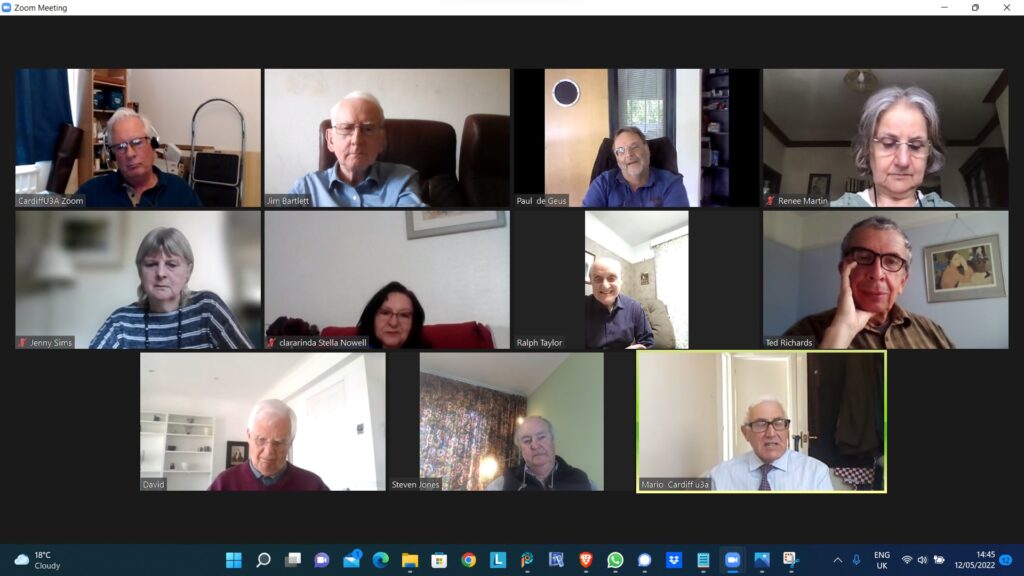
    12 of us met although there were the odd appearance, re-appearance and disappearance of some members! Thanks to Jim for the screenshots.

    Owen took the lead in David’s absence, mentioned the news that Apple was no longer the world’s biggest company, led a remarkably short moment of silence for that fact and also mentioned the demise of the iPod Touch.

    David has a friend who had been locked out of Gmail. He was unsure whether this was a Google account problem or just spite. Renee mentioned that she had received prompts from Google to take extra security options.  David further lamented that his iPad was now too old to receive iOS updates (he’s locked on 12 when the current release is at 15) and that this was now beginning to case him issues with favourite apps that would no longer work.  Beyond commiserations, we were unable to offer much help.

    Jenny then kicked off a discussion about discounts available through u3a or the Third Age Trust. Owen indicated that there were some software discounts available but needed to look into the scheme again. Fred added his weight to the call for national-level negotiations. Jenny is also speaking at the Age Cymru conference, her topic is digital inclusion.

    Paul informed us that he had learned that the short phone number 159 can be used to report a banking scam (or attempt) [Thanks Rip Off Britain on the BBC]. He was unsure whether this was just a report or whether one then got through to one’s own bank to freeze cards etc.

    Stella had received a scam message on Signal which she had not opened but wanted to delete. We demonstrated how to do this and also slim down the number of messages. We were unsure as to whether the messages were stored on a local device or just on a remote server. Jim interpolated later that with WhatsApp, images and videos are held on the local device when delivered and the storage this takes needs to be managed to avoid filling up the phone’s capacity. We presume the same is true with Signal.

    Ralph needs to renew his driving licence having reached a certain age and enquired whether it was feasible to do this using a smart phone or would a PC/laptop be better. A PC/laptop was recommended as being more amenable to typing but we did think it could be done on a phone.  In response to Ted’s enquiry on this, it was indicated that no actual medical checks were involved but that there was some self-reporting required.

    Ted started off a discussion on the future of the group in view of David H’s decision to step down as facilitator in a couple of months. We kicked around a few ideas, thinking that as no member had thrown their hat in the ring yet, it might be necessary to reformulate how the group operates to attract candidates. No decisions were made but the following ideas were raised:

    • Frequency of meetings: monthly or fortnightly or a fixed pattern (e.g. 1st and 3rd Thursdays of a month)
    • Content of meetings: round table with occasional longer talks (as now) or just main talks
    • Mix and match options: face-to-face or zoom or do each type alternately [hybrid was discussed]
    • More than one convenor, possibly one running Zoom meetings and another running F2F.
    • No notes to be produced – this was raised to indicate that note taking and loading onto the website clearly involves some effort and may be putting off candidates – members to take their own notes as they think fit.

    Some members expressed preferences but there was little consensus at present.

    Jim added to his points on WhatsApp that there has been a message re a upgrade within the next few days that will be advisable to take.

    Steve had had some issues with new equipment. He also raised the recent reports on FIDO, the sharing of account details including passwords between Apple, Google and Microsoft, ostensibly to save money and hassles. It should be reported that there was a tinge of cynicism about comments on this.

    Mario reported that he had borrowed the URC’s new laptop and obtained much better speeds on his home wifi than he did with his own equipment. He also indicated that URC systems were improving and still hoped for better soon.

    In closing the meeting, Owen reminded members that he was not available on 26th May for the next meeting and Ted has agreed to start the Zoom session instead.