
Author: admin

  • Notes of a Zoom meeting – 28th April 2022

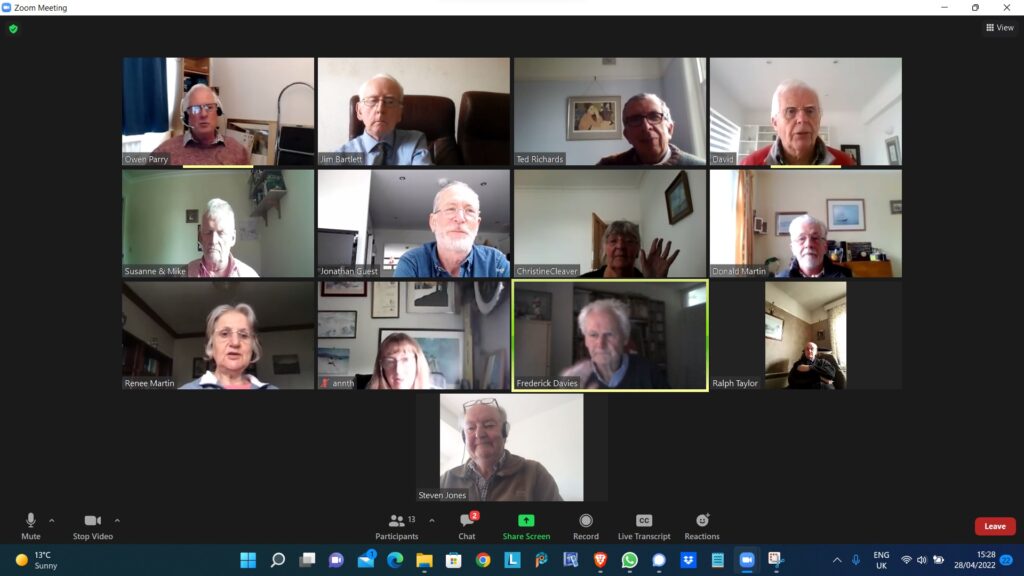
    Thirteen of us met this week with Owen facilitating again in David’s absence in the Antipodes.


    Ted provided an extremely interesting talk on the use of the various software he uses in ancestry research. He demonstrated the use of paid-for and free software, including Ancestry.com and Find My Past in the former category and the Commonwealth War Graves Commission, Free BMD, the General Register Office and the Welsh newspaper archives available from the National Library of Wales in the latter category.

    Using a grandfather of David Hughes who was known to have died in the First World War as an example, he took us through the search process, moving from one application to another to add in material until we had a clear picture of William Hughes, his parents, wife and children. Ted was also able to add in the cause of death and location of his burial as well as background as to his work before the war and possible service in a territorial unit, perhaps in the Boer War or other imperial conflict.

    It was a trouble-free demonstration and Ted has provided a slideshow to accompany his talk for Thoughtgrazing members …

    There were some contributions from members: Jim mentioned WikiTree to which you can add your own family tree to help others find connections – their ultimate aim is to connect all living people on a single tree – and Jonathan mentioned Family Echo which enables one to draw up a tree – but not to do the searching.


    We moved on to our usual round-table discussions. Several members had nil returns but here are the others:


    David H has battery-life problems with his mobile phone and Ann and Jim were able to offer him advice on both identifying and ameliorating the problem.

    Christine had been selling things on Gumtree and eBay and was surprised by the level of scam offers she received. We discussed the difficulty in establishing the bona fides of purchasers. Christine has firmly decided on local and cash-only arrangements. Renee recommended the use of NextDoor for this.

    Don had received a letter from a charity he supports informing him of a data breach and is monitoring his accounts. He had also received a few scam phone calls using what appears to be a Cardiff number 029 2240 4135 and felt the ‘22’ was unusual. Some Penarth numbers use this, apparently.

    Renee has finally had a problem fixed by Virgin Media. She has lost incoming calls due to a problem which appeared when Virgin Media switched her phone to a hub. Of course, she didn’t know she had a problem until her callers informed her of failed attempts and she thinks three months have passed until the problem has been resolved.

    Ann has found a workaround of her printer problems using a smart phone app but still has signal problems.

    Owen closed the meeting reminding members that in David’s absence, substitute facilitators were required. He was able to do the next meeting on 12th May but not on 26th so asked for volunteers to contact him. He also reminded the group that David had indicated that he wished to step down from the role entirely after the Summer break and that someone was needed to take over if the group is to continue. Owen indicated that he was not in a position to offer to do this.
  • Android 12 Issues

    I recently had this message from the Royal Television Society, which David thought was worth passing on:-

    We have become aware that there are issues with the latest Android 12 version that is affecting the RTS app along with many others.
    The most common issues are that the App will not transfer to a new phone or will not download from the PlayStore.
    It appears that Android 12 has elements of incompatibility with a number of app development platforms including the one RTS uses.
    We are very sorry about the inconvenience and frustration this is causing.
    We have been informed it is not possible to de-bug the App in the platform to avoid the incompatibilities, the solution being for Google to patch Android 12 to negate the issues.

    A search has shown the range of issues arising.

    With possible fixes suggested but not with 100% success.

    Step 1: Clear the cache & data of the Play Store

    This gives the app a fresh start and can help fix issues.

    1. Open your device’s Settings app Settings.
    2. Tap Apps & notifications and then See all apps.
    3. Scroll down and tap Google Play Store Google Play.
    4. Tap Storage and then Clear Cache.
    5. Next, tap Clear data.
    6. Re-open the Play Store & try your download again.

    Step 2: Restart your device

    If you still can’t download after you clear the cache & data of the Play Store, restart your device.

    1. Press and hold the Power button until the menu pops up.
    2. Tap Power off or Restart if that is an option.
    3. If needed, press and hold the Power button until your device turns on again.

    Regrettably we will need to wait for an update to Android 12 but we will contact you again as soon as we have news of a patch to Android 12 and that the RTS App is working on that operating system.


  • Notes from Zoom meeting – 14th April 2022

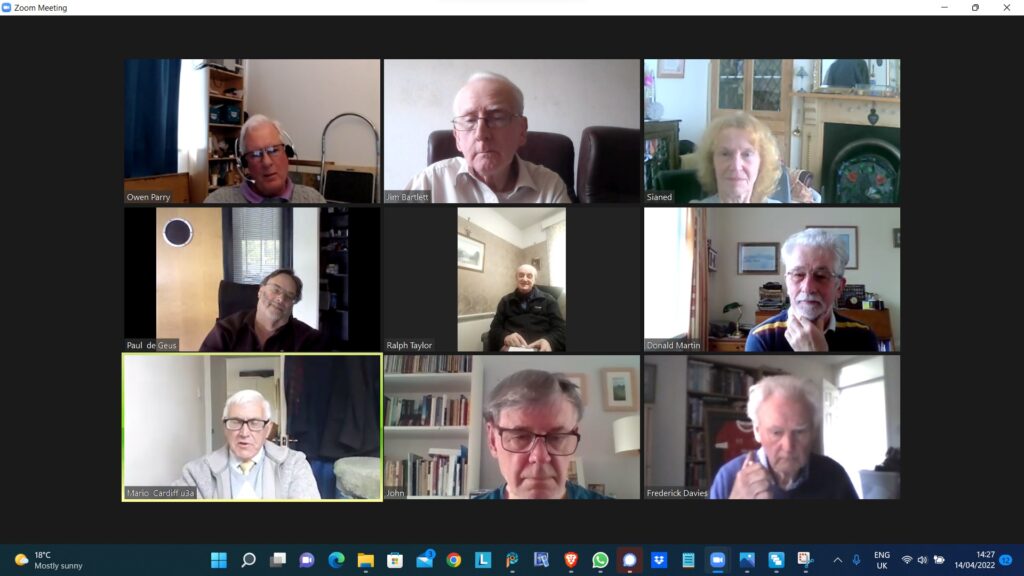
    Members attending 14/4/2022

    We were much depleted this week with only nine members attending. Owen was facilitating as David was away on a break.

    In lieu of meeting notes from last time, we moved swiftly on to a round-screen chat.

    Sianed reported that she now had a new iPad (9th generation) to replace her old one which was now no longer receiving updates and therefore not of much use for her online activities.

    She had also updated per PC to Windows 11 but found it to be running more slowly, with a noticeably longer boot-time. Jim chipped in to say that his upgraded PC was actually running better under Windows 11 and recommended that Sianed implement any updates and see if that helped.

    Paul related a prospective battle with TalkTalk over increased charges an we had a discussion of just how they arrived at both increases and the figures upon which they were actually based. A new branch of mathematics perhaps…

    Jim is still pursuing the perfect image catalogue without any duplicates…

    Ralph was interested in our discussion but felt unable to contribute at this time.

    Don had downloaded Norton Anti Virus as it came packaged with his BT broadband offering. He had had some issues with browser extensions but felt he was now OK. He had also implemented a password manager.

    Jim referred us to an article which said basically what has been raised before, that Windows Defender was adequate and that paid-for anti-virus should not be necessary on top of it… but as Don said, it was free to him at present.

    We also discussed the efforts Don was undertaking in making grant applications for his church, which involved considerable downloading, loading into Word, editing and re-uploading.   He was also waiting for a new iPhone and planned to use it for the Signal group.

    Mario found his latest monthly meeting Zooming plagued by screen freeze and on investigation had discovered very poor connection speeds for downloads. We queried the age of his router and Paul suggested a battle with TalkTalk to see if upgrading was feasible for him.

    John talked about his iPhone photography and also that he was experiencing startup issues with his Dell PC. He is considering Windows 11 as well and was referred to the Microsoft site for the PC Health Check software.

    Fred has speed issues too and was interested in the discussions that had preceded him.

    Owen demonstrated the current state of the web redevelopment project using WordPress.

    We closed at around 3pm with Owen indicating that next time (28th April) Ted Richards would be leading on the use of ancestry software.

  • Immobilise App

    Immobilise is a free register of home items. It is available to the police if you are burgled.

    Immobilise System set up 2003

    1. Largest free system to register household property.
    2. Used for public and businesses.
    3. Police online checking service used 1000 s of times a day.
    4. Returns property to owners.
    5. Recommended by E-Bay to reduce fraud.
    6. Funded by the sale of marker pens and stickers.
    7. Displayed stickers mean you are less likely to be burgled.

    Benefits of Registration.

    1. Immobilise helps police identify the owners of recovered property.
    2. Property updates immediately available to the Police nationally.
    3. Combats the sale of stolen items in the second hand trade.
    4. Simplifies insurance claims and police reports.

  • Who is that in the photo? Where was I when I took this?

    When I first started taking digital photos, seventeen years ago, I kept a written record of the subject of each shot, the date and time it was taken, and the exposure details. When the photography group started, seven years ago, I began to take many more photos, and it became too much of a chore to keep records. I also realised that the technical info was stored with each image anyway, in the ‘Details’ section of the ‘Properties’, otherwise known as the EXIF data, (Exchangeable Image File). However that meant that I no longer had any information about the subjects. (I’m talking about Windows, but Apple computers must have something very similar. I can’t see an equivalent with Android though.)

    As I have mentioned in the meetings, it occurred to me recently that I could actually add that info to the EXIF data. There are five headings I can add text to. From the top they are Tags, Title, Authors, Comments, and Subject. The upshot is that I have been able to throw away (so far) about 120 pages of my original records, covering about 4,000 images.

    One other thing. My camera records information about some of the settings I have used which doesn’t appear in the EXIF data, possibly because it is specific to Panasonic Lumix cameras. Things like the mode (P, A, S, or M), HDR, and highlight and shadow settings. I now use the Comments heading to record that info.

    Incidentally I store the images in folders just numbered consecutively. I don’t need to have folders labelled by subject, for instance, as I can create virtual folders on the fly using ‘search’.

    I’m not as good as David at explaining things face to face, but I hope you can now see why I am so keen on the idea, and wanted to share it.

  • Non Digital Photographs

    Most people now use digital photographs on our phones/tablets/laptops. But If you still like to have some printed (at a reasonable price) there are apps available which you can download onto your smart phone. – “FreePrints” (also a similar deal with the PhotoBox app and the Snapfish app)

    They work by downloading the app and set up a free account with them – the app is free from the Google Play Store on an Android phone or the App Store on an iPhone.

    You can choose up to 45 (or 50, depending on the app) standard-sized photos to print each month.  The prints themselves are free you just pay for the postage.  The FreePrints app postage is roughly between £1.49 and £3.99 depending on the number of prints ordered in a month.    Exact postage costs will vary a bit from app to app.

    There’s no subscription, so there is no need to order every month.  The small downside is, that if your free photo allowance for one month is not used, you can’t carry it over to the next month. These apps are useful if you like to order a small number of prints regularly, rather than a load in one go.  

    If you’ve saved up a big batch of photos to get printed all at once, maybe stored on your computer or a service like Google Photos, it may be worth looking at deals on websites like Snapfish, Photobox or Boots Photos (there are others too).  They’ll often have free photo deals for new customers, or give you free postage if you spend over a certain amount with them.  They usually charge around 10p per print.

    Both the apps and these websites are also handy for other photo products to put on your wall – poster-sized prints, canvases, mugs, T-shirts, calendars. Prices vary quite a bit between the different websites.

  • Armchair Travel Challenge

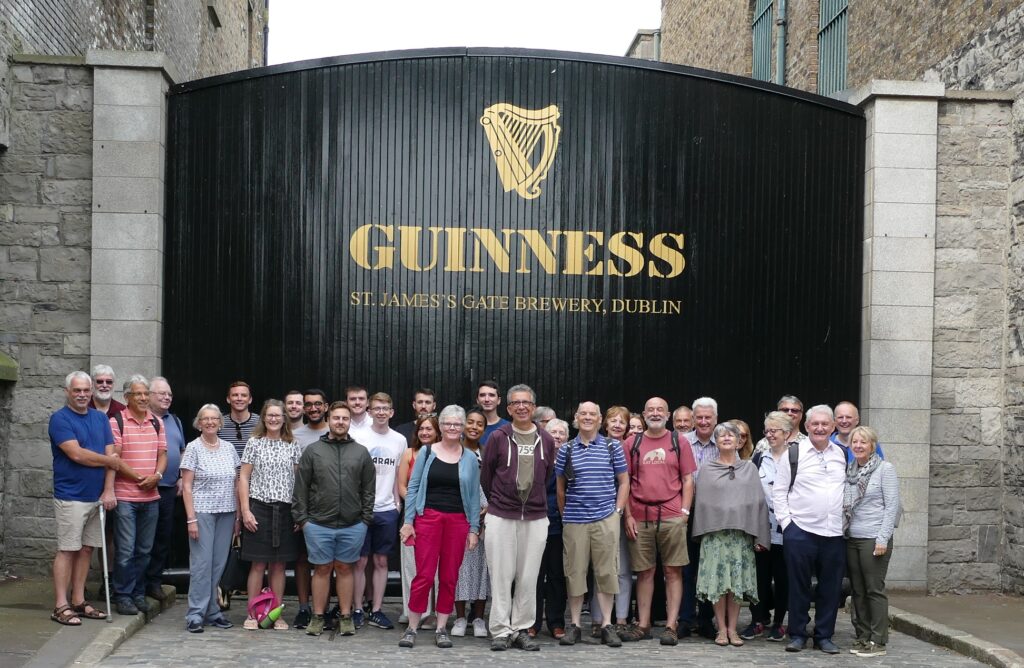
    I’m a man who likes to set myself a challenge.  About 40 years ago I set myself the challenge of walking around the entire coastline of England and Wales.  It took me 20 years to complete but I did it.  Then I set of walking up all the mountains and 15 years later I finished that list.  At about the same time I set off trying to find a pint of Guinness in all 52 European Capital cities.  Fortunately I completed that challenge in 2019, just before Covid hit.

    Completing my European Capital City Challenge in Dublin in 2019

    Ever since then people have been asking me what my next challenge is. I kept saying I hadn’t got one as yet but I was beginning to feel under pressure to think of one.  And this is what I have come up with – the Armchair Travel Challenge.

    Travelling at the present time is itself a bit of a challenge. Plus there are other factors to consider such as advancing age, cost and the environment.  So I thought do I need to travel?  Why not do it virtually.  There’s a lot I can do from home to take in the atmosphere of a destination such as the food and drink and music.  It would also have the advantage that I wouldn’t get robbed, lost or fall ill with and exotic disease.

    There are around 197 countries in the world.  If I were to spend about a month in each that should take me about 16 years. I like the random nature I approached the Guinness challenge where my next destination was picked out of a hat by the person pouring me the Guinness in the previous destination.  In this challenge I would use a random number generator to pick the next country. 

    So far my list of things to do in each country includes:

    Try to eat and drink something typical of that country, either in a restaurant or making it at home.

    Read something of the history, culture, politics, news etc.

    Read something by a local author (or a book set in that country).

    Read a travel book or travel blog based in that country

    Listen to some of their music.

    Watch a film made in that country.

    Make a clock in the shape of that country (that sounds weird I know but believe it or not I used to make clocks in the shapes of different countries)

    Try to meet someone from that country (and maybe give them a clock!)

    Sporting – follow the football or cricket team or some other sporting event. 

    Go on some ‘virtual trips’ within that country – using my vivid imagination.

    Railways – I especially like train travel so a ‘virtual’ rail trip would be good.

    Highest point – anther ‘virtual’ trip – to climb the highest mountain in that country.

    Geocaching – solve a puzzle cache in that country.  That’s another fairly specialist one, but geocaching is a hobby of mine and they can be found all around the world.

    Stamps – purchase some stamps from that country

    Charity – find a way of helping someone out in that country in some small way

    I’m wondering what you, my U3A friends, would if you tried to travel to a country ‘virtually’?

    Progress to date

    We started in mid-November and have so far spent a month in Burkina Faso and a month in Libya.  This month we are in Rwanda (the random number generator seems to like Africa!)

    We met up with someone from Libya but are still trying to find someone in Cardiff from Burkina Faso and Rwanda.  If anyone in U3A can help put us in touch with someone from either of those countries then please let us know.

    Remember lessons learnt form the U3A Computer Group

    So what’s this got to do with the U3A Computer Group?  Well, last week I tried to order some Rwandan banana beer from a website, U&I Drinks.  I forgot some of the basic advice we had spoken about at some of our previous meetings, manly is the website genuine?  It looked genuine but the beer hasn’t arrived as yet.  What I forgot to do was to search to see if there were reviews of that company online, positive or negative.  Going back now and doing a search I can’t find any independent reviews.  The thing which raised my suspicions was that as soon as I placed my order I received 3 emails back, an order confirmation, a PayPal confirmation and an e-mail from a USA tracking company implying my luxury handbag was on its way! I’ll keep you all updated as to whether I receive some banana beer, a luxury handbag or nothing.

    In the meantime, here’s a link to the Armchair Travel Challenge

  • Out with the old … in with the new

    This article is a place-holder to the progress of the planned switch-off of the analogue PSTN (public switched telephone network) by 2025, and its implications to all of us, as Openreach moves to implement a fully digital service. It’s a dynamic document that will change over the next few months and the next couple of years so please look back for updates and further information.

    What implications might this have for older people?

    • Digital services are not universally good across rural areas
    • There will need to be a solution to the issue of digital services requiring power – what happens if there’s a break in power supply

    What implications might this have for people with certain disabilities?

    • It’s been reported to us that certain people with visual problems have been experiencing difficulties in the Salisbury pilot area with the withdrawal of the 1471 service, with call-back not working, and with needing to install a new phone number

    Here’s a link to the Progress Openreach has reported by January 2022. Much of this is very technical, so some of the following information might be more readable.

    Here’s a briefing from BT on the project; and an update on what’s happening in Wales forwarded to me in my role sitting on the National Pensioners Convention. Which? have also published a briefing on the subject which I encourage you all to look at.

    I’ve also written the article below, which will hopefully appear in the latest Cardiff u3a magazine …

    ====

    Ring, ring: Ready for the big ‘phone switchover?

    Only three years until 2025 when all telephone providers will do the big “switchover” moving landline customers from the country’s traditional telephone network to digital technologies and analogue services are finally shut down. 

    Though BT published a timescale back in 2019, many older people’s organisations have expressed concern that the public have not been given enough information about the Public Switched Telephone Network (PSTN) moving to Voice Over Internet Protocol (VoIP), what it really means and how it could adversely affect older and vulnerable people.

    Among them is the National Pensioners Convention (NPC), which represents 1.5 million members in Wales, England and Northern Ireland. 

    Among the big questions is what happens if there’s a break in power supplies and people need to access emergency services – because the new system will run off broadband – and handsets will have to be plugged into an electricity socket.

    Providers say solutions will be found – which will include the provision of emergency battery-powered backups for phones and routers.

    This scenario became a reality last November when Storm Arwen hit the UK, causing widespread power outages and left 9,000 homes without power for more than a week.

    Jan Shortt, NPC General Secretary did interviews with Talk Radio and other stations, and heard from affected listeners.

    She said: “They raised the issue of not being able to charge mobile phones and other devices and therefore not able to summon help. It is clear that the majority of the population had not heard of the digital switch.”

    In January Ofcom held an online public meeting to give an update on the “switchover” rollout throughout the UK and provide an opportunity to ask questions.

    Jeff Richards, an NPC Wales executive member and a retired Swansea BT engineer, attended. He said: “Unfortunately they did not answer any questions that I raised regarding vulnerable customers nor anything on power supply. I felt that my questions were merely swatted away.”

    BT have agreed to meet the NPC to address their concerns – which include, who will pay for the battery packs (some around £160) – the customer or provider?

    Virgin Media has already promised that vulnerable customers with “accessibility needs or don’t have a mobile phone” will be given an emergency backup line at no extra cost.

    Unsurprisingly, customers in various areas have reported teething problems as the system is being rolled out. For example, people in the Salisbury pilot area with visual problems have experienced difficulties with the withdrawal of the 1471 service and the need to get new phone numbers. 

    Hopefully, in the three years left of the rollout, teething problems will have been sorted. But be prepared: only an estimated 1.5million out of 29million landlines have so far been converted – and one day those old phones will stop ringing!

    For further information:

    Jenny Sims is a Cardiff U3A Computer Group Member, Chair, NPC’s Digital Working Party and an NPC Wales Executive Member

  • Notes from Zoom meeting – 14th October 2021

    Thanks as ever to Jim for the screenshot and hoping the ones looking down are not actually asleep!

    In David’s absence, we went straight to the round-table session.

    Margaret had found a very useful site ‘Plotaroute.com’ which describes itself at an ‘Outdoor route Planner’. Margaret recommends it for journeys as well.

    Mike sang TalkTalk’s praises after they spontaneously provided him with new routing equipment and an engineer to fit it on the day stated. Not only that, they reduced his monthly cost. Steve concurred about their quality of service but indicated that their prices need to be monitored and compared.

    Stella and Sianed had no issues of which to speak but Steve came back in with a question about hybrid meetings. Owen explained that he had run a low-level meeting of the Writers 2 group with 4 attendees in the room and 2 on Zoom, which did seem to work well using a basic laptop, separate camera and separate microphone but that Wi-Fi quality appeared to be the critical factor.  The History Group was having a larger hybrid meeting on 27th in the City URC Sacristy so he would report back on 28th. The AGM was also being held there on 9th November.

    [There is now a U3A Facebook Group for help with hybrid meetings “u3a: Let’s Talk Tech”]

    Jim had no issues but Don had a question about Zoom recordings and how could he pass on the files (MP4) to others. Zoom recordings can be saved either in the cloud (Zoom itself) and shared from there or, if recorded locally, a couple of options were suggested: WeTransfer as mentioned a few meetings ago or possibly uploading to a private You Tube channel. The size of file precludes it form being sent as an email attachment.

    Don also mentioned that he had an Amazon Firestick and as a result of using it, his remote control now did more than he had thought…

    As Ann, David and Fred had no issues to raise, there was a brief discussion on Windows 11. Owen recommended obtaining the Microsoft PC Health Check software (an ‘.msi’ file) via a Google search and running that first. He had done so on his own PC and laptop and neither of them could take Windows 11. He shared screen images from the report. He did incidentally realise that his PC is now 7 years old!

    The group generally concurred that this was the appropriate first step and no-one was too keen to upgrade as yet.

    Owen then gave a (rather rushed) presentation on building a small business network and the meeting closed thereafter.