
Category: IT &Technology

  • Where’s my media?

    A short (I hope) note on where media (and text messages) are stored on WhatsApp and Signal, how to backup and restore messages, and how to “get rid” of them – mainly to save space on your phone. I’m going to rely on the links referred to in the post, rather than repeat their contents, so click on the relevant ones.

    First, some important points to remember.

    • The primary device for both apps is the device that your phone number was registered with. Any other device that you access messages from the service are synchronised with the primary device (usually a phone). It follows from this that you should always think of both WhatsApp and Signal as mobile apps, not tablet or desktop applications.
    • If you lose your phone, or change your phone without backing it up in the app first, you will lose your message store, and all the media attached to messages. They will not be accessible from your tablet, or desktop, applications because the link for synchronisation will be broken.
    • This is because … NO MESSAGES OR MEDIA ARE STORED ON A SERVER – really, you must believe me!
    • All media that’s downloaded in WhatsApp will be (by default) saved to your Gallery (Android) or Camera Roll [Photos app] (iOS). This is not the case for Signal (see below).

    For Android devices, if you want to switch this off, you should read this article. Media files are automatically saved in your WhatsApp/Media/folder. If you have Internal Storage, the WhatsApp folder is located in your Internal Storage. If you do not have internal storage, the folder will be on your SD Card or External SD Card.

    For iOS devices, in the same vein, this article may be helpful if you don’t want WhatsApp to store media to your Camera Roll [Photos app].

    • It follows from the above that if you delete media inside WhatsApp and you haven’t changed the default settings, the media should still be in the Gallery, or Camera Roll of your device. [NB I haven’t checked this out because I no longer use WhatsApp.]

    If you want to backup your WhatsApp message store, you can refer to this article to find out how to do it for Android and iOS devices, and for PCs (for downloaded media only).

    The situation with iOS for Signal is different from that with Android when it comes to Downloading images. Signal does not save media to your Gallery or Camera Roll [Photos app]. If you want to manage the auto download of media to the app, you should read this article first which covers the situation well for Android users, but will need to have a look at this article to see how to switch-off automatic downloads into the app for iOS users. I’m not going to recommend this as a way forward for iOS. Stick to the default and only store the downloaded media in the app.

    If you want to Backup or Restore your Signal message store, you are advised to carefully read this article which applies to Android and iOS devices.

    Now some notes on deletion of media.

    • It follows from the note above on media saved outside the app that if you delete in the app, the media will still be in the Gallery or Camera Roll. If you delete in the Gallery, the media should still be in the app.
    • Deletion of a message from a Chat will delete the media attached to it, but will not delete the chat, or the media, from any recipients of any message you’ve sent – unless you’ve put an “automatic delete after”setting on the message (Signal only, I believe).
    • Thus, following from above, if a chat recipient replies to a message you’ve deleted, you may see a thumbnail of the media attached to the original message, in the reply.

    For iOS users, to delete media from within WhatsApp chats you should read this article. For Android users, this article should help you.

    For iOS and Android users, to delete media from within Signal chats you should read this article, save any media you want, select the items for deletion and press the trash icon.

    Finally, and I hope you’ve got this far, I think this link summarises the situation really well for our preferred solution – Signal. Media is stored in the app, you have the option manually to save selected images to Gallery or Camera Roll [Photos app], thus saving on storage space and gaining additional security along the way too.

    Phew! That’s taken a good deal longer than I expected it would.
  • What a surprise!

    Great article Jenny! I missed this when the mag. came out a couple of weeks back. Our Jenny has an article in “The Pensioner” – the magazine of the Civil Pensioners’ Alliance (which I joined because of the good deals on Insurance products).

  • Notes of Zoom Meeting – 26th May 2022

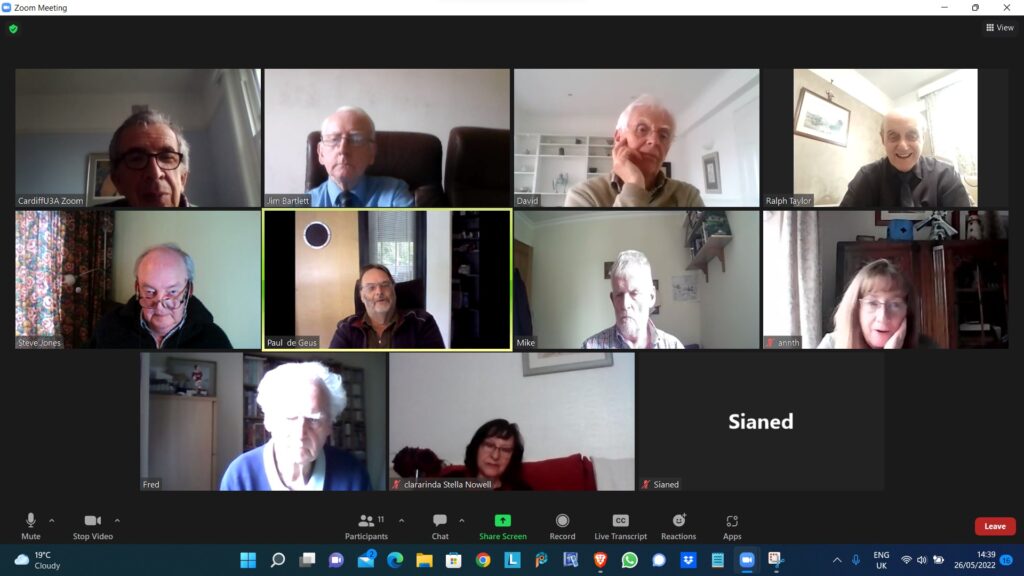
    Ted Richards facilitated this meeting in the continuing absence of “yours truly” from that role. A screenshot of the attendees (minus Sianed’s picture as her camera wasn’t working), is below and a copy of Ted’s presentation on his use of Paint is included as an embedded file below that. Just click on the arrows to move backwards and forwards through the presentation.

    Many thanks Ted, I’m sorry to have missed the meeting, but I’ll be with you all again on the 9th June, and then hopefully no more absences until the end of July when we’ll take a break.

  • Android 12 Issues

    I recently had this message from the Royal Television Society, which David thought was worth passing on:-

    We have become aware that there are issues with the latest Android 12 version that is affecting the RTS app along with many others.
    The most common issues are that the App will not transfer to a new phone or will not download from the PlayStore.
    It appears that Android 12 has elements of incompatibility with a number of app development platforms including the one RTS uses.
    We are very sorry about the inconvenience and frustration this is causing.
    We have been informed it is not possible to de-bug the App in the platform to avoid the incompatibilities, the solution being for Google to patch Android 12 to negate the issues.

    A search has shown the range of issues arising.

    With possible fixes suggested but not with 100% success.

    Step 1: Clear the cache & data of the Play Store

    This gives the app a fresh start and can help fix issues.

    1. Open your device’s Settings app Settings.
    2. Tap Apps & notifications and then See all apps.
    3. Scroll down and tap Google Play Store Google Play.
    4. Tap Storage and then Clear Cache.
    5. Next, tap Clear data.
    6. Re-open the Play Store & try your download again.

    Step 2: Restart your device

    If you still can’t download after you clear the cache & data of the Play Store, restart your device.

    1. Press and hold the Power button until the menu pops up.
    2. Tap Power off or Restart if that is an option.
    3. If needed, press and hold the Power button until your device turns on again.

    Regrettably we will need to wait for an update to Android 12 but we will contact you again as soon as we have news of a patch to Android 12 and that the RTS App is working on that operating system.


  • Immobilise App

    Immobilise is a free register of home items. It is available to the police if you are burgled.

    Immobilise System set up 2003

    1. Largest free system to register household property.
    2. Used for public and businesses.
    3. Police online checking service used 1000 s of times a day.
    4. Returns property to owners.
    5. Recommended by E-Bay to reduce fraud.
    6. Funded by the sale of marker pens and stickers.
    7. Displayed stickers mean you are less likely to be burgled.

    Benefits of Registration.

    1. Immobilise helps police identify the owners of recovered property.
    2. Property updates immediately available to the Police nationally.
    3. Combats the sale of stolen items in the second hand trade.
    4. Simplifies insurance claims and police reports.

  • Who is that in the photo? Where was I when I took this?

    When I first started taking digital photos, seventeen years ago, I kept a written record of the subject of each shot, the date and time it was taken, and the exposure details. When the photography group started, seven years ago, I began to take many more photos, and it became too much of a chore to keep records. I also realised that the technical info was stored with each image anyway, in the ‘Details’ section of the ‘Properties’, otherwise known as the EXIF data, (Exchangeable Image File). However that meant that I no longer had any information about the subjects. (I’m talking about Windows, but Apple computers must have something very similar. I can’t see an equivalent with Android though.)

    As I have mentioned in the meetings, it occurred to me recently that I could actually add that info to the EXIF data. There are five headings I can add text to. From the top they are Tags, Title, Authors, Comments, and Subject. The upshot is that I have been able to throw away (so far) about 120 pages of my original records, covering about 4,000 images.

    One other thing. My camera records information about some of the settings I have used which doesn’t appear in the EXIF data, possibly because it is specific to Panasonic Lumix cameras. Things like the mode (P, A, S, or M), HDR, and highlight and shadow settings. I now use the Comments heading to record that info.

    Incidentally I store the images in folders just numbered consecutively. I don’t need to have folders labelled by subject, for instance, as I can create virtual folders on the fly using ‘search’.

    I’m not as good as David at explaining things face to face, but I hope you can now see why I am so keen on the idea, and wanted to share it.

  • A welcome addition to Signal – usernames as well as telephone numbers

    You will soon be able to keep your mobile telno. private on Signal by using a username

  • Non Digital Photographs

    Most people now use digital photographs on our phones/tablets/laptops. But If you still like to have some printed (at a reasonable price) there are apps available which you can download onto your smart phone. – “FreePrints” (also a similar deal with the PhotoBox app and the Snapfish app)

    They work by downloading the app and set up a free account with them – the app is free from the Google Play Store on an Android phone or the App Store on an iPhone.

    You can choose up to 45 (or 50, depending on the app) standard-sized photos to print each month.  The prints themselves are free you just pay for the postage.  The FreePrints app postage is roughly between £1.49 and £3.99 depending on the number of prints ordered in a month.    Exact postage costs will vary a bit from app to app.

    There’s no subscription, so there is no need to order every month.  The small downside is, that if your free photo allowance for one month is not used, you can’t carry it over to the next month. These apps are useful if you like to order a small number of prints regularly, rather than a load in one go.  

    If you’ve saved up a big batch of photos to get printed all at once, maybe stored on your computer or a service like Google Photos, it may be worth looking at deals on websites like Snapfish, Photobox or Boots Photos (there are others too).  They’ll often have free photo deals for new customers, or give you free postage if you spend over a certain amount with them.  They usually charge around 10p per print.

    Both the apps and these websites are also handy for other photo products to put on your wall – poster-sized prints, canvases, mugs, T-shirts, calendars. Prices vary quite a bit between the different websites.

  • Switch-off of analogue PSTN

    This article will record the progress of the planned switch-off of the analogue PSTN (public switched telephone network) by 2025, and its implications to all of our generation, as Openreach moves to implement a fully digital service. The issue was brought to the attention of the Cardiff u3a Computer Group by Jenny Sims, a group member, who has a number of roles including being Chair of the National Pensioners Convention (NPC) Digital Working party and an NPC Executive Member.

    It’s an article that will change over the next few months and years, so please look back for updates and further information as we become aware of issues, problems and hopefully solutions.

    What implications might this have for older people?

    • Digital services are not universally good across rural areas
    • There will need to be a solution to the issue of digital services requiring power – what happens if there’s a break in power supply, this has been highlighted recently after the storms brought down power lines in Scotland and NE England
    • Cell telephony doesn’t provide a 100% coverage as a backup to digital services

    What implications might this have for people with certain disabilities?

    • It’s been reported to us that certain people with visual problems have been experiencing difficulties in the Salisbury pilot area with the withdrawal of the 1471 service, with call-back not working, and with needing to install a new phone number

    A video showing the opportunities and issues for Telecare

    Here’s a link to the Progress Openreach has reported by January 2022. Much of this is very technical, so some of the following information might be more readable.

    Here’s a briefing from BT on the project; and an update on what’s happening in Wales forwarded to Jenny in her role sitting on the National Pensioners Convention. Which? have also published a briefing on the subject which I encourage you all to look at. 

    Some additional references

    Switchover from analogue to digital telephony: UK consumer and micro-business reactions

    The UK’s PSTN network will switch off in 2025 – BT Business

    Internet revamp for the humble landline – BBC News

    OpenReach PSTN Switchover – a technical presentation

    Jenny has also written the article below, which will hopefully appear in the latest Cardiff u3a magazine …

    ====

    Ring, ring: Ready for the big ‘phone switchover?

    Only three years until 2025 when all telephone providers will do the big “switchover” moving landline customers from the country’s traditional telephone network to digital technologies and analogue services are finally shut down. 

    Though BT published a timescale back in 2019, many older people’s organisations have expressed concern that the public have not been given enough information about the Public Switched Telephone Network (PSTN) moving to Voice Over Internet Protocol (VoIP), what it really means and how it could adversely affect older and vulnerable people.

    Among them is the National Pensioners Convention (NPC), which represents 1.5 million members in Wales, England and Northern Ireland. 

    Among the big questions is what happens if there’s a break in power supplies and people need to access emergency services – because the new system will run off broadband – and handsets will have to be plugged into an electricity socket.

    Providers say solutions will be found – which will include the provision of emergency battery-powered backups for phones and routers.

    This scenario became a reality last November when Storm Arwen hit the UK, causing widespread power outages and left 9,000 homes without power for more than a week.

    Jan Shortt, NPC General Secretary did interviews with Talk Radio and other stations, and heard from affected listeners.

    She said: “They raised the issue of not being able to charge mobile phones and other devices and therefore not able to summon help. It is clear that the majority of the population had not heard of the digital switch.”

    In January Ofcom held an online public meeting to give an update on the “switchover” rollout throughout the UK and provide an opportunity to ask questions.

    Jeff Richards, an NPC Wales executive member and a retired Swansea BT engineer, attended. He said: “Unfortunately they did not answer any questions that I raised regarding vulnerable customers nor anything on power supply. I felt that my questions were merely swatted away.”

    BT have agreed to meet the NPC to address their concerns – which include, who will pay for the battery packs (some around £160) – the customer or provider?

    Virgin Media has already promised that vulnerable customers with “accessibility needs or don’t have a mobile phone” will be given an emergency backup line at no extra cost.

    Unsurprisingly, customers in various areas have reported teething problems as the system is being rolled out. For example, people in the Salisbury pilot area with visual problems have experienced difficulties with the withdrawal of the 1471 service and the need to get new phone numbers. 

    Hopefully, in the three years left of the rollout, teething problems will have been sorted. But be prepared: only an estimated 1.5million out of 29million landlines have so far been converted – and one day those old phones will stop ringing!

    For further information:

    Jenny Sims is a Cardiff U3A Computer Group Member, Chair, NPC’s Digital Working Party and an NPC Wales Executive Member

  • Zoom with a view!

    Our last meeting on January 6th 2022

    It was suggested that members might be interested in finding out how one group – the Computer Group – has handled and coped with the Covid pandemic by using Zoom. We haven’t actually met in person since the beginning of the 2020 session in September. We were quick out of the blocks however even before that and we held our first Zoom meeting on the 23rd April even before the Committee had taken out a subscription to Zoom I believe. Since then, almost without a break, we’ve met virtually every fortnight.

    Supporting us in our meetings we've kept Notes and added them to our website – "Thought grazing" at https://digital.cardiffu3a.org.uk/ – which any Cardiff u3a member is welcome to view by just sending an email message to computer@cardiffu3a.org.uk.

    We’ve had an attendance of between 12 and 24 at our meetings with 16 being an average number, so that means probably 50% of the group have been able to participate at any meeting, but of course it’s not always the same 16!!! We’ve adopted a new way of organising the meetings to match with the virtual world, focussing on getting members to share issues and problems, matters of interest and general chitchat about matters digital. It’s become a much more social group with everyone encouraged and requested to participate – when it’s their turn at the very minimum. This has led to reduced time for presentations and facilitator-led talks. Some might say this is a good thing … I couldn’t possibly comment!

    The pluses …

    • We’ve enjoyed each others company and supported each other through these difficult times.
    • The technology has really helped, since we’ve found screen-sharing to be an excellent way of showing and telling what we’re discussing. [Not having to rely on the venue WiFi has also been a real boon!]
    • The technology, I think, has actually made us much more inclusive as every member has a chance to make a contribution – far more so than when we met face-to-face.

    ... and the minuses.

    • Nothing can make up for meeting people face-to-face, the chance for casual chatter, the chance to add a cup of coffee or share lunch before (or after) the meeting.
    • Perhaps the number of informational presentations has dropped, but this doesn’t seem to have been a factor in attendance.
    • As a technology group we would hope that our members would find using Zoom relatively straightforward. Hopefully, we can still encourage some “lapsed” members to try this way of meeting, but we do accept that some memberts are perhaps “over-Zoomed” as well.

    Could we manage so-called hybrid-meetings?

    The occasional one-off event with some members remote on Zoom and some face-to-face might work but it would have to be a presentation-style meeting.

    We have concluded that we might try an alternate meeting style when we are able to return to face-to-face, with Zoom meetings still being scheduled.

    Would we miss meeting over Zoom?

    In the end, probably not, because the benefits of face-to-face would outweigh any benefit from the new form of interaction, much as we like it. However, I think we’d want to take some of what we’ve learnt from our Zoom meetings into the way we organised our in-person meetings in the future. Roll on that day when Zoom doesn’t have that view!