Category: IT &Technology

  • Changes to Google Storage

    Changes to Google Storage

    If you’ve got a Google account – you use Google Photos, Google Drive (and the Google Docs suite) or Gmail – you’ll probably have received an email telling you about the changes that Google are making to the way it calculates how much of the 15Gb of storage the company allocates to you has been used. They have also spelled out clearly when they will delete content that has been inactive for more than two years.

    This post relies heavily (almost verbatim) on information already available on Google’s Help Pages – which should always be taken as the main source for information.

    Currently each Google Account includes 15 GB of free storage quota, which is shared across Gmail, Google Drive, and Google Photos. You can add to your storage quota by purchasing a Google One membership (where available). To learn more about your quota, see what items count towards your storage.

    Prior to June 1, 2001

    The following items count against your storage quota

    • Original quality photos and videos backed up to Google Photos
    • Gmail messages and attachments, including your Spam and Trash folders
    • Most files in Google Drive, including PDFs, images, and videos

    If you go over your storage quota

    • You can no longer upload new files or images to Google Drive
    • You can’t back up Original quality photos and videos to Google Photos
    • Your ability to send and receive email in Gmail may be impacted
    • You can still sign into and access your Google Account

    After June 1, 2001

    The following additional items will count against your storage quota:

    • High quality and Express quality photos and videos backed up to Google Photos after June 1, 2021. Learn more about this change.
    • Files created or edited in collaborative content creation apps like Google Docs, Sheets, Slides, Drawings, Forms and Jamboard.
      • Only files created or edited after June 1, 2021 will count against your quota.
      • Files uploaded or last edited before June 1, 2021 will not count against your quota.

    And this is how your usage impacts your data

    If you do not use Gmail, Google Drive (including Google Docs, Sheets, Slides, Drawings, Forms or Jamboard) or Google Photos for 2 years, your content within the inactive product(s) may be deleted (after reasonable advance notice).

    If you go over your storage quota

    • You can’t upload new files or images to Google Drive.
    • You can’t back up any photos and videos to Google Photos.
    • Your ability to send and receive email in Gmail can also be impacted.
    • You can’t create new files in collaborative content creation apps like Google Docs, Sheets, Slides, Drawings, Forms and Jamboard. And until you reduce your storage usage, neither you nor anyone else can edit or copy your affected files.
    • You can still sign into and access your Google Account.

    When you have been over your storage quota for 2 years, your content in Gmail, Google Drive (including Google Docs, Sheets, Slides, Drawings, Forms and Jamboard files) and Google Photos may be deleted.

    So it’s time to do a stock take of what Google Storage you’re using. You’ll see something like this if you’ve got an active Google account …
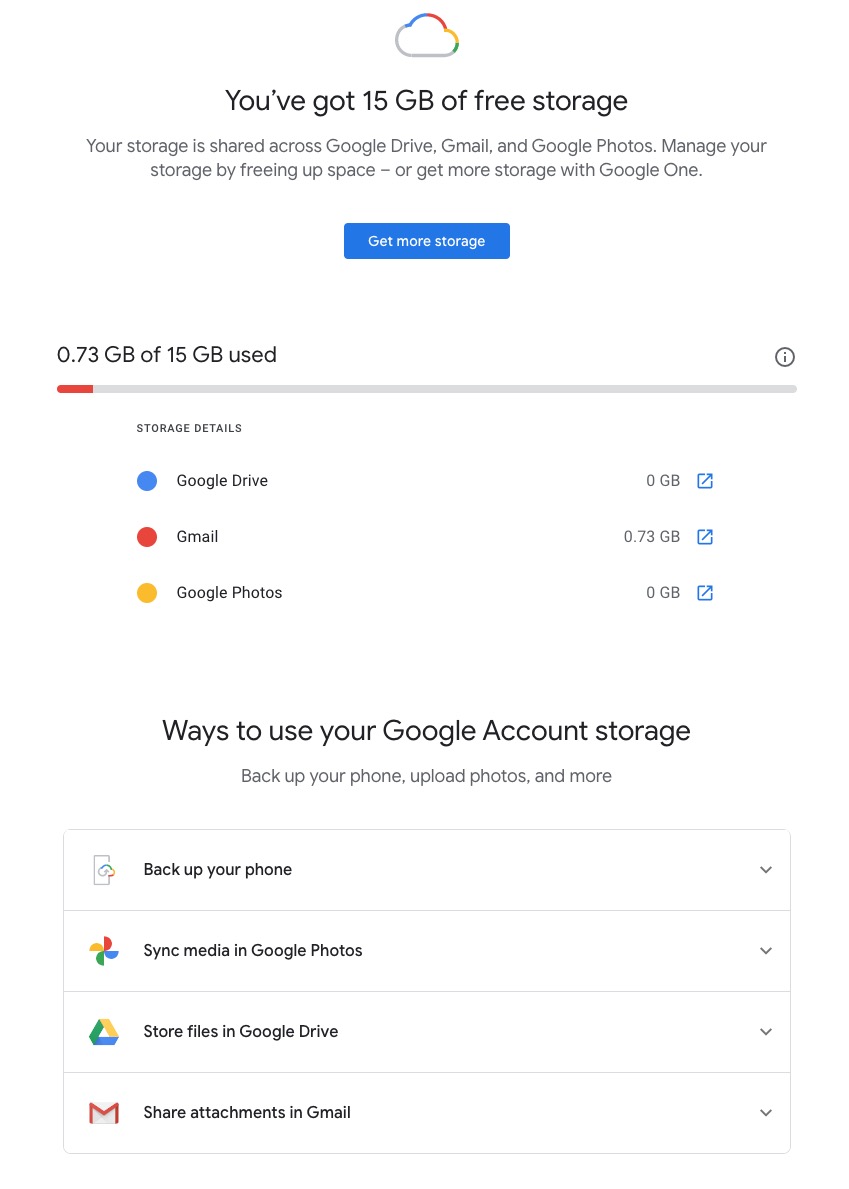
    Seeing how you may be using your Google Storage, with June 1st approaching might seem pretty frightening to you, so you might need some help to know what you should do, and whether purchasing a Google One plan might be right for you …

    What happens when you’re over quota

    When you’re over quota, it means you’re using more storage space than you have available. If you’ve been over quota for 2 years or longer, and you have not freed up or purchased more space to get back under quota, all of your content may be removed from Gmail, Drive and Photos. But before that happens, we will:

    • Give you notice using email and notifications within the Google products. We will contact you at least three months before content is eligible for deletion.
    • Give you the opportunity to avoid deletion (by paying for additional storage or removing files)
    • Give you the opportunity to download your content from our services. Learn more about how to download your Google data.

    How to go back under quota

    We provide access to storage management tools that help you identify ways to free up storage space at https://one.google.com/storage. Another option to free up space is to download your files to your personal device and then delete them from your cloud storage.

    However …

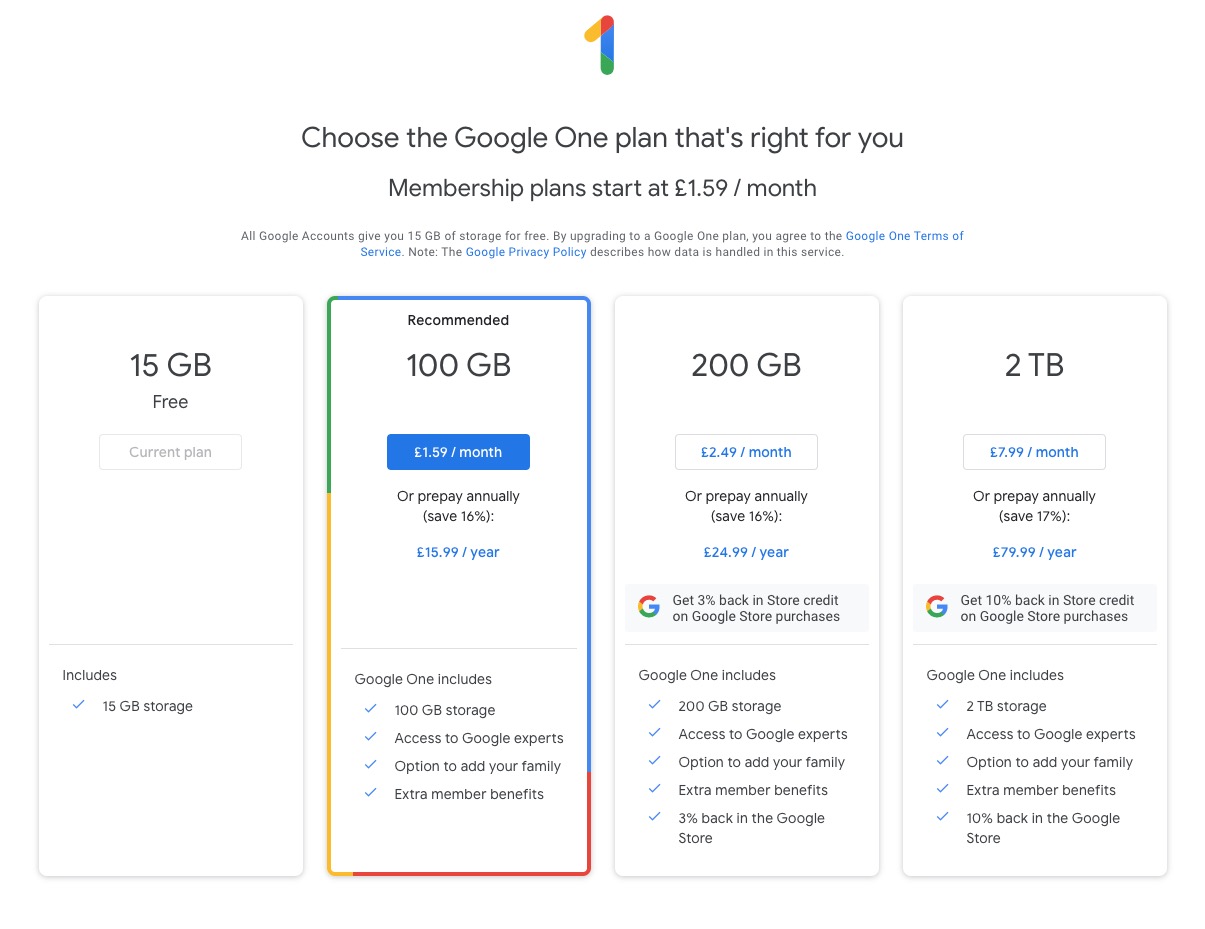
    If you want more storage space for Gmail, Drive, and Photos, you can upgrade to a larger storage plan with Google One.  You can click on the link “Get more storage” from the page that you should have arrived at above, and you’ll be offered the opportunity of purchasing a Google One Storage Plan …
    But what happens when you’re inactive?

    When you have been inactive in Gmail, Google Drive (including Google Docs, Sheets, Slides, Drawings, Forms, Jamboard or Sites files) or Google Photos for 2 years, all of your content may be removed from that product. But before that happens, we will:

    • Give you notice using email and notifications within the Google products. We will contact you at least three months before content is eligible for deletion.
    • Give you the opportunity to avoid deletion (by becoming active in the product)
    • Give you the opportunity to download your content from our services. Learn more about how to download your Google data.

    If you’re a Google One member with no outstanding payment or quota issues, you are considered active.

    Important: As an example, if you’re inactive for 2 years in Photos, but still active in Drive and Gmail, only your Google Photos content will be deleted. Content in Gmail and Google Drive (including Google Docs, Sheets, Slides, Drawings, Forms and Jamboard files) will not be deleted if you are active in those products.

    How to stay active in these products

    The simplest way to keep your data active is to periodically visit Gmail, Google Photos, and Google Drive (and/or collaborative content creation apps like Google Docs, Sheets, Slides, Drawings, Forms, Jamboard and Sites) on the web or through a Google app. Make sure you’re signed in and connected to the internet.

    Please note that you may have multiple accounts set up on your device. Activity is considered by account, not by device. Make sure you’re using the services for all accounts on which you wish to remain active.

    The article from Google concludes with some FAQ which you might like to refer to, including one answer on how to preserve content from a loved one if they pass away and the use of their Inactive Account Manager.

    In another article, I will attempt to answer the vexed question of how to delete photos from Google Photos in your storage plan, your computer and your device the way that you want them to be deleted, ie not deleting them all, just deleting them from the place you want them deleted!!!!

    Lastly, here’s a link to how to delete files (and reduce the count against your quota) from Google Drive.
  • Screen Prints

    In case you are wondering how I take a picture of our Zoom meetings, the answer depends on which operating system you are using. (I am using Windows 10.)

    David has supplied these instructions for Apple users:

    Taking a screen shot on a Mac …

    support.apple.com/en-gb/HT201361

    Alternatively from MacOS Mojave onwards there’s a tool called Screenshot – here’s a link to the Help file …

    support.apple.com/en-gb/guide/mac-help/mh26782/mac

    To do a screenshot of an iOS or iPadOS device, press the power-off button and then the Home button.

    With a Windows computer, the simple answer involves the ‘PrtSc’ key, near the right hand end of the top row of the keypad. You might have to press the Alt key or the Fn key, on the bottom row, at the same time. You will have to experiment. A message might pop up, saying the screen shot has been saved somewhere. If that doesn’t happen, the image might have been saved to the clipboard, in which case you will have to choose somewhere to paste it.

    The less simple Windows answer involves the Snip and Sketch program, which you access by pressing the Windows key + Shift + S. This gives you the opportunity to crop the picture on the screen, so you only save the area you want.

    For Android tablets and phones, press the power and volume-down buttons at the same time. I couldn’t get that to work with my phone though. I did have success by holding the power and ‘home’ buttons together. The screen flashed to show the shot had been taken. The picture went to Google Photos and to the Gallery.

    Good luck!

    Jim

  • Last pass

    There is to  be a change to the free version of LastPass service.    At present, you  can use LastPass on as many devices as you like absolutely free. That’s changing on the 16th March.

    You’ll have to choose whether you want to use LastPass on computers or mobile devices   You won’t be able to use it on both unless you pay for the premium version.

    If you use it on both computers and mobile devices at the moment, choose which one to keep.  The first time you sign in to LastPass on or after the 16th, it’ll record which device you do it on.  That will become your free device type – so if you sign in first on your computer, you won’t be able to use the app any more (and vice versa).

    To keep access to both, you need to sign up for the premium version. If you upgrade before the 16th March, a full year costs £22 or £30 after.

  • Home networks – some notes

    I’ve written and talked about this subject on a number of occasions. I’ll bring these together in one place, before delving into the specifics of router configuration which prompted the subject for the meeting on Feb 4th, 2021.

    For many of us home networking means WiFi, and the first article I wrote was on the subject of “Flaky WiFi” on October 11th, 2016. Members of the group had commented on their WiFi connection appearing to drop and in this article I tried to explain how all the bits and pieces hung together and how you could test your network to see it was working the way your Internet Service Provider (ISP) was proclaiming it should be!

    Then, later on (January 26th, 2017), we discussed “Broadband speeds, WiFi routers (their type and security), and extenders or boosters” and as the title suggests we focussed on networking in the house and how it is provided by Internet Service Providers, such as VirginMedia, BT, Sky or TalkTalk.

    I described “How the Internet works” in this post on June 29th, 2017, with links to a few videos and policy documents which hopefully explain the topic better than I could. Not much has changed since then; IPv6 is still to appear in the domestic market, so we still use IPv4 for internet addressing.

    Finally, on July 27th, 2020, I wrote about “Improving home network performance” which is really what I’m going to revisit in this post.

    So … what do you need to take a look at?

    On your router:

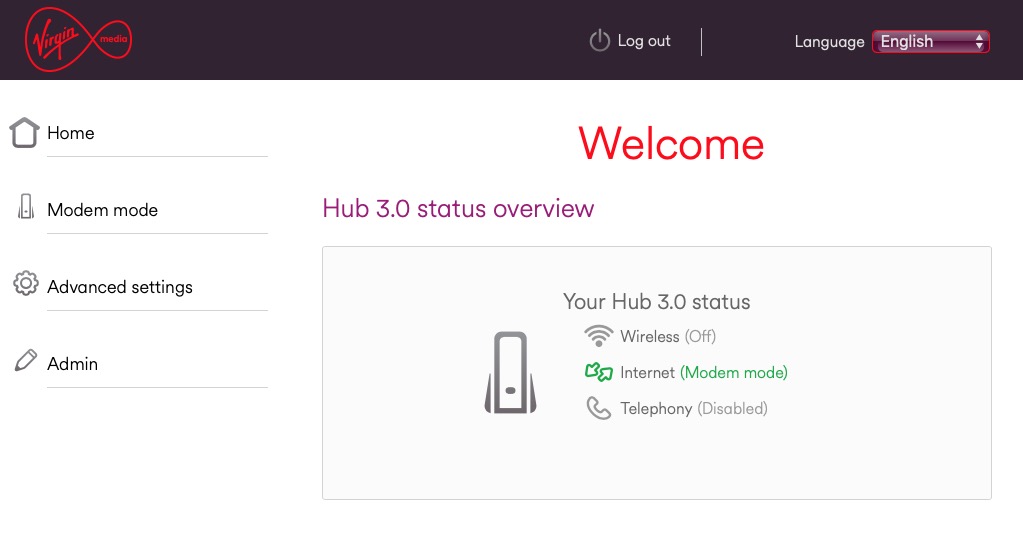
    If you’re using an integrated modem/router – often called a hub, typing in the IP address 192.168.1.1 will bring up a screen something similar to this …

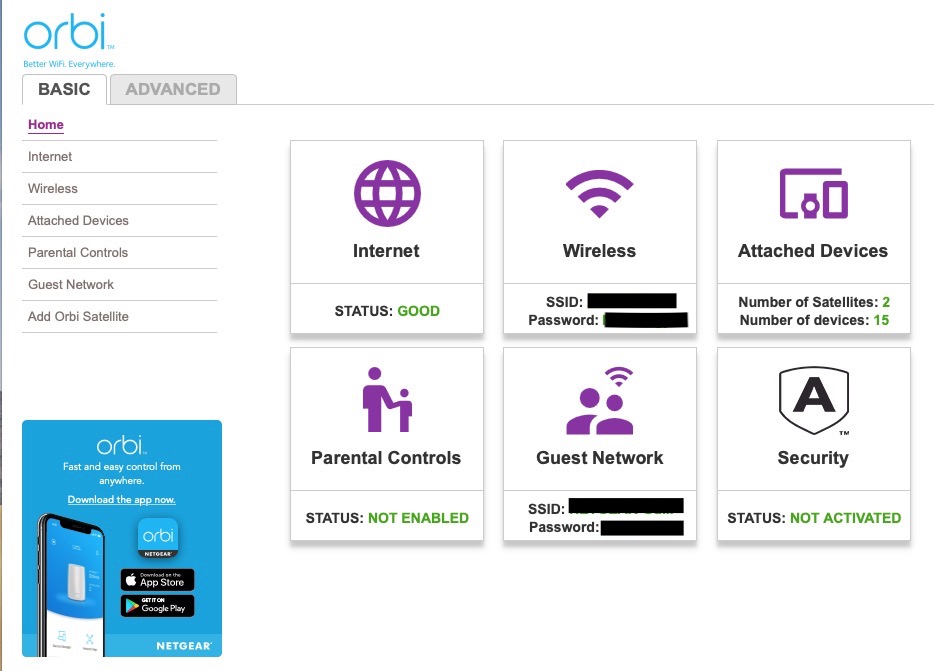
    … mine is different because I’ve disabled the router functionality so that I can use my own router – a Netgear Orbi Mesh Network – so to just access the modem part of MY hub I use the IP address 192.168.100.1. You can see from the above that only the Modem is active.

    So for most users with an integrated modem/router, the first thing you need to be able to do is to access your Router’s Admin Dashboard. This article explains how to do it using the cmd prompt in Windows, but it is probable that your hub/router has an application you can start to do this, or that you can access it from a browser window. For most you would just enter the IP address 192.168.1.1 and supply the UserID admin and the password that I’ve created – the default is quite commonly ‘password’, so you ought to change that!!!

    The above screen is for my mesh network, but non-mesh would be similar. Clicking on Internet will give you the ability to change some of the settings for your connection.

    Of these the most useful to change is the Domain Name Server (DNS) – these are the servers that translate a URL (eg digital.cardiffu3a.org.uk/) into an IP address. I've chosen to replace the default DNS supplied for my VirginMedia (ie 194.168.4.100) Hub (I've disabled the router functionality on the SuperHub so that it only acts as a modem) for two servers run by Google (1.1.1.1 and 8.8.4.4). The reason I've done this is that these servers are replicated around the internet and will almost certainly be closer to my router than VirginMedia which I think the closest one is in Bristol.

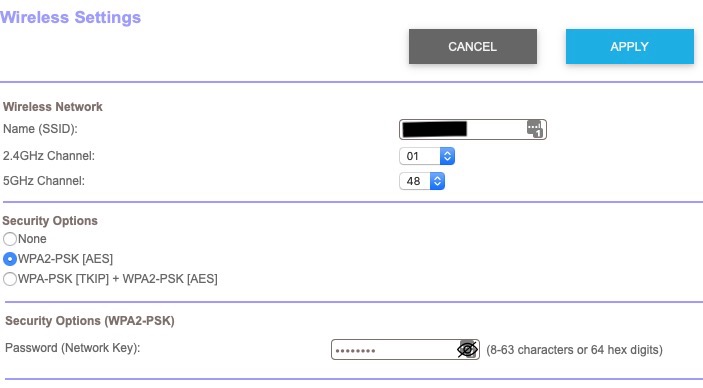
    All the other settings can probably be left as they are. The next option is where you configure the name of your network and the channels you’re going to use.

    If you don’t like the name supplied to your network by your ISP, you can change the SSID. I did to make it a little more meaningful. You should then consider changing the 2.4Ghz Channel. If you can set the channel to Auto – you should do so because generally the router will then find the best channel for your network. If that’s not possible and you have found your WiFi to be “flaky” due to you and your neighbour using the same Channel(s), try setting the channel manually to one that’s not being used. The article I mentioned before describes how you can find the best Channels for a Mac, and this one identifies a Windows Tool that does the same thing – there’s a Download link at the bottom of that documentation. Here’s an article that describes all the possibilities.

    Generally 2.4GHz has a wider range of signal but lesser bandwidth (throughput), and 5Ghz the opposite – shorter distance, but higher bandwidth. On my system my 2.4GHz channel gives me 400Mbps and the 5Ghz channel 866.7Mbps.

    You’ll want to look at your Security Options and make sure that you choose the best for the devices that you’re going to connect to your router. Generally, for a home network, WPA2-PSK [AES] should be sufficient.

    This article from the Apple website provides a very thorough and detailed examination of what settings you should deploy for your router, and why. Worth a read, even if you’re not an Apple Fanboy!

    On your device …

    Make sure the security settings match that you’ve just set on your router; remember the SSID and Password you’ve created, and re-connect to your network.

    And that’s about it … I hope. Questions??

  • The right way to change Ts&Cs – Google learnt it’s lesson

    It’s not long ago that Google was described as “the evil empire” because of its perceived intent on hoovering up all the data it could about us in the endeavour to “provide the best search experience for its users”. Baloney of course – they just wanted to drive the monetisation of their platform as far as they thought they could get away with, and by now you shouldn’t pay too much attention to the search results that appear at the top of a Google search – they’ve almost always been “paid-for”.

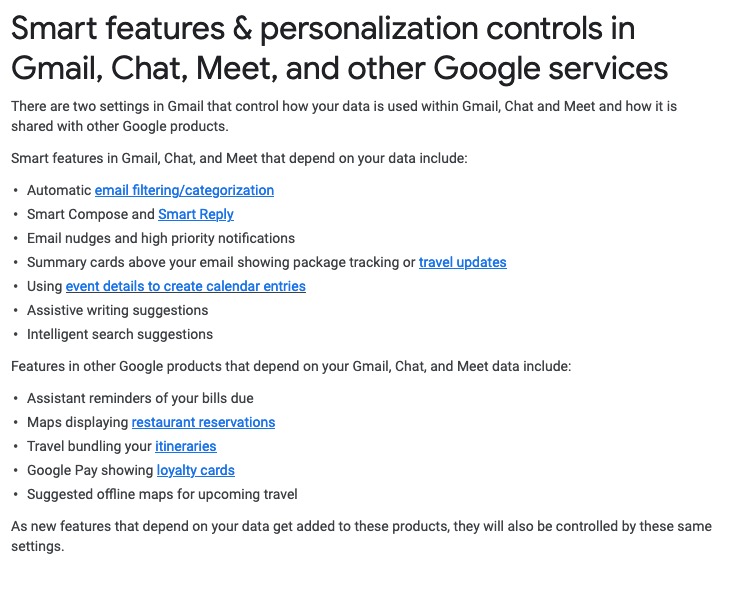
    However, out of bad publicity they learned a lesson. When changing terms and conditions of use, or service, its best to explain clearly, and in advance, what they want, and expect, to do, and invite comment. That was most certainly missing from Facebook’s recent debacle with WhatsApp. So to show how it perhaps should be done, I’me including some recent screen shots from Google over the past few months …

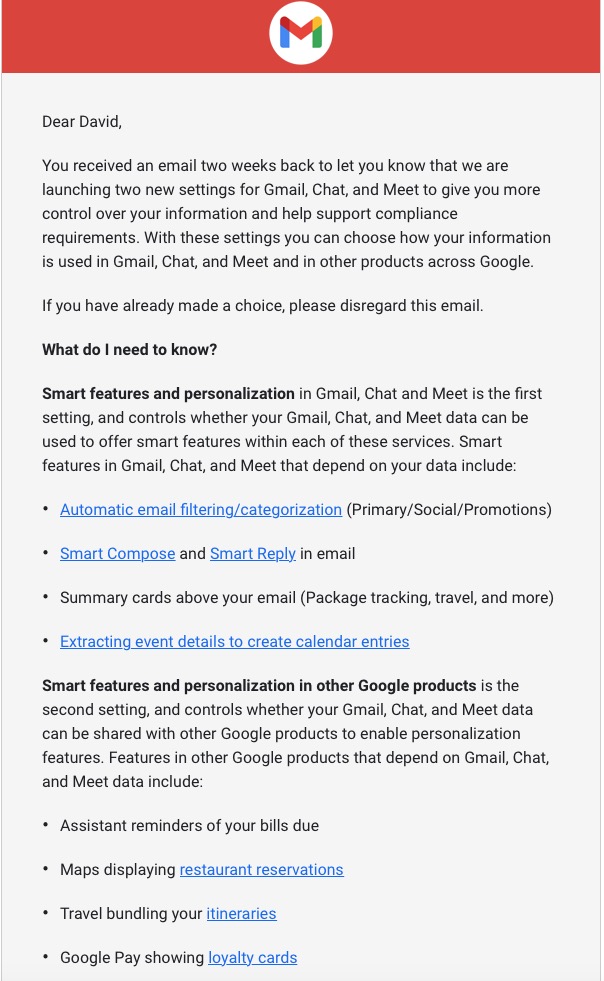
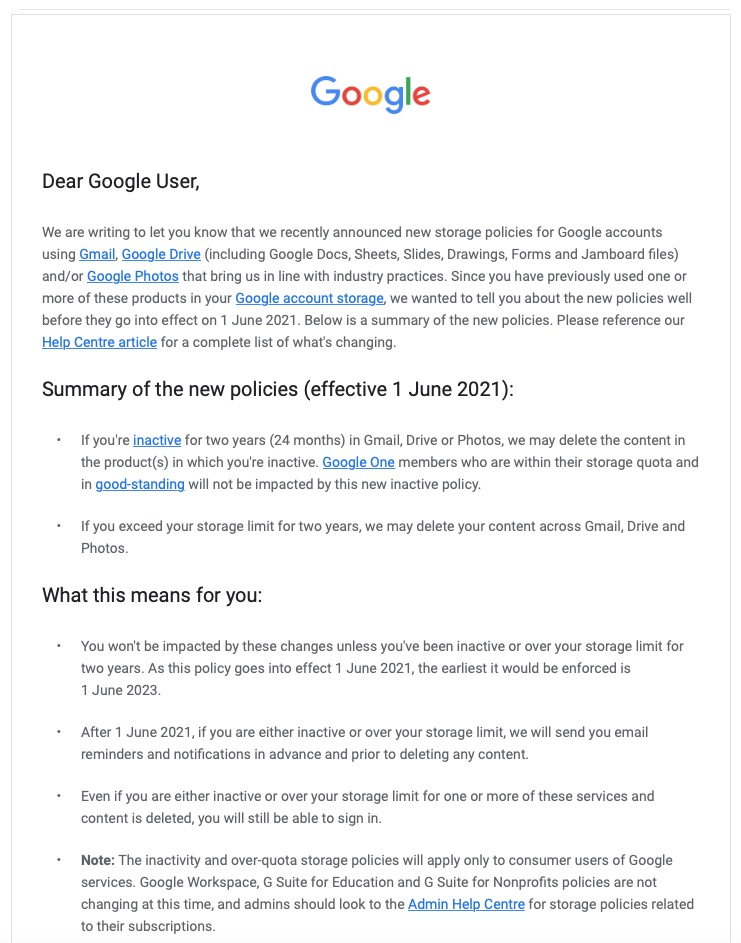
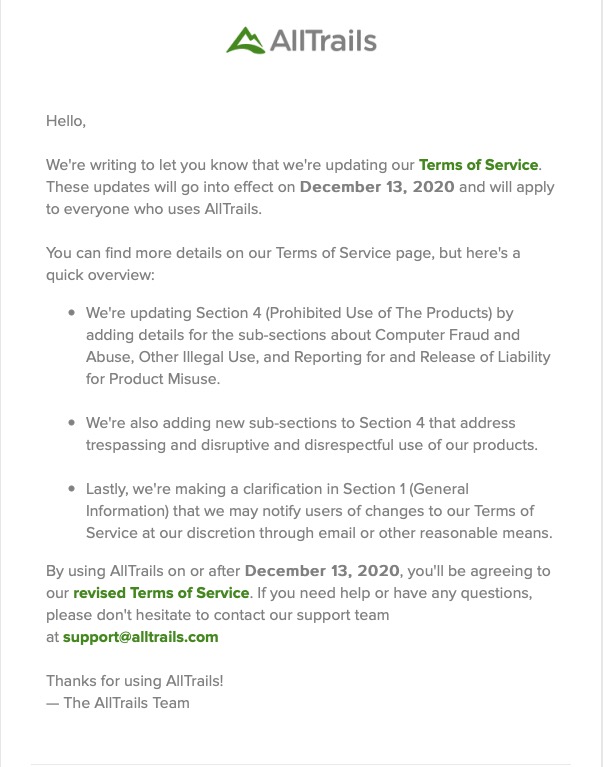
    A very recent change to Google services that is being proposed and communicated to users in an email. This was the first email sent …

    … which was followed up with this one, which prompted me to do something about it!!!

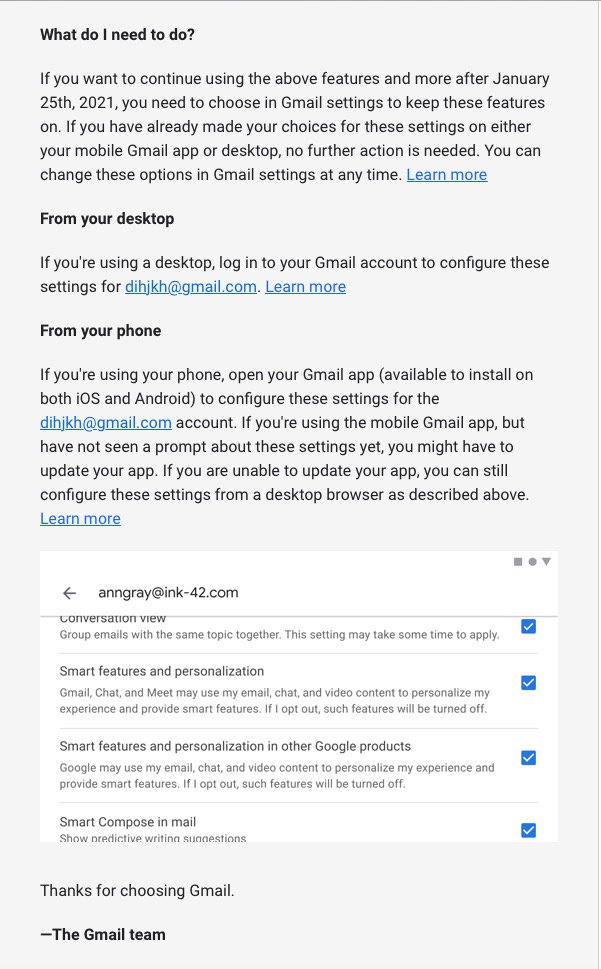
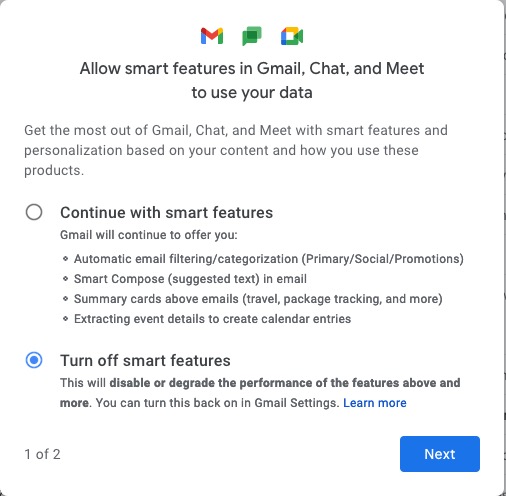
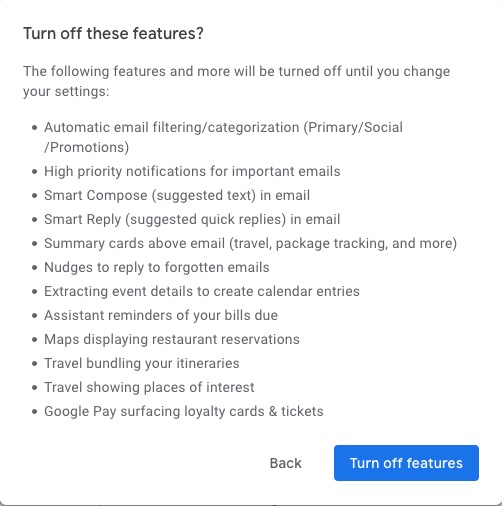
    Once into the application, you receive a screen like this one …

    I’ve now switched off these personalisations, but what I was doing was very clearly explained.

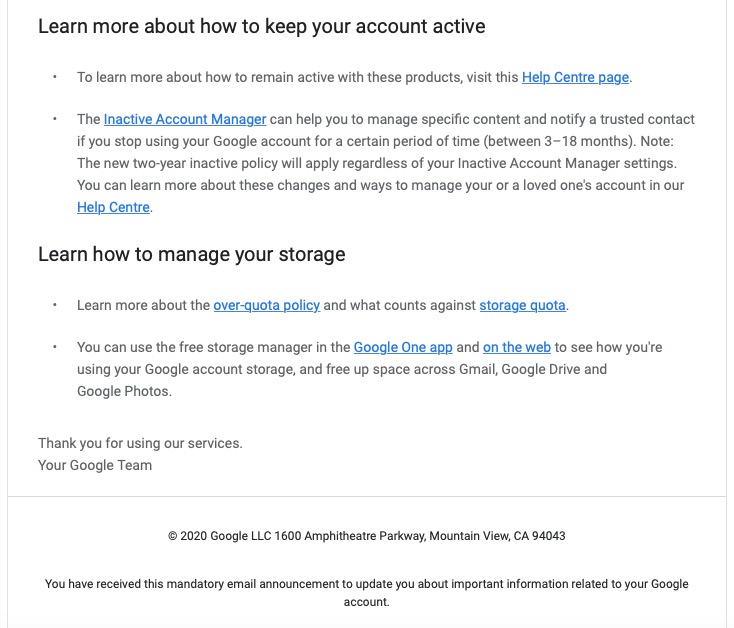
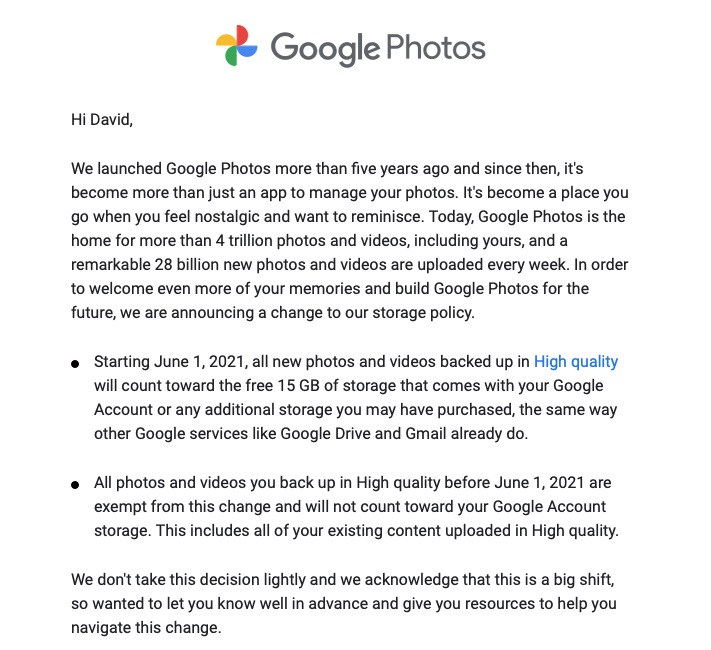
    Then there is this advance warning of changes to the storage policy that covers your Drive and Photos accounts. [I must do something about this as I have a number of Google accounts knocking about.]

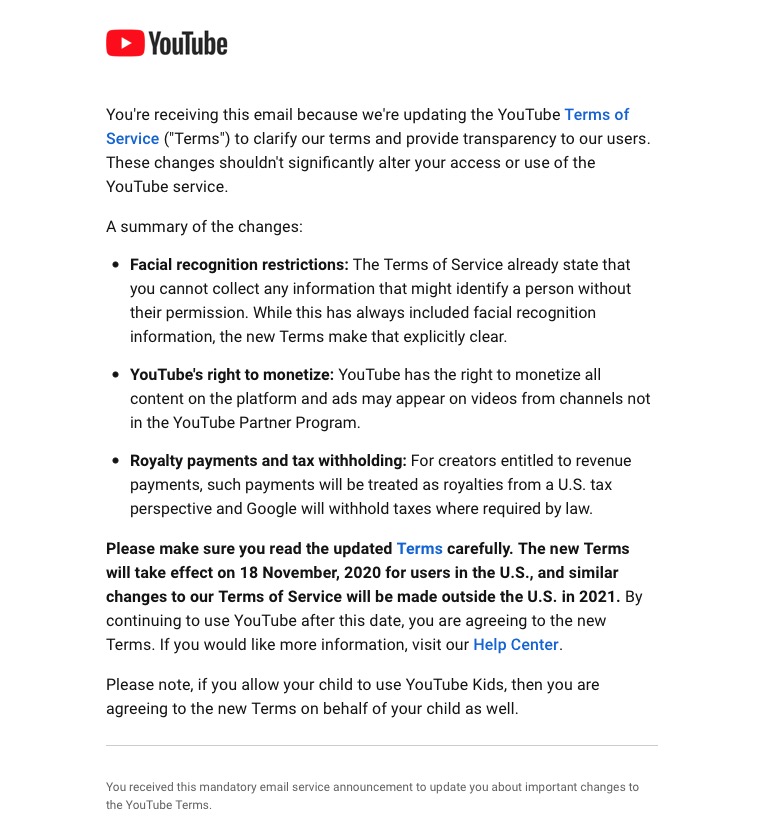
    A clear explanation of changes to YouTube – not ones I like, but there’s no attempt to hide what they intend to do, and it provides a hint that they will apply to us later this year when Google leave Ireland for the US.

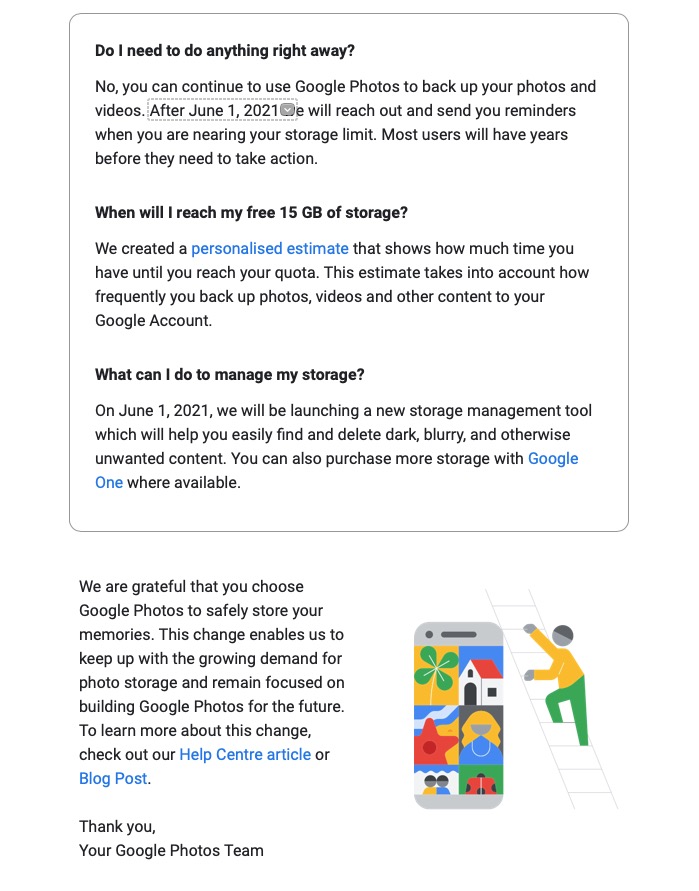
    Changes to the Google Photos policy which is causing some distress, but is explained clearly and gives you a lot of time to work out how to use the service after June 1st 2021.

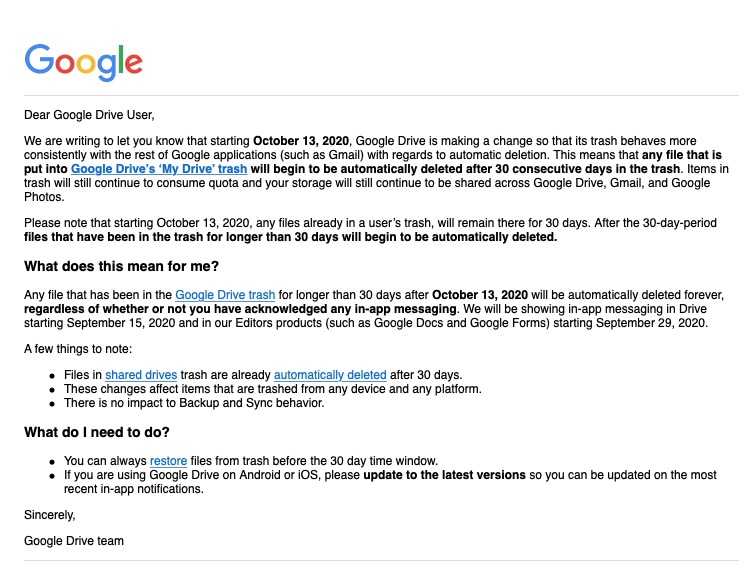
    Early notice of the intended changes to Google Drive, and how files will be deleted.

    Finally, another company explains clearly how and why it’s changing it’s Terms and Conditions – not something WhatsApp did. Shame on them!

  • Moving to Signal [Updated – Jan 16th]

    I hope you’ve managed to read the recent blog posts I’ve written earlier. One sets out my concerns about the Facebook ecosystem, the other on the changes to the WhatsApp Terms and Conditions of Service. I won’t go over the points I make in those posts. I do urge you to look at them however.

    I’ve reflected on what might be the best way forward for me, and for us. I accept that for us in the short-term we could accept the new Ts&Cs and wait and see what transpires as we are still, apparently, in the European Region – but for how long! And once we’ve accepted those Ts&Cs what does it mean long-term, after our data is repatriated to the the US from Ireland.

    But … we’ve been here before.

    The demise of Google+ was a great shame and disappointment to me and I think the group as well. We’d just started to use it in some degree and when Google closed it down in April 2019, I started this private website, with the forums following last year, as the least worst immediately available alternative. We added the WhatsApp group for more instant communication in September 2019. However there is so much that WhatsApp doesn’t have, that we used to have in Google+ – threaded discussions, communities and close links to Google Photos to name but three.

    This blog, with its Forums and Topics, addresses a lot of the shortcomings of WhatsApp but its’ main failing is its lack of notifications. I’ve tried to find ways round this limitation – using IFTTT, or installing the WordPress app to provide notifications – but neither of these are truly acceptable. So I cannot suggest we ditch WhatsApp and move to exclusively using this website.

    I’ve reviewed the alternatives and have come to the conclusion that moving to using Signal would be the least painful transition if we were to make a move away from WhatsApp for instant messaging. The alternative in my opinion would have been an app called Telegram which has many virtues, but these are outweighed (again imho) by some of the people who have accounts on it – the Presidents of Brazil and Turkey to name but two!

    The user interface of Signal is very similar to WhatsApp, so the learning curve should be relatively easy. The functionality is basically the same. The encryption method (end-to-end) is actually the same one that is used by WhatsApp – they adopted it because the code written by Signal’s developers is open-source – and indeed the founder of Signal was one of the founders of WhatsApp.

    What makes Signal a really attractive proposition is that it is a publicly funded Foundation. As such, it cannot be taken over by another company, so this could be the last move we have to make. Furthermore, it is open-source which means that the software is supported by its users and its developers, in the same way as this platform (WordPress) is.

    So I feel comfortable about making this move. I’m recommending to you that we move to use Signal instead of WhatsApp for instant messaging, but would encourage you also to look at the Forums and Topics on this site to use as a resource for problem-solving. The move is, and must be, a personal decision however.

    I won’t abandon WhatsApp just yet, as some people I know won’t move immediately, so I’ll need to accept the Ts&Cs, but I will be on a clear path to move away and encourage others to move as well. To this end, I most certainly will not be “active” on WhatsApp, but just lurk in the same way as I use Facebook, Facebook Messenger and Instagram currently, and if this Group wants to continue using WhatsApp, it would seem sensible to seek someone to take over the administration of that WhatsApp group rather than me.

    I will be setting up a U3A Computer Group on Signal later today that you are very welcome to join. I will post a link to the current WhatsApp members to enable them, or any other Group members, to join if they so wish, after they’ve first downloaded the app from this link and created an account – which is surprisingly easy. Once you’ve done that and allowed access to your Contacts – which will pick up others in your Contacts who are Signal users – you’ll probably see me. Please feel free to drop me a message to ask any questions about using Signal, and I suggest you also look at this useful article that explains how Signal works. I will be writing another article on a public blog later today which follows on from the earlier articles mentioned at the top of this article but will go into more detail of my reasons for moving away from WhatsApp.

    In the course of time, probably at the time that Facebook data is moved from Ireland to the US, I will almost certainly cancel my accounts connected to Facebook Inc. That will be a hard decision to take as I will lose connections to many long-term friends who I dip in occasionally to see what they’re up to, and I will miss the annual “Happy Birthday” messages from many of them. Still the time is approaching when I should make that move.

    Update

    Further to this post yesterday it appears WhatsApp have realised they have not communicated the reasons for their proposed changes well enough citing “misinformation”, I would say poor communication. So read this …

    https://blog.whatsapp.com/giving-more-time-for-our-recent-update

    … you all have more time to make your own personal decisions. I would still advise not AGREEing just yet, you may not be able to change your mind! I will reflect and report back later. Meanwhile Signal is struggling under the pressure of a huge influx of new users – teething problems one hopes.

  • Home Broadband using 5G

    Home Broadband using 5G

    I have for the years of my retirement chafed under the yoke of slower Internet access compared with when I was at work. Although I have had fibre from the cabinet as soon as it became available, I have rarely had more that 18-20 Mb/s download speed and commensurately slow upload speeds. I have also suffered with intermittent halts on the network where a succession of routers have decided to drop the connection back to the ISP, sometimes for several hours. And not just one ISP either. We have also had problems with Apple devices (iPad and iPhones) which frequently dislike the wireless network and have to have their lease renewed or their wireless function turned off and then on again.

    As my most recent contract was coming to an end in January 2021, I took the opportunity to explore other options. Fibre to the premises was my hope but not available and no prospect in sight. I had signed up to receive an indication of when it might become available but OpenReach has lived up to its reputation for impenetrability and Virgin Media have no interest in cabling up my end of Penylan.

    I did remember a member of the Computer Group had mentioned non-cabled access although my faulty memory suggested the word ‘radio’ and I couldn’t track that down. But the concept stuck and I looked at whether it was feasible to implement home broadband using mobile technology. The answer is of course, yes.

    I spent some time looking at the three possible providers – 3, EE and Vodafone. They all had different offerings: 3 the cheapest, EE possibly the most flexible and Vodafone another option. They all provide useful ways of determining just what service you can get at your address. 3 quickly dropped out as they did not provide 5G cover in my area. Then I investigated volume usage and checked with my existing supplier (Vodafone) as to what sort of throughput I was currently using. It turned out that EE’s highest level contract was an allowance of 300Gb per month and that if, as my wife and I do, you watch a number of subscription services over the Internet and do a lot of Zooming, you can approach that level quite easily.

    So there I was, Vodafone was the remaining option: the most expensive but offering unlimited usage. I struggled with their online system for investigating any further despite being a current customer but eventually came up trumps – I wonder if that’s a phrase that will fall out of favour now?? – using their chat system. A piece of advice : use the chat system from the sales page not the general or technical support page. The financial imperative means they give better answers and don’t want to send you to any other group!

    I quickly gained an assurance (in writing) that their 5G service would reach my house and provide good and consistent connections and importantly, there is a 14 day trial period to check it all out. I placed my order and on hearing of the difficulties I had had with the existing connection from Vodafone, have a £10 per month discount for 2 years. It’s still twice what I was paying, though.

    The Gigacube and SIM came the next day by courier. It took me 10 minutes to install, plug in my two Ethernet cable to the sockets; then 2 or 3 hours to visit every networked device and change it over to the new wireless network. My iPad is now downloading consistently at 170Mb/s and nothing in the whole set-up is slower than 45 Mb/s. Every room in the house has a good signal including the attic room two floors up.

    Issues? Yes, one. I distribute a wired Ethernet connection via powerlink devices (you connect one to the router, plug it into the mains and then get a network connection from similar devices plugged in elsewhere in the house). The main one is to my study for my PC and laptop. The new network didn’t seem to like this at first but after a few hours of head scratching and for no apparent reason, it suddenly started working. I haven’t worked out why yet.

    Verdict: well, it’s early days isn’t it? But I’m certainly very pleased so far. I’ll monitor usage and maybe ‘unlimited’ was a bit of a luxury.

  • The new WhatsApp Terms and Conditions of Use

    Let’s start with this passage from the article in The Register referred to below where the founder of WhatsApp talks about his reasons for creating WhatsApp …

    “When WhatsApp was acquired by Facebook in 2014, it promised netizens that its instant-messaging app would not collect names, addresses, internet searches, or location data. CEO Jan Koum wrote in a blog postAbove all else, I want to make sure you understand how deeply I value the principle of private communication. For me, this is very personal. I was born in Ukraine, and grew up in the USSR during the 1980s

    One of my strongest memories from that time is a phrase I’d frequently hear when my mother was talking on the phone: ‘This is not a phone conversation; I’ll tell you in person.’ The fact that we couldn’t speak freely without the fear that our communications would be monitored by KGB is in part why we moved to the United States when I was a teenager.

    Two years later, however, that vow was eroded by, well, capitalism, and WhatsApp revealed it would be “coordinating more with Facebook,” and gave people the opportunity to opt out of any data sharing. This time around, there is no opt-out for the sharing of data with Facebook and its tentacles. Koum left in 2018.”

    So this all started 4 years ago, when WhatsApp announced a change to their Terms and Conditions (Ts&Cs) – the first change in many years, and the first since being taken over by Facebook. It was possible to opt out of this change which was announced as only to “improve the experience of Facebook users” (that’s kind of them – do I believe that?).

    I don’t know whether I chose to opt out, I suspect I did, but I have no way of knowing!!! Whatever … I only had 30-days to opt out then, and I can’t go back and opt-out now.

    I was alerted to the current impending change on February 8th, which is a take it, or leave it choice by this article in a well respected techie (UK-based) blog – The Register. It’s subsequently been updated, and may be updated again I suspect as more information is squeezed out of Facebook.

    Before Christmas in a meeting of the Cardiff U3A Computer Group, I referred to the repatriation of UK-data to the US as a consequence of Brexit. So far Facebook and Google (and there could be more) have announced their attention to do just that, and others will undoubtedly follow. Free from Europe, our government has said we will follow GDPR (it had very little option), but the US tech companies see the wisdom of not having a European base for their (our) data and are hopeful of less stringent Federal privacy restrictions under a new Democratic Party controlled Senate committed to introducing legislation.

    Once out of the European protection, we in Britain could in the course of time, and after the repatriation of Facebook data to California (read the article above), be deemed not to be part of the European area and so the protection offered by WhatsApp/Facebook suggested in this article in “The i“, would cease to apply. So the short-term acceptance of these Ts&Cs thinking they don’t apply to us, might be scuppered should the data-hosting move to the US.

    No certainties, just doubts and that’s where mistrust comes in.

    As of today, I’m at a loss to know what to advise or do. I’m hopeful of further clarification in the days to come, but I’ll leave acceptance of the new Ts&Cs to the last few days before February 8th.

    Your comments and thoughts most welcome.

  • Why do I dislike Facebook (Fb)?

    I was challenged with this question last Thursday when I told my family about the intended changes to the WhatsApp Terms and Conditions of Use. I didn’t reply to my IT-savvy son until this morning when I was first asked to agree to these new Ts&Cs. This is what I wrote …

    “It starts with trust, and then you work away from that. It’s what a company does with information and whether you can then trust them to handle it properly. Google+ was a closed system that you opened up; Fb is an open system that even though it has Privacy Controls – which you need a degree to work out how to set them – essentially allows them to do anything with what appears on their platform.

    You take a photo – you don’t retain copyright, you assign that right to them when you publish to the platform  – you lose some control over what is done with the photo. You can’t opt out of adverts (understandably – that’s how they make there money) – you are conned into thinking that in allowing them, you will get a better experience.

    For whom? For you – no, they’re just an annoyance to me, but for others they just drive people to buy stuff they might not want/need. For them – yes, that’s how they drive income and more.

    So it’s the more that’s more interesting and insidious because what they do with that information leads to targeting people with posts, hence my reference to Brexit and Trump. [I had said in my brief first reply – Cambridge Analytica, Brext and Trump.] The algorithms behind the scenes work the data and susceptible people get targeted with posts as well, not just adverts. I could go on, but as I said – it’s all about Trust, and Fb as a company is one that I just don’t trust.

    Getting data from WhatsApp was something they committed at take-over they wouldn’t do. Now they are starting to do just that. Next step targeted adverts on a platform which is advert free; then “posts from others you might be interested in” – not the encrypted ones, but ones from Public Figures. Then “oh! dear” we have to drop encryption because of new privacy laws in the US. [Aside: is it a coincidence that Google, Twitter and Fb appear to be more privacy focussed since the Republicans lost control of the Senate and they just might want to be on the right side of the argument that’s going to come in the US in the next four years ].

    So I always logout of Fb to stop them tracking me; I suspect that WhatsApp will have a mechanism that prevents a user from being disconnected so Fb with these new Ts&Cs will be tracking as well as getting the other personal info from users.

    Please feel free to comment either on the post.

  • The new WhatsApp Terms and Conditions of Use [Clarification – Jan 21st]

    Let’s start with this passage from the article in The Register referred to below where the founder of WhatsApp talks about his reasons for creating WhatsApp …

    “When WhatsApp was acquired by Facebook in 2014, it promised netizens that its instant-messaging app would not collect names, addresses, internet searches, or location data. CEO Jan Koum wrote in a blog post: Above all else, I want to make sure you understand how deeply I value the principle of private communication. For me, this is very personal. I was born in Ukraine, and grew up in the USSR during the 1980s

    One of my strongest memories from that time is a phrase I’d frequently hear when my mother was talking on the phone: ‘This is not a phone conversation; I’ll tell you in person.’ The fact that we couldn’t speak freely without the fear that our communications would be monitored by KGB is in part why we moved to the United States when I was a teenager.

    Two years later, however, that vow was eroded by, well, capitalism, and WhatsApp revealed it would be “coordinating more with Facebook,” and gave people the opportunity to opt out of any data sharing. This time around, there is no opt-out for the sharing of data with Facebook and its tentacles. Koum left in 2018.”

    So this all started 4 years ago, when WhatsApp announced a change to their Terms and Conditions (Ts&Cs) – the first change in many years, and the first since being taken over by Facebook. It was possible to opt out of this change which was announced as only to “improve the experience of Facebook users” (that’s kind of them – do I believe that?).

    I don’t know whether I chose to opt out, I suspect I did, but I have no way of knowing!!! Whatever … I only had 30-days to opt out then, and I can’t go back and opt-out now.

    I was alerted to the current impending change on February 8th, which is a take it, or leave it choice by this article in a well respected techie (UK-based) blog – The Register. It’s subsequently been updated, and may be updated again I suspect as more information is squeezed out of Facebook.

    You may remember in a Group meeting before Christmas I referred to the repatriation of UK-data to the US as a consequence of Brexit. So far Facebook and Google (and there could be more) have announced their attention to do just that, and others will undoubtedly follow. Free from Europe, our government has said we will follow GDPR (it had very little option), but the US tech companies see the wisdom of not having a European base for their (our) data and are hopeful of less stringent Federal privacy restrictions under a new Democratic Party controlled Senate committed to introducing legislation.

    Once out of the European protection, we in Britain could in the course of time, and after the repatriation of Facebook data to California (read the article above), be deemed not to be part of the European area and so the protection offered by WhatsApp/Facebook suggested in this article in “The i“, would cease to apply. So the short-term acceptance of these Ts&Cs thinking they don’t apply to us, might be scuppered should the data-hosting move to the US. [I think it’s clear to me that those in the EU will continue to be offered an opt-out – the market is too large for them to enforce a retrospective acceptance, but we in the UK …. !!!]

    [Clarification] I should have made it clear that it is not the data that’s being repatriated as this could be held on many servers all around the world, but it is the legal ownership of our accounts that is being repatriated. The US Tech Corps have been “troubled” by the number of Anti-Trust, and Anti-Competitive legal cases that have been brought against them in the EU just recently. Being found guilty can subject those companies to very high levels of fines. In addition the tax haven which was Ireland has been challenged which provides another impetus to move their (that is Facebook and Google) offices back to the US. So far Twitter and Apple have stood alone as companies that have decided to stay in Ireland, whilst Amazon is based in Luxembourg. So it’s not just Privacy that is a driver to repatriate our accounts.]

    No certainties, just doubts and that’s where mistrust comes in.

    As of today, I’m at a loss to know what to advise. I’m hopeful of further clarification in the days to come, but I’ll leave acceptance of the new Ts&Cs to the last few days before February 8th.

    [NB. I’m posting both these articles on the Public Thought grazing site as well.]

    Please Comment below, or in the Topic on the Privacy and the Internet Forum.