Category: Google Gossip

  • The right way to change Ts&Cs – Google learnt it’s lesson

    It’s not long ago that Google was described as “the evil empire” because of its perceived intent on hoovering up all the data it could about us in the endeavour to “provide the best search experience for its users”. Baloney of course – they just wanted to drive the monetisation of their platform as far as they thought they could get away with, and by now you shouldn’t pay too much attention to the search results that appear at the top of a Google search – they’ve almost always been “paid-for”.

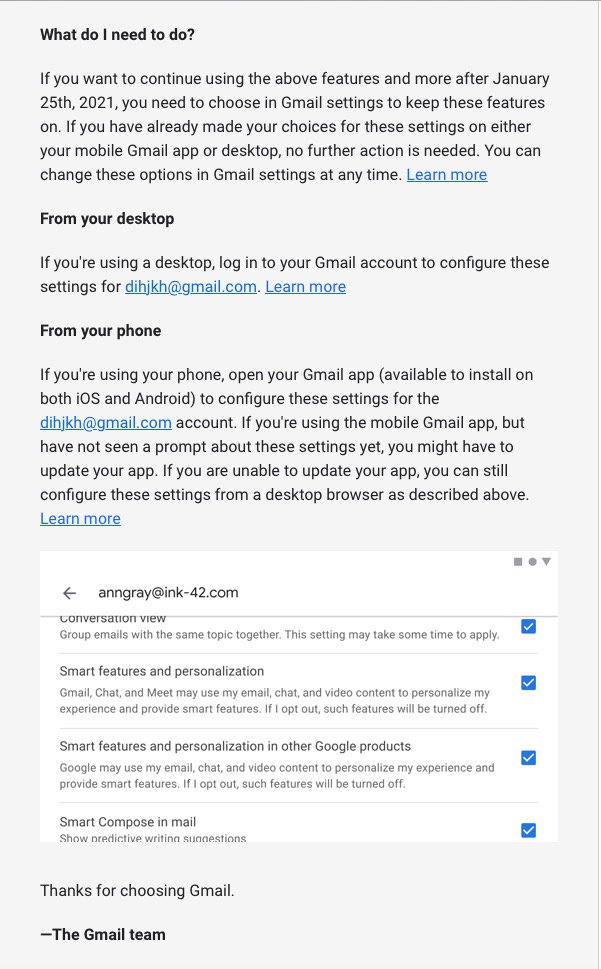
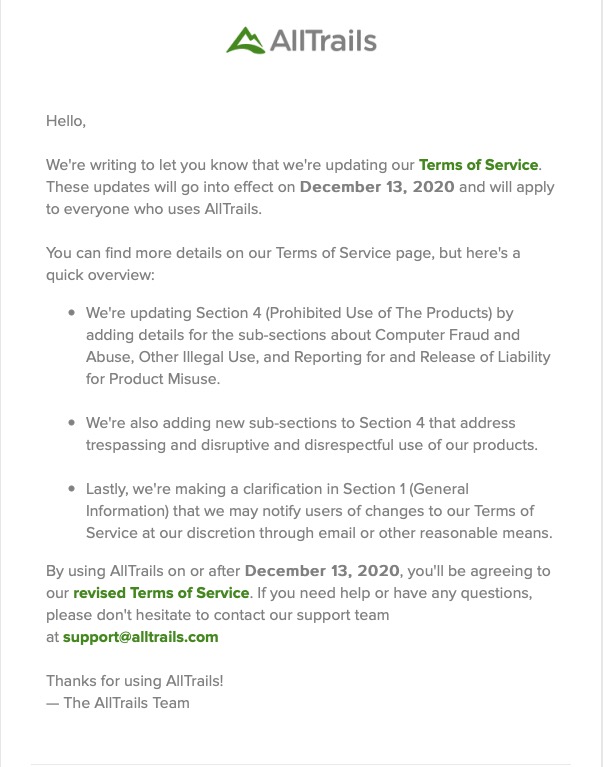
    However, out of bad publicity they learned a lesson. When changing terms and conditions of use, or service, its best to explain clearly, and in advance, what they want, and expect, to do, and invite comment. That was most certainly missing from Facebook’s recent debacle with WhatsApp. So to show how it perhaps should be done, I’me including some recent screen shots from Google over the past few months …

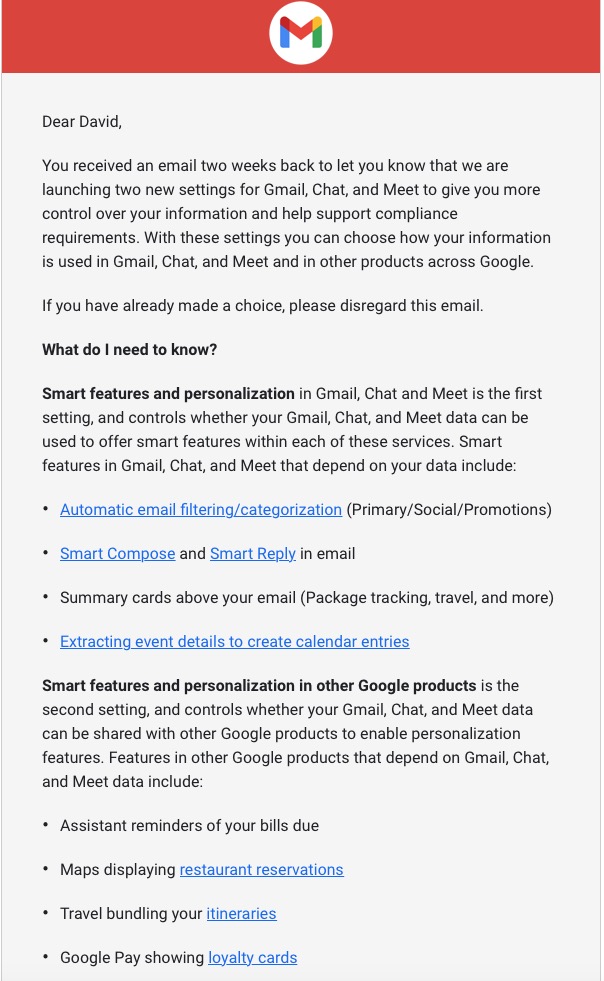
    A very recent change to Google services that is being proposed and communicated to users in an email. This was the first email sent …
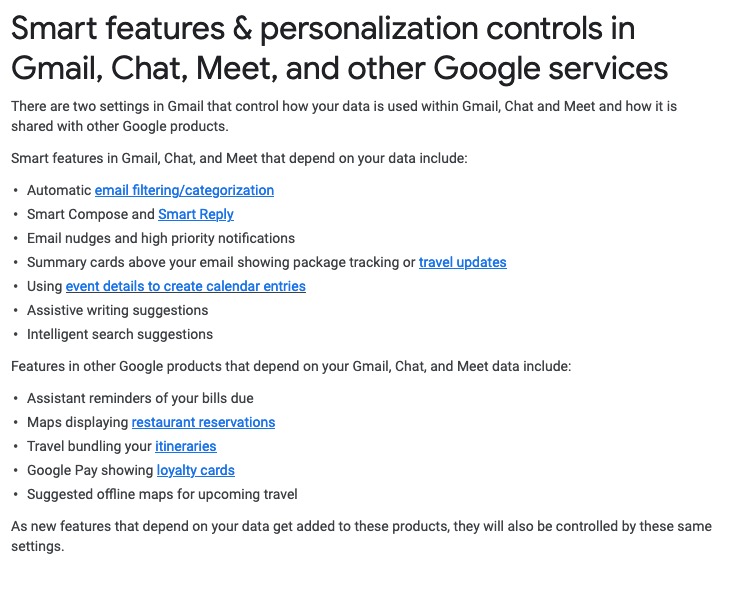
    … which was followed up with this one, which prompted me to do something about it!!!
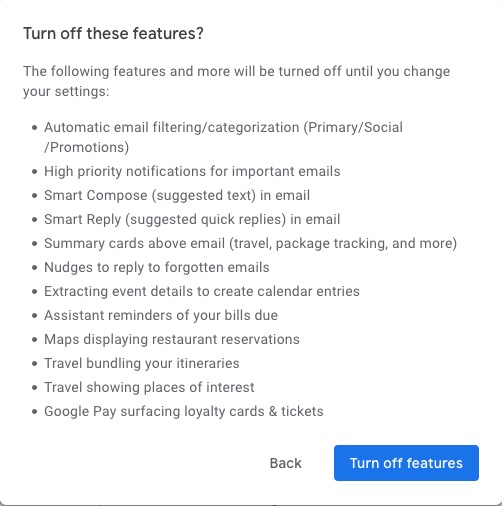
    Once into the application, you receive a screen like this one …
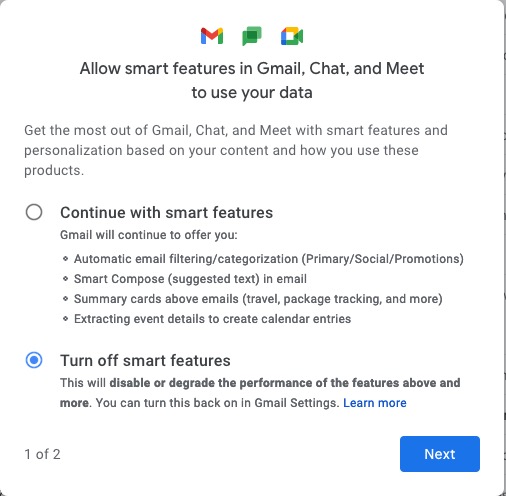
    I’ve now switched off these personalisations, but what I was doing was very clearly explained.

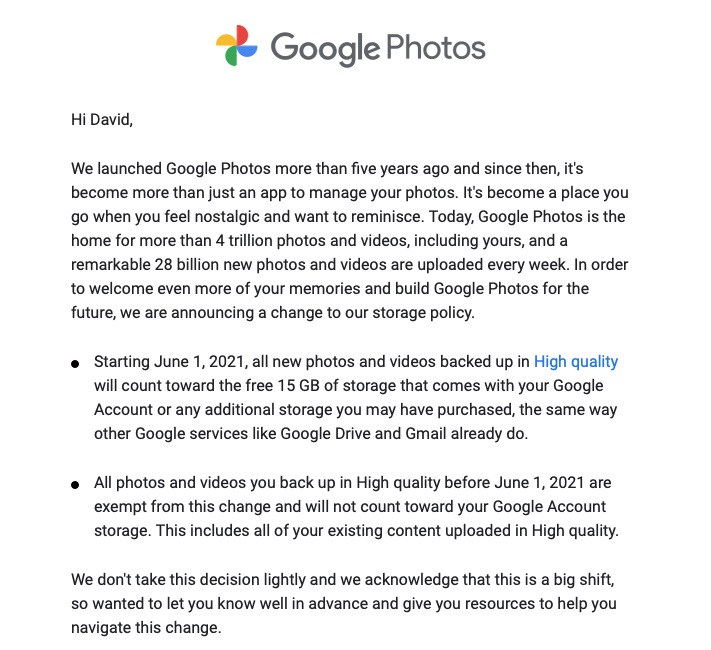
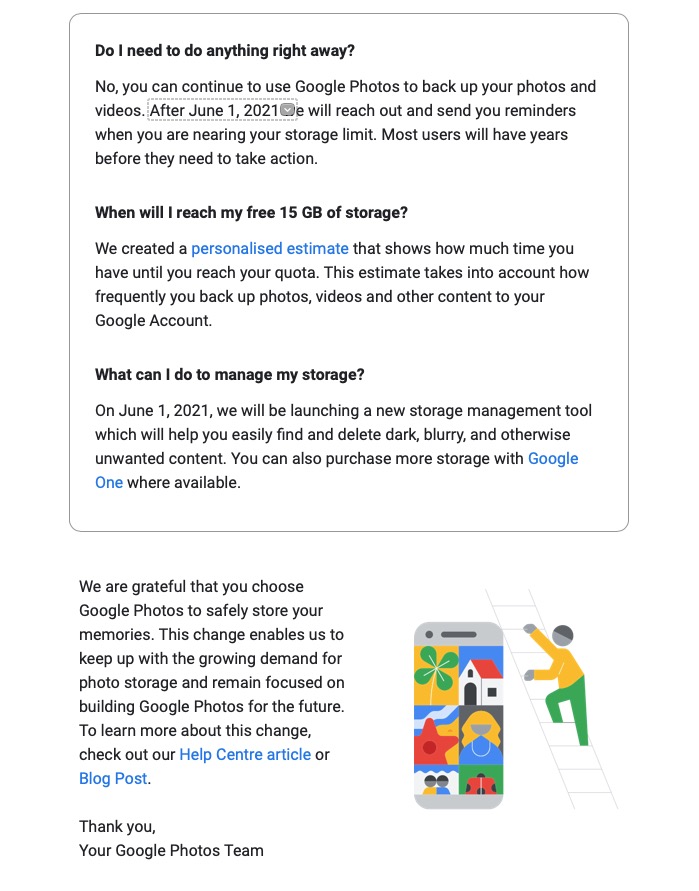
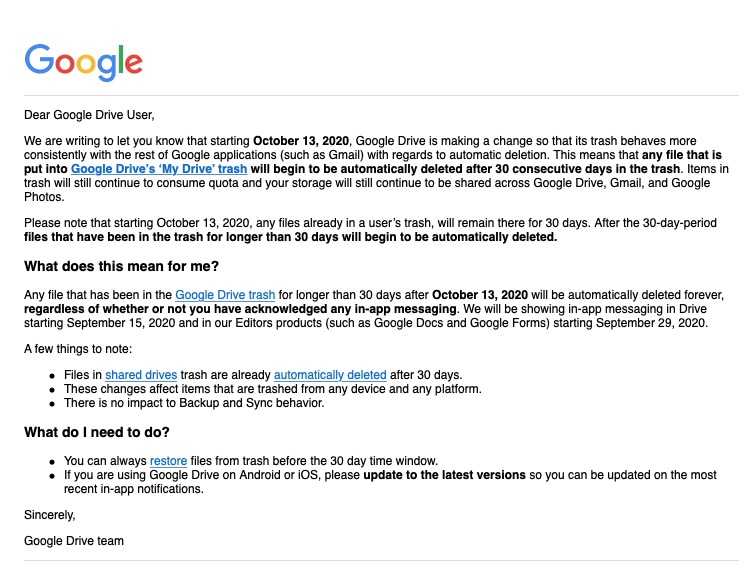
    Then there is this advance warning of changes to the storage policy that covers your Drive and Photos accounts. [I must do something about this as I have a number of Google accounts knocking about.]
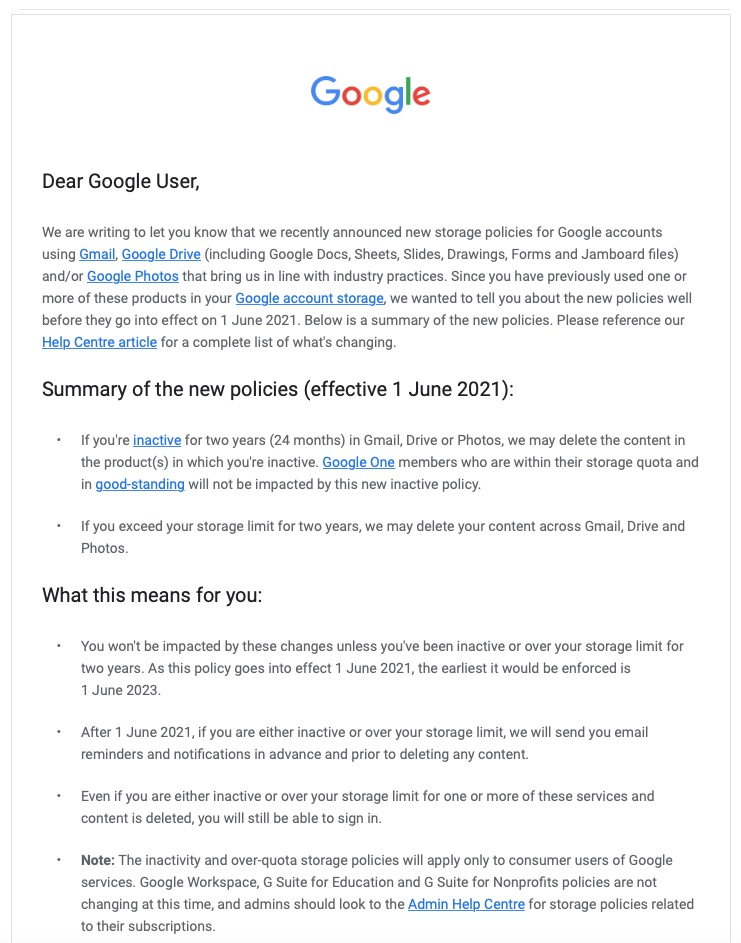
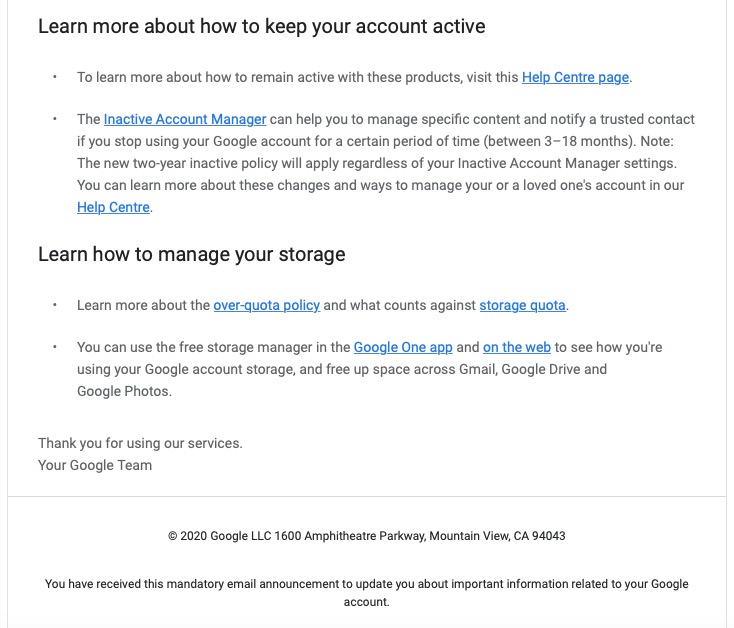
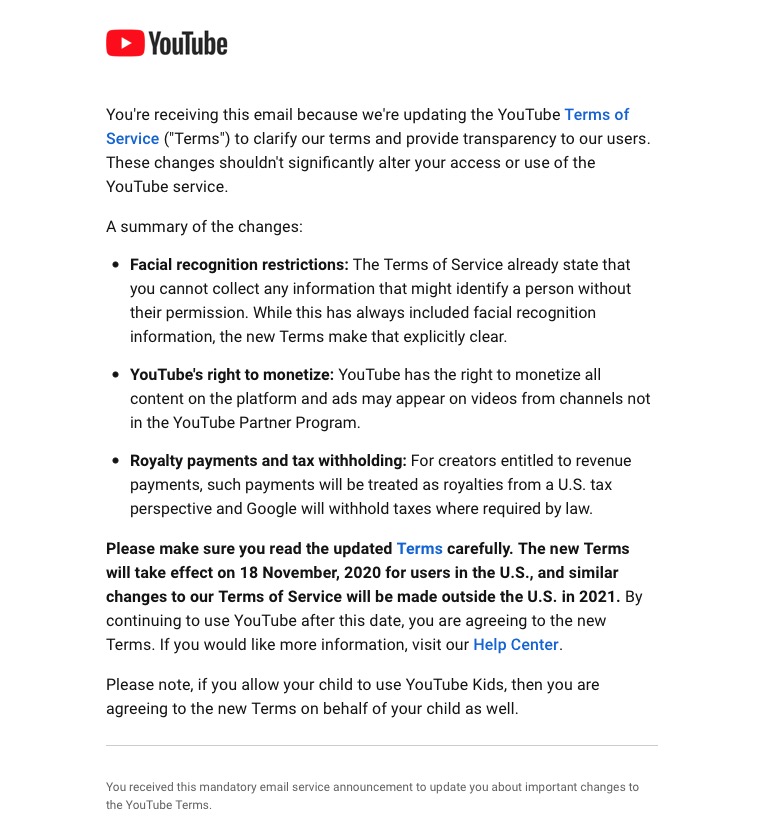
    A clear explanation of changes to YouTube – not ones I like, but there’s no attempt to hide what they intend to do, and it provides a hint that they will apply to us later this year when Google leave Ireland for the US.
    Changes to the Google Photos policy which is causing some distress, but is explained clearly and gives you a lot of time to work out how to use the service after June 1st 2021.
    Early notice of the intended changes to Google Drive, and how files will be deleted.
    Finally, another company explains clearly how and why it’s changing it’s Terms and Conditions – not something WhatsApp did. Shame on them!
  • Protected: Google Home and Nest Devices

    Protected: Google Home and Nest Devices

    This content is password-protected. To view it, please enter the password below.

  • Protected: Notes from Zoom Meeting – 14th May 2020

    This content is password-protected. To view it, please enter the password below.

  • Protected: Covid-19 Tracing app

    This content is password-protected. To view it, please enter the password below.

  • Microsoft re-enters the browser war!

    After Netscape Navigator was eclipsed by Microsoft’s  Internet Explorer as the browser of choice for many – mainly because it was hard-wired into Windows initially – the world of internet browsers has seen first the rise of Firefox from the Mozilla Foundation as an alternative open source option and then the succession to Google’s Chrome and it’s huge market presence.
    I’ve written about Google’s dominance and the alternatives to Chrome before in “Just Google it …”
    Now Microsoft has stirred from its inactivity in the browser market place. It has ditched its proprietary Edge browser and replaced it with … Microsoft Edge. No confusion there then!
    It is interesting because it will run on MacOS as well as Windows, something the old Edge didn’t do, and will use the same open source code base – Chromium – as Google’s Chrome and of course Brave (my browser of choice). This allows them to use Extensions written for that code base. I already use many extensions written for Chrome in my Brave browser.
    What will this mean for Google especially as Microsoft Edge will effectively have a built-in ad-blocker? Who knows. It’s certain that as more users decide to use the Microsoft version of Chromium, so Google’s business model and revenue stream will come under attack. Will they retaliate in some way? Probably not. Interesting times.
    Here’s an article that describes keyboard shortcuts that you can use with Microsoft Edge.

  • Protected: All things Google (and more) – 13th February 2020

    This content is password-protected. To view it, please enter the password below.

  • Protected: Settings III (Windows) and Google Assistant – 23rd May 2019

    This content is password-protected. To view it, please enter the password below.

  • Protected: Settings II (Google) – 9th May 2019

    This content is password-protected. To view it, please enter the password below.

  • "Just google it …"

    Something I’ve only just recently become aware of is that people don’t know the difference between Google and an internet browser. Now this is a spectacular success for Google (the company) and drives their revenues up a lot, but means that users are potentially missing out on a lot in terms of their internet experience so this short note attempts to address that balance, albeit in a very small way!

    How did this come about? Well principally because Google introduced an app for the iPhone and other smartphones and tablets called (unsurprisingly) … Google. It presents in a nice easy to use interface a way of searching for information on the internet – that is how Google started after all, which is how they also managed to corner the term for searching the internet – “just google it”. [You don’t hear many people saying – “just bing it”, or “just yahoo! it” – in fact in the case of the latter they just gave up and decided to use the Google search engine and ditch their own one.] So … at a stroke, new users to digital devices thought that the way to connect to the internet was through their “Google” app.
    No, no – there is another way that presents you with so many other possibilities and no, no – you don’t have to restrict yourself to using just Google as your search tool. [In an earlier post I described some experiments with using DuckDuckGo and other search engines and I will return to that subject at another time.] So … what might you use?
    Well even using Google’s Chrome browser is better than using the Google app on your smartphone or tablet. It probably uses the same software  “under the hood” based on Google’s Open Source Chromium code base but it does offer the possibility of adding extensions, and allowing the use of alternative search engines.
    But what else could you use? On my iOS (Apple mobile devices) I tend to use Apple’s Safari browser. On my desktop/laptop I tend to use Chrome, or Firefox (another Open Source project) from the Mozilla Foundation. Then there’s Microsoft’s Edge – supplied with Windows, or Opera (a lean,  clean browsing machine), or I could be really radical and use something like Brave (and I am) which doesn’t track my browsing history … but I’ll leave that for another day, and for another post.
    For today, the message is simple … don’t use the Google app as your main internet browser, just use it if you want to for simple searches. Find a browser you like and use that … and maybe even choose which search engine to use, it doesn’t need to be Google – I’m using Chrome with DuckDuckGo as I write this. You won’t regret making a change to your internet browsing/searching experience – believe me!


  • Protected: Have you come across this story?

    This content is password-protected. To view it, please enter the password below.