

Thanks to Cortical Silence for this week’s edifying message 🙂
Thanks to Cortical Silence for this week’s edifying message 🙂
The Best Kept Secret.
Philip Edwards.
A few weeks ago during one of our regular meetings, somebody brought up the topic of Apple News+. One of the features of the service is that it gives you access to over 400 magazines to peruse at your hearts content. This made me sit up and listen, because I knew of a service called Pressreader. This provides access to 7,000 newspapers and magazines from more than 120 countries in over 60 languages, all for free.
How do you access this service? It might involve a trip to your local library.
First, you need a library card. You might already have one, but to make this work, you need to ask your librarian for a P.I.N. number. Both are free. Make sure you keep your details of your library card and P.I.N. You will need them to sign up to the service and you really don’t want to suffer from a nasty case of Passworditis do you.
Next, go to pressreader.com and sign up. You’ll be asked to select your local library…probably Cardiff. You’ll also be asked for your library card number and P.I.N. number. And that is it. You can then browse the catalogue, check the news in the latest newspapers or find absolutely anything from their huge range of magazines….and I’ll say this again, all for free through your local library membership.
If you’re new to the world of on-line reading, you might want to check on another service, free through your library card membership. Visit libbyapp.com
This is a more general library service, giving you access to thousands of electronic books and audiobooks which you can borrow, again, all for free; all part of the library service.
Probably best to load the libby app onto your laptop, tablet or wherever you think you’d enjoy sitting back to read your recently borrowed Agatha Christie
https://www.amazon.co.uk/photos/share/fhBBthPO3m4twXjknStaWcvSZS045foqnjpQifTqApD
[Corrected information for Gemini in comparative section of post.]
A practical session following some demonstrations to encourage you to try out using Chatbot apps as an alternative to using a search engine. Of course most of the browsers and search engines now have the ability to “chat” added to them, ie Ecosia Chat and DuckDuckGo – which has the additional plus of you being able to choose which chatbot to use …

Claude tells me (as of October 2024) that the Edge, Opera, Chrome, Brave, Firefox and Arc browsers have this functionality, and Bing, Google (through Gemini), DuckDuckGo and Perplexity search tools have this functionality.
You can generate images too – but this is not the subject of today’s session. Look at Jonathan’s AI-generated avatar …

… or Phil’s set of images generated by Le Chat, from this script …





But we will look at how an image taken with your phone, or tablet, can be attached to a chatbot and get a summary of what it’s saying …

This (when sent to ChatGPT) with the one word message – “Summarise”, returned this …
… but what is “pig butchering”, ask ChatGPT and you get this …
Pig butchering (shā zhū pán, 杀猪盘) is a sophisticated online scam that combines financial fraud with emotional manipulation. The term comes from the idea of “fattening up” a victim (the pig) before eventually “butchering” them for financial gain.
How It Works:
1. Initial Contact: Scammers approach victims through dating apps, social media, or even random text messages pretending to be a wrong number. They gradually build a friendly or romantic relationship.
2. Emotional Manipulation: Over weeks or months, scammers gain the victim’s trust, often pretending to be wealthy and successful. They encourage casual financial discussions, showing off their supposed investment profits.
3. Fake Investment Opportunity: Once trust is established, scammers introduce the victim to a “lucrative” investment, usually involving cryptocurrency or forex trading. They direct the victim to a fake but professional-looking website or app where they initially see small returns.
4. Encouraging Bigger Investments: As the victim gains confidence, they invest more money, sometimes even taking out loans or draining savings. The scammer keeps reinforcing the illusion of profits.
5. The Exit (Butchering Phase): Eventually, when the victim tries to withdraw funds, they encounter delays, extra fees, or are locked out entirely. The scammer then disappears, leaving the victim financially devastated.
6. Trafficking Connection: Many pig-butchering scams are operated from compounds in Southeast Asia, where trafficked workers are forced to run scams under threat of violence.
Why It’s Effective:
• Long-term manipulation: Unlike quick scams, it relies on slowly building trust.
• Emotional exploitation: Victims often feel emotionally invested, making them less skeptical.
• Convincing fake platforms: Sophisticated websites mimic real investment sites, making the scam seem legitimate.
• Cryptocurrency anonymity: Crypto transactions make it difficult to trace stolen money.
This type of fraud is one of the fastest-growing online crimes, with billions of dollars stolen worldwide each year.
That’s phenomenally powerful and time-saving!
So we’re going to look at installing some Chatbot apps, and doing some comparative enquiries, and end-up having some fun – I hope.
Le Chat helps me write this … “Provide a list of the most popular AI Chatbots, whether they’re open source and who they’re funded by?”
Here is a list of some of the most popular AI chatbots, their open-source status, and their funding sources:
These AI chatbots represent a mix of open-source and proprietary solutions, each with its own strengths and funding sources.
Of these I do like Claude, Perplexity and Le Chat in particular, but Le Chat wasn’t in this list, why? I followed up my initial query with – “Why isn’t Le Chat in this list?”
Le Chat is an AI chatbot developed by Mistral AI, a French startup. It is designed to be a fast and efficient conversational assistant, capable of processing up to 1,000 words per second, making it one of the fastest AI models available. Le Chat is available as a native app for iOS and offers a range of features, including image analysis, content generation, and real-time internet searches. It is positioned as a European alternative to other AI chatbots like ChatGPT and Google Gemini.
Mistral AI has attracted significant investment from various sources, including American tech giants like Nvidia and IBM, as well as funding from the French government and other European investors. The company has also received support from France’s defense ministry and other European entities, highlighting its strategic importance in the region’s AI landscape.
Le Chat is part of Europe’s broader push for AI independence and is seen as a key player in the continent’s efforts to compete with major AI developers in the US and China. The chatbot is designed to offer strong privacy protections and aligns with European values regarding data security.
That’s why I like Le Chat – an element of independence from the US, but I suspect there will be a UK killer-chatbot in the wings!!!
I thought I’d do a comparative query across the different AI Chatbots I use – but in their web format so that I could do screenshots for this post [the responses would be the same on the phone/tablet – just easier for doing screenshots]. The query was fed to me by my daughter, and I followed the responses with some supplementaries (which I’m not including), but you’ll get the idea …
The enquiry … “In the UK, what I should plant in a western-facing partly shady coastal front garden with clayish soil?”
Le Chat – https://mistral.ai/products/le-chat

Perplexity (on the web I was given Perplexity Pro – presumable for a trial period) – https://www.perplexity.ai
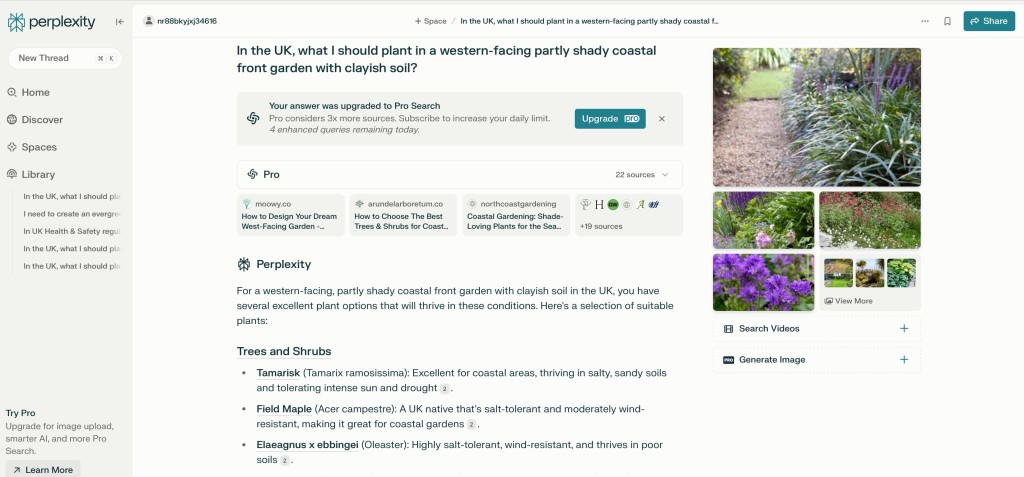
For a full response – https://www.perplexity.ai/search/in-the-uk-what-i-should-plant-pu_I4lpmTKWVfR1U17OmrA
Claude – https://claude.ai/new
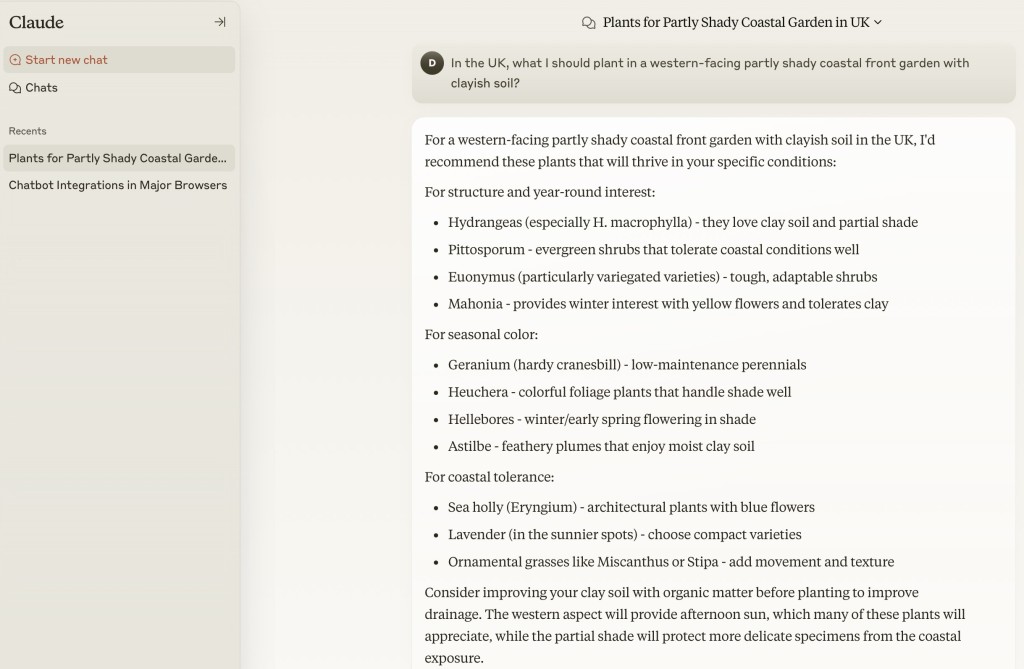
the extreme – perhaps you have to pay to get access to Google’s own AI LLM – I’m happy to be corrected here!
Gemini (in a browser) returns this response …
https://g.co/gemini/share/ff8bfa44ae92
So to see how Gemini (in a browser looks), go to https/gemini.google.com register (or use your Google account) and type in the enquiry. From the Gemini app it looks something like this …
In the UK, what I should plant in a western-facing partly shady coastal front garden with clayish soil? 🤗

It's great you're planning your coastal garden! Coastal gardens in the UK present some unique challenges, but also opportunities. Here's a breakdown of considerations and plant suggestions, taking into account your western-facing, partly shady, clayish soil conditions:
Key Challenges:
 * Coastal Conditions:
   * Salt spray: Plants need to tolerate salty air.
   * Strong winds: Choose robust, wind-resistant plants.
   * Potential for sandy, but in your case clayish soil.
 * Western-Facing, Partly Shady:
   * Western exposure means afternoon sun, which can be intense.
   * "Partly shady" requires plants that can handle some shade but also appreciate some sun.
 * Clayish Soil:
   * Clay soil can be waterlogged in winter and dry and cracked in summer.
   * It's essential to select plants that tolerate these conditions or amend the soil.
Plant Recommendations:
Here's a selection of plants that generally thrive in these conditions:
 * Shrubs:
   * Escallonia: Very tolerant of coastal conditions and wind.
   * Photinia: Provides vibrant foliage and tolerates clay soil.
   * Hebe: Many varieties are well-suited to coastal gardens.
   * Lonicera nitida (shrubby honeysuckle): Good for hedging, tolerant of various conditions.
 * Perennials:
   * Hostas: Thrive in partial shade and tolerate clay.
   * Ferns: Many ferns enjoy shady, moist conditions (clay can hold moisture).
   * Pulmonaria (lungwort): Tolerates shade and clay soil.
   * Geraniums (hardy): Many varieties are adaptable to various conditions.
   * Sea thrift (Armeria maritima): Excellent for coastal areas.
 * Grasses:
   * Carex varieties: Many sedges tolerate clay soil and partial shade.
   * Festuca glauca (blue fescue): Can add textural interest.
Tips for Clay Soil:
 * Improve drainage: Incorporate organic matter like compost or well-rotted manure to improve soil structure.
 * Mulching: Apply a mulch to help retain moisture in summer and protect roots in winter.
 * Raised beds: Consider raised beds if drainage is a significant issue.
Where to Get More Information:
 * Royal Horticultural Society (RHS): The RHS website (rhs.org.uk) is an excellent resource for plant information and gardening advice.
 * Local Garden Centres: Local garden centres can provide tailored advice for your specific area.
When choosing plants, always check their specific requirements and consider your garden's microclimate.
Copilot – https://copilot.microsoft.com/chats/tBUeqP4WXhs3BKq8a6zy5. It has to be said the app version is quite different in appearance (so I include it below as well.

In the UK, what I should plant in a western-facing partly shady coastal front garden with clayish soil? 🤗

Ah, a coastal garden in Wales with clayish soil—sounds like a wonderful challenge! For a western-facing garden with partial shade and a seaside breeze, you'll want plants that can handle salt spray, thrive in heavy soil, and enjoy a mix of sun and shade.

Here are some suggestions:

### Perennials and Shrubs:
1. **Eryngium (Sea Holly)** - Perfect for coastal gardens with its striking, spiky flowers and tolerance for salty air.
2. **Hydrangea macrophylla** - Thrives in clay soil and gives fabulous blooms, especially in partial shade.
3. **Hebe** - Compact, hardy, and salt-tolerant, making it ideal for coastal fronts.
4. **Skimmia japonica** - Great for partial shade, and its colorful berries add winter interest.
5. **Rosa rugosa (Beach Rose)** - Tolerates tough coastal conditions and produces lovely fragrant flowers.

### Grasses:
1. **Carex (Sedges)** - Many varieties thrive in clay soil and are low-maintenance.
2. **Festuca glauca (Blue Fescue)** - Adds texture and color, and it’s very hardy.
3. **Miscanthus sinensis** - Works well in heavier soils and creates a striking backdrop.

### Flowering Plants:
1. **Alchemilla mollis (Lady's Mantle)** - Thrives in partial shade and tolerates clay, with charming frothy flowers.
2. **Astrantia** - Adds a touch of elegance with its intricate blooms and loves partial shade.
3. **Primula vulgaris (Primrose)** - Ideal for dappled shade, and they bring an early splash of color.

### Ground Covers:
1. **Ajuga reptans (Bugleweed)** - Tolerates clay and partial shade while offering glossy foliage and purple flowers.
2. **Vinca minor (Lesser Periwinkle)** - A hardy ground cover that thrives in shady spots.

It’s also worth working organic matter like well-rotted compost into the clay soil to improve drainage and structure over time. Coastal gardens can be unique, so experimenting with a mix of hardy and native plants might lead to delightful surprises. 😊

What do you think about these options? Let me know if you'd like specific care tips or alternatives!
I hope that’s of interest; I encourage you to do your own comparative enquiries, bearing in mind that they don’t all have access to up-to-date information.
The world is changing rapidly, and my son has already demonstrated that he can build the code for the front-end of a website using a chatbot which he incorporated into his DuckDuckGo browser …
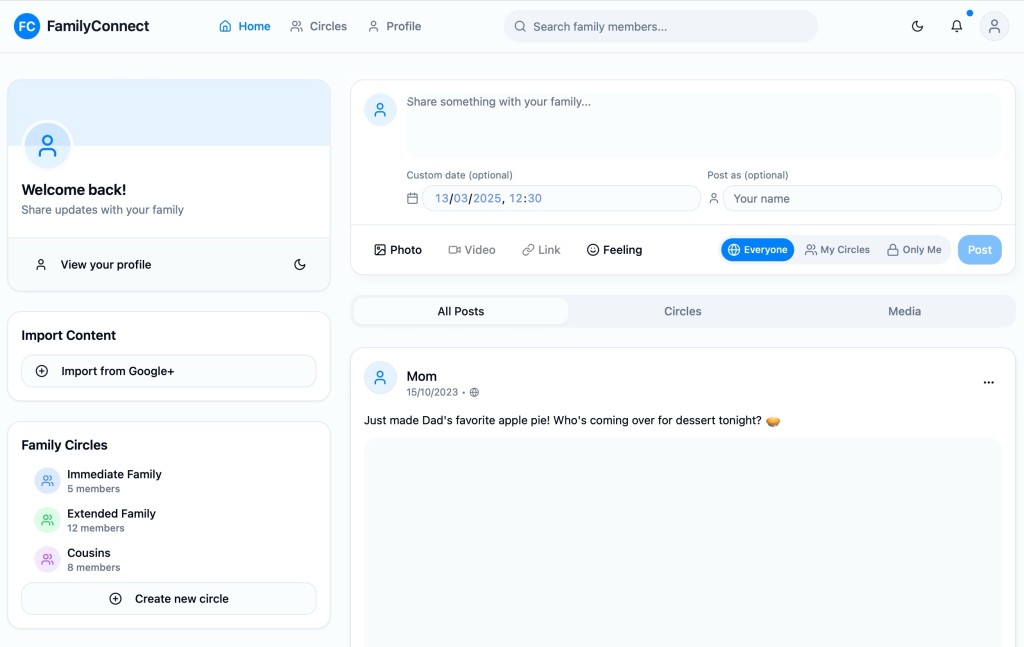
… with the following instructions …
“I asked my new AI app writing tool to build me a private social networking tool inspired by Google+ features.
Just done the front end design, but I can add a database and I can get it to setup federation with Google login.
It’s mobile responsive as well.”
… now that’s truly amazing, but I digress.
Creating a sitcom
First prompt.
Can you come up with some sitcom names that would cover two elderly people, one who loves technology and loves setting up systems, and the other who has no idea?
then i got names … i responded -> I like wired and retired.
Second prompt
Can you write the premise of the show. The grandad gets very frustrated cause he sets up all these amazing systems and is energised by tech but his wife (grandma) is airy fairy and likes more human pursuits and poetry and gardening and is shocking at planning and execution. Both are lovely.
This was the response.
Show Title: Wired and Retired
Premise:
In the quiet suburbs, a lively retired couple navigates the collision of their wildly different passions. Frank, a tech-obsessed granddad, thrives on systems, automation, and the latest gadgets. His garage is a command center, his home a hub of interconnected brilliance—at least in his mind. Meanwhile, Betty, his whimsical wife, prefers the analog world. She spends her days writing poetry, tending to her unruly garden, and losing herself in daydreams.
Their love is undeniable, but their worlds often clash in hilarious ways. Frank’s perfectly calibrated smart irrigation system gets overrun by Betty’s impulsive planting sprees. His meticulous meal-planning app gets sidelined when Betty decides dinner should be a spontaneous pic… Read more
then he just kept asking questions
until he got to …
Updated Premise:
Retired life for Frank and Betty is far from quiet. Frank, a tech-obsessed granddad, keeps busy in his upstairs office, perfecting his gadgets, cheering for West Ham, and sneaking out for his favorite snack, ‘Nice and Spicy’ Nik Naks. Betty, his free-spirited wife, thrives on poetry, gardening, and unplanned adventures that constantly disrupt Frank’s meticulously planned systems.
Their quirky family dynamic adds another layer of hilarity. Their 40-something son, who lives nearby, frequently steps in as mediator and problem solver, though his visible hair loss suggests he’s barely holding it together. Their older son, who lives in Australia, adds to the chaos during his visits, gleefully stirring up trouble and playing both parents off each other.
Balancing out the chaos is their serious older daughter, a psychologist, who watches the family dynamics with professional concern. She often finds herself frustrated with her brothers’ antics and their impact on her parents, though her attempts to intervene usually go unnoticed.
Adding warmth to the mix is their youngest daughter, who lives close by with her young family. Betty adores spending time with her grandchildren, but her tendency to lose track of time often leaves Frank exasperated when she abandons his carefully laid plans for yet another spontaneous outing.
Through all the love, laughter, and occasional family drama, Frank and Betty prove that life is always better with a little humor—and a lot of heart.
Supporting Characters:
• Millie: The tech-savvy granddaughter who enjoys Frank’s high-tech world but often teams up with Betty during family adventures.
• George: Frank’s West Ham-loving best mate and snack-run partner, who adds to the laughs.
• Dorothy: Betty’s poetic and gardening partner, who fuels her creative chaos.
• Alan: The middle son, a local, stressed-out mediator whose receding hairline marks his thankless efforts to keep the peace.
• David: The mischievous older son from Australia, who stirs up trouble whenever he visits.
• Clara: The serious older daughter, a psychologist, who’s always concerned about the family’s dynamics, especially her brothers’ antics.
• Lucy: The youngest daughter, whose young family brings joy and chaos into Betty’s life, often making her forget time (and Frank’s plans).
Tone:
A heartwarming sitcom full of humor and relatable family moments, Wired and Retired celebrates the beauty of intergenerational dynamics, proving that even in retirement, life is a delightful blend of love, laughter, and just enough chaos to keep things interesting.
… and then we got Episodes of the sitcom …
Episode Titles:
1. “Password Protected”
Frank’s new smart home security system locks Betty out after she forgets the password during a gardening spree. Alan is called in to mediate, only for the system to malfunction spectacularly during a surprise visit from David.
2. “Nik Nak Sneak Attack”
Frank’s secret snack stash is discovered by Betty, who replaces his ‘Nice and Spivey’ Nik Naks with healthy alternatives. Desperate to retrieve his beloved snack, Frank ropes Millie into a covert snack run that goes hilariously wrong.
3. “The Poetry of Football”
Frank prepares for a big West Ham match, but Betty accidentally double-books the living room for her poetry club meeting. Clara arrives to mediate, but her psychological insights only make matters worse.
4. “Down the Rabbit Hole”
Betty gets caught up babysitting Lucy’s kids and loses track of time, leaving Frank stranded at a gadget expo. When Lucy apologizes, Frank realizes he enjoys the quiet chaos of his grandkids—until they discover his gadgets.
5. “Springsteen & Shenanigans”
David’s visit from Australia throws the household into disarray as he tries to convince Frank to join a local Springsteen tribute band while secretly encouraging Betty to paint her garden shed bright pink. Alan is left to clean up the mess.
6. “Psychologist vs. Chaos”
Clara decides to hold a family therapy session to address everyone’s dynamics. But when old grudges resurface and Frank’s gadgets interrupt the session, Clara questions if anyone can truly retire from family drama.
and a 30-Minute Episode Outline:
Episode: “Password Protected”
Tag Scene (1 minute)
The system malfunctions during the night, locking the entire family in the bedroom. Betty smirks, “At least we’re safe from burglars.” Frank sighs, “Or freedom.”
Each episode mixes laugh-out-loud situations with heartfelt moments, showing that even retirement is full of surprises!

Now it’s your turn!!!! This was all generated using ChatGPT, but the other AI chatbots could probably do the same.
Hopefully, the changes made to the website will make it more accessible. The blog posts that members have indicated could be made public are now accessible from the Home page, without a need to login. Some of the menus have changed a bit to accommodate this change and I’ve had to do some other cosmetic changes that I challenge you to discover!!!
For members who login, they will have access to everything that was there before. The menu tabs have not changed and the Forums and Topics area remains untouched. I’m keen to encourage more registered members to use this area of the website, as I’m keen to encourage them to use the various Signal groups that have been setup. Links to these groups for members who have downloaded Signal and created an account are available from the Digital Matters tab – once you’ve logged in.
All will become clear, hopefully … in the course of time.
Cheers. David.
A further update to comment upon our experience with Intelligent Octopus Flux. The change to the tariff went smoothly enough; the extraction from it to change to another one didn’t go smoothly, although I can’t fault the support from Octopus – just the documentation they had to follow to enable a move off the tariff. After a few weeks on Intelligent Octopus Flux, it became apparent that it might well be a good tariff for the winter (and for anyone not wanting to actively manage their solar and battery), but not necessarily for the summer when our solar power generation was at its optimum level. I won’t go into details – maybe another post sometime – but we moved on to Agile Octopus for Import and Fixed Octopus for Export, which enabled us to take advantage of both “plunge pricing”, and also allowed us to choose when to charge up the battery from the grid, and to what level. [This takes about 2mins each day after 16:00 when the pricing for the following day becomes available using this website – which gives the pricing of electricity from the grid region by region.] In summary, Intelligent Octopus Flux appears to maximise the benefit to Octopus by allowing them to use your battery for off-grid storage, and not enable the maximum charging of your battery. Good for the planet, but not necessarily good for the consumer with an investment in solar panels and battery.
Updated 18th July 2024
This post to accompany the presentation on 11th July could be sub-titled “The data driven house”; but most certainly not “The smart house” – it would be along-time before our early-Edwardian semi could even begin to compete in that category. However, over the last year we have move significantly to reduce our carbon footprint and I believe saved quite a lot of money off our household bills – at the expense it has to be said of a reduction in our capital. Spending the kids Inheritance so-to-speak, but with their full support and encouragement. So here goes …
We’ve tried over the years to switch suppliers and have been with EDF, E-On before a long-stint with British Gas which we switched to when we got our first smart meter, partly on the promise of supplying us with a tool to monitor our energy usage in an app.
However the smart meter they supplied us with was a SMETS-1 one which was soon after our installation replaced in the national rollout by a SMETS-2 version – but not given to existing customers. We were assured that British Gas was working with the regulators to ensure compatibility which would also allow users to switch providers seamlessly – but this never happened. Whilst other suppliers (eg Octopus) have found a way of jury-rigging SMETS-1 meters to work with their smart tariffs, British Gas have done nothing. In fact our experience was even worse because after a period of time (perhaps a couple of years) the app ceased giving usage information to us. We pursued them for at least 18 months but eventually – disgusted with their lack of customer service and inability to respond to enquiries first, and then complaints, we decided we should move suppliers. Family members had already chosen Ovo, and Octopus, and on their experience and after substantial review and research, and also following the recommendation from Which? we chose to switch to Octopus using our existing SMETS-1 meter – with the assurance that we could, and would, be upgraded to the SMETS-2 system in due course. This meant initially we would have no monitoring locally, but we would have access to their excellent website to monitor our usage. We had to take quite a few meter readings during the switch-over period – presumably whilst they got their systems talking to our SMETS-1 meter -but we did the switch and joined their standard Octopus Flexible tariff.
Around about the same time we got confirmation that we would have to tackle the heating of the kitchen as Jenny had a confirmed diagnosis of a health issue that meant we would have to ensure the house was much warmer than it had been in previous years. [We have been extraordinarily fortunate that last winter must have been one of the mildest on record.] So we (or Jenny to be accurate) set about getting draft excluders, heavier lined curtains, the purchase of Chimney Sheep draft excluders, replacement of double glazing with triple glazing in the main rooms Jenny used, enhancement of the insulation in the space above the kitchen extension and … upgrading of the heating in the kitchen and garden room using Infra-red Panels.
These we researched on the recommendation of a friend who has started progressively to replace all the traditional gas-heated water-filled radiators in their house with IR panels.
We visited Herschel in Bristol. We were hugely impressed at the rapid and effective performance of the panels, the fact they could be mounted on the ceilings, or walls, or standalone, and that some could have pictures or even mirrors on them, and also the low power draw and the fact they could be controlled as smart devices. Herschel provided us with an estimate of the requirement to meet our needs. We asked them to provide details of a local approved installer, who we contacted and came to do a site visit. They proposed a larger pair of panels than Herschel had suggested and furthermore suggested also fitting an IR unit in the garden room, which has not been used as yet, but it was logical to install it at the same time – future-proofing the back of the house in its heating needs..
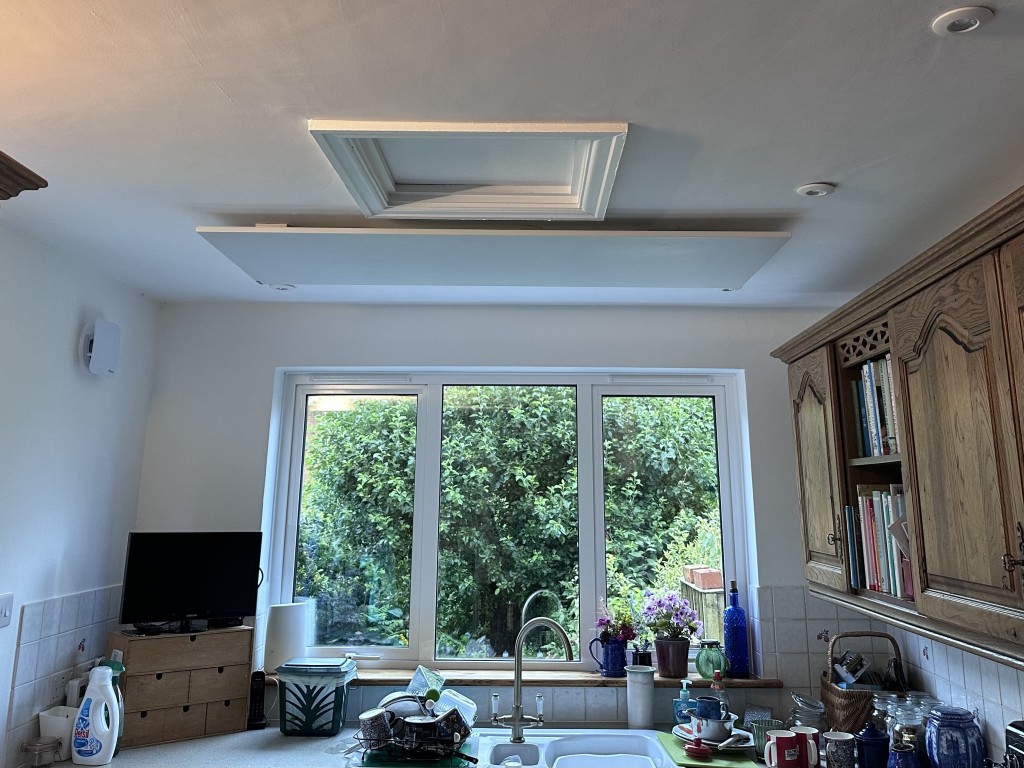
The installer mentioned that he could provide good pricing on Solar panels and batteries and VAT-free panels if done as one installation. [It also has to be added that he was able to get the panels at discount from Herschel, so although the units could be installed by any competent electrician (or even me!) the purchase of the units was cheaper than if we had ordered direct.] We had experience soft-pressure from the family to “do something green” – so went for it realising that we could never recover the installation costs in our lifetime but we could reduce our usage costs which were heading towards £3,600 (British Gas) in our old Edwardian house and likely to go higher.
At this time I also researched whether an air source heat pump might be a good idea but determined that given the generally poor insulation of our old house, such a solution would not be a great idea, but that a gradual replacement (as my friend was doing) of replacing radiators with IR panels when a room was being decorated was the better way to go.
The installation of the IR panels, the solar panels and the battery was very professional and they followed my preference for siting of cable routing and units so that it was very difficult to see what had been done. The after-sales support, warranty and documentation they provided was excellent, and it’s comforting to know that Craig is just a WhatsApp call away and can monitor our system and make changes as necessary.


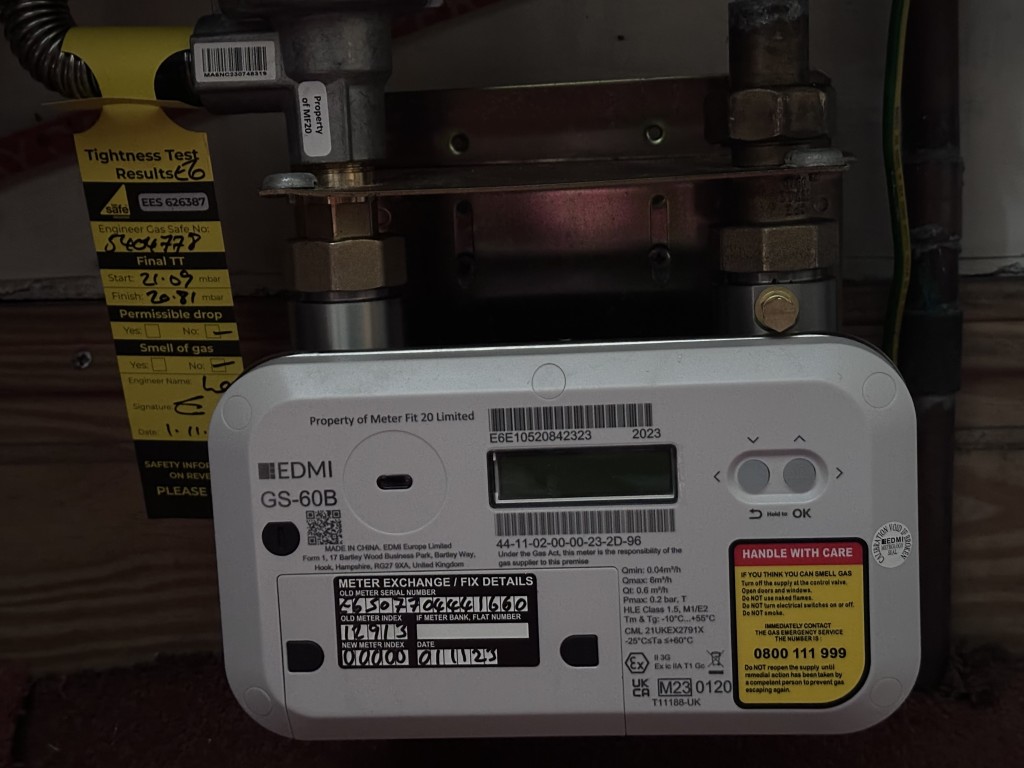
When we had committed to the installation I also started pressuring Octopus to provide us with a SMETS-2 meter so that we could benefit from Smart Tariffs. They responded in a reasonable time (I suppose given the backlog of their work), but after continual pressure, the electric and gas meters were replaced, and we had new meters and the mini-hub – which allows the meters to communicate with the app on the smart phone/tablet – in place by late-October following a September installation of the solar panels and battery. Now the fun could really start!
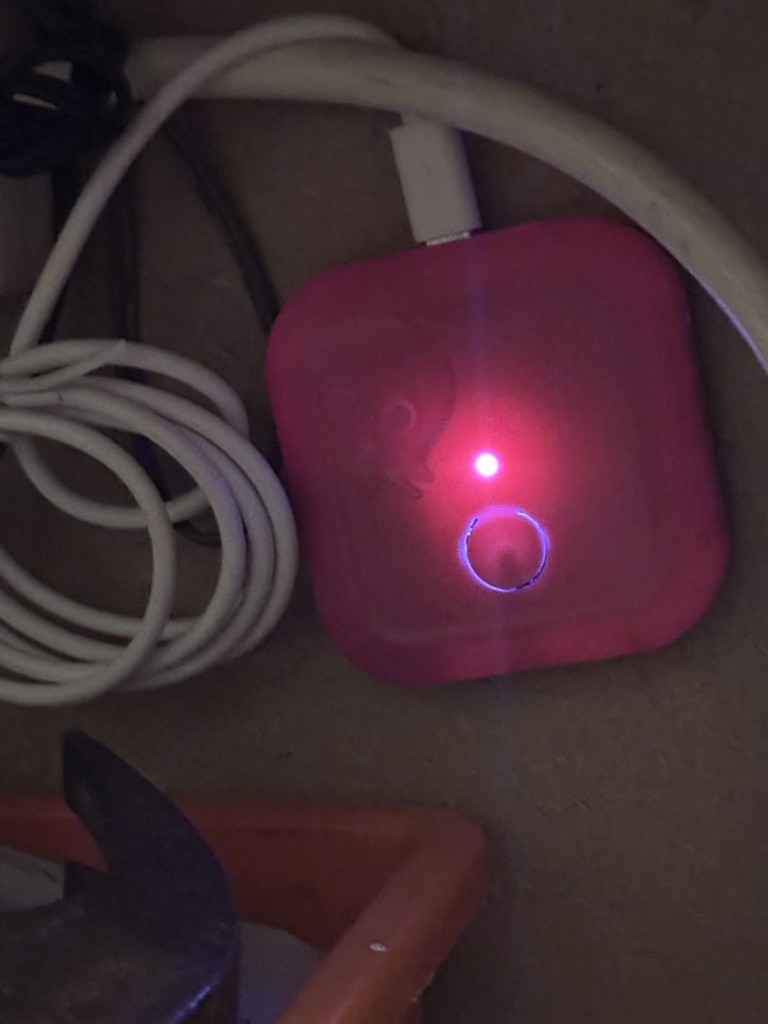
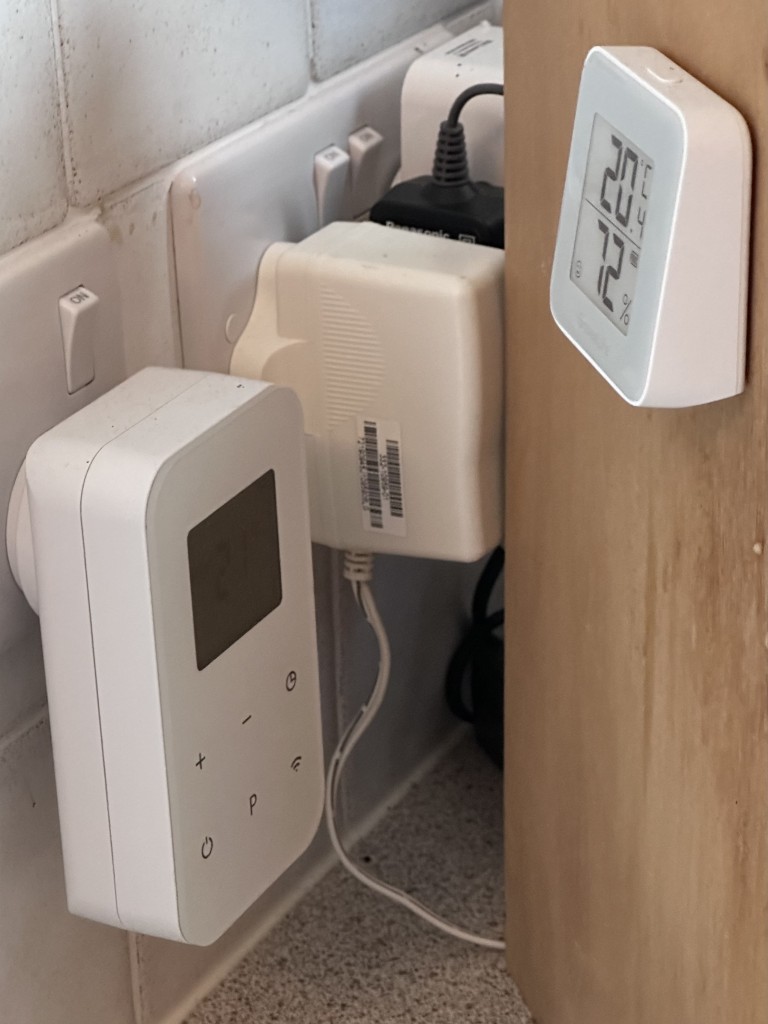
Octopus has many, many tariffs. It would be impossible to go through them here, but be advised that if you have an EV (electric vehicle), or a heat pump, there are tariffs for you. They also provide tools to help you decide which tariff is the right one for you. We however were only interested in those that worked best with our solar panels and battery. The obvious one for us to start with was Octopus Flux. This had the benefit of allowing us to charge our battery up to its maximum for a very low rate between 02:00 and 05:00 and enable us to discharge from the batter gradually through the day whilst with the management of the GivEnergy battery we could ensure that there was a full battery for the hours of 16:00 to 19:00. It also ensured that the battery was full when we most wanted heat from the IR panels so we set them to kick-in at 04:00 in the morning and with scheduled time periods arranged for them to be on (subject to the temperature not exceeding the threshold) when we needed them on.
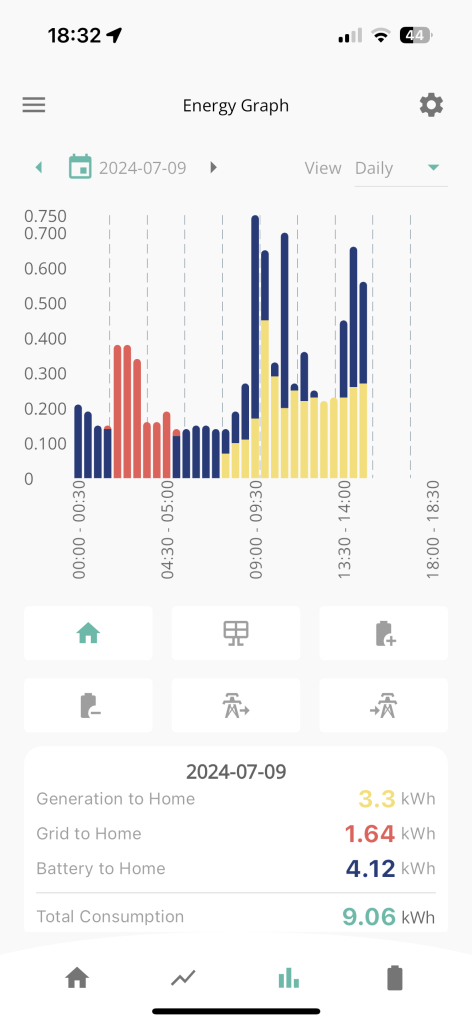
I started an intensive monitoring of our electricity usage, changing the various settings possible on the GivEnergy Dashboard
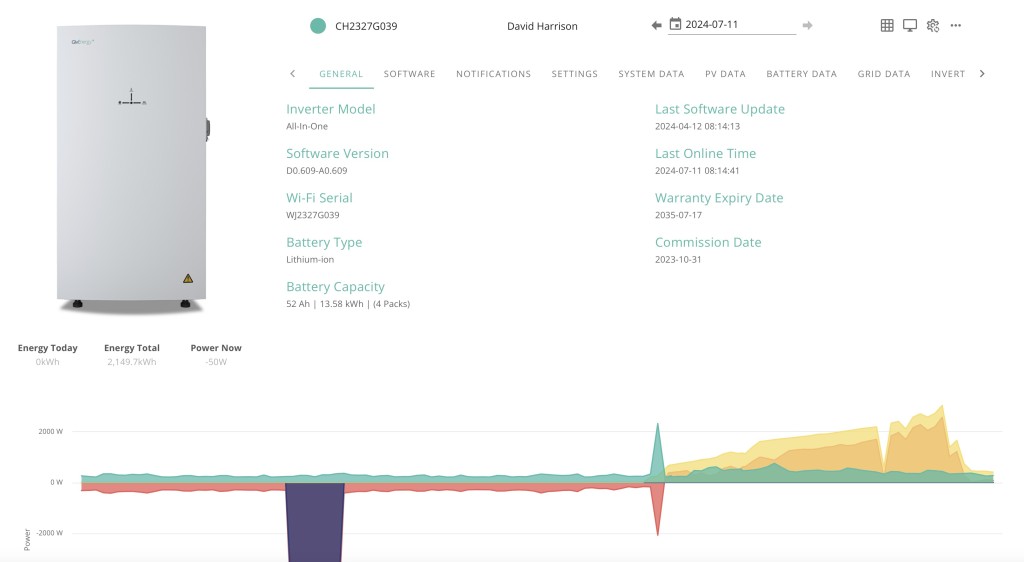

I won’t detail the experiments and changes I tried. Suffice to say it educated me about how the system could work and what I needed to consider to get optimum benefit from the system/installation. I was also very soon able to reduce the monthly direct debit that we were paying to Octopus from the initial figure they suggested (when on the standard Flexible tariff – which in itself was less than the £300 that BG had wanted from us) to now £200 a month – and we’re over £600 in credit at the moment. So an immediate 33% reduction in our energy costs – but it could be more!!!
Octopus Flux pays you when your system exports to the grid. The payment you get is less than the amount you’re paying for the import of power into the household. Last year Octopus introduced a tariff that was the same for import and export, which meant that charging the battery at a fixed time no longer was necessary and that you could get a higher payback for export during the grid high-demand period of 16:00 to 19:00. So it seemed a tariff I should try out.
We’ve been on this tariff now since May and I have had some issues with understanding how exactly it works, but essentially you’re letting your battery be controlled by Octopus and become part of the National Grid. I don’t have any difficulties with that after learning that the grid is just one huge battery effectively and that the cable that feeds your house doesn’t effectively belong to anyone except the National Grid (or its surrogates). However I’m having a dialogue with them currently on the range of battery charging/discharging they’re deploying and whether it’s too narrow. When I was on Octopus Flux I was charging the battery to 100% between 02:00 and 05:00, or something less if there was a lot of sun expected in the day, and discharging down to as low as 4%. Currently Intelligent Octopus Flux appears to be only operating in a range of 55% to 77%. I’m asking them why??
The upshot of this is that if you’re prepared to be an active battery monitor, it might be worthwhile to be on Octopus Flux, if you’re passive (or just want to save the planet), then Intelligent Octopus Flux is the one for you. I suspect a combination is best for us with Octopus Flux in the winter 6 months, and Intelligent Octopus Flux in the summer 6 months. Especially if I can combine it with smart monitoring for the winter months. Watch this space!!
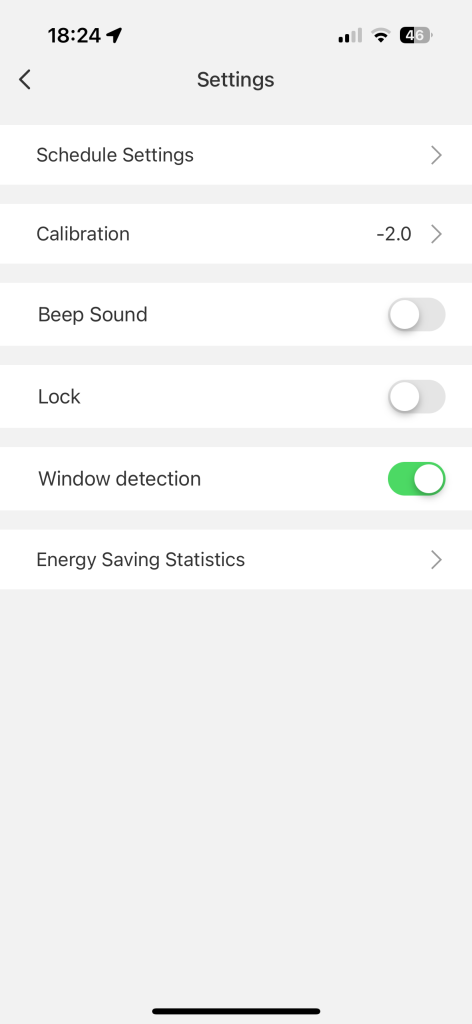
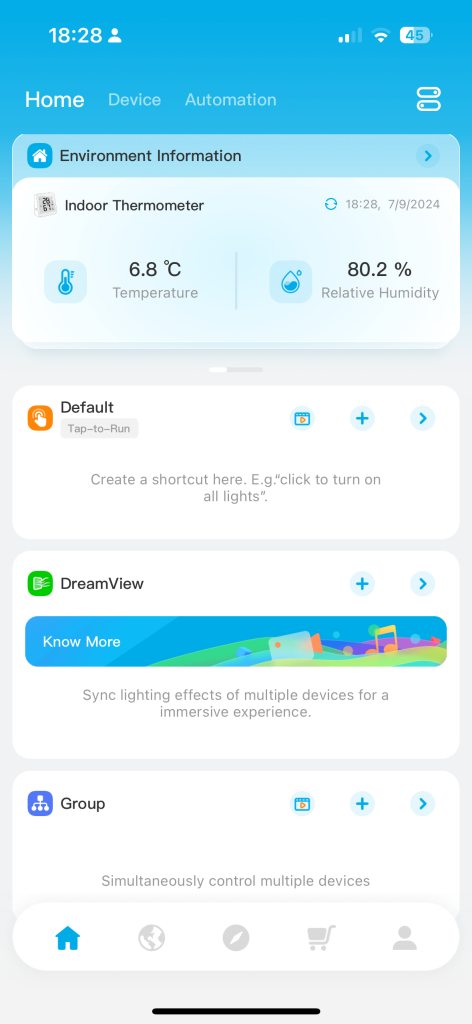
For completeness, the screens from the various apps I’m using …



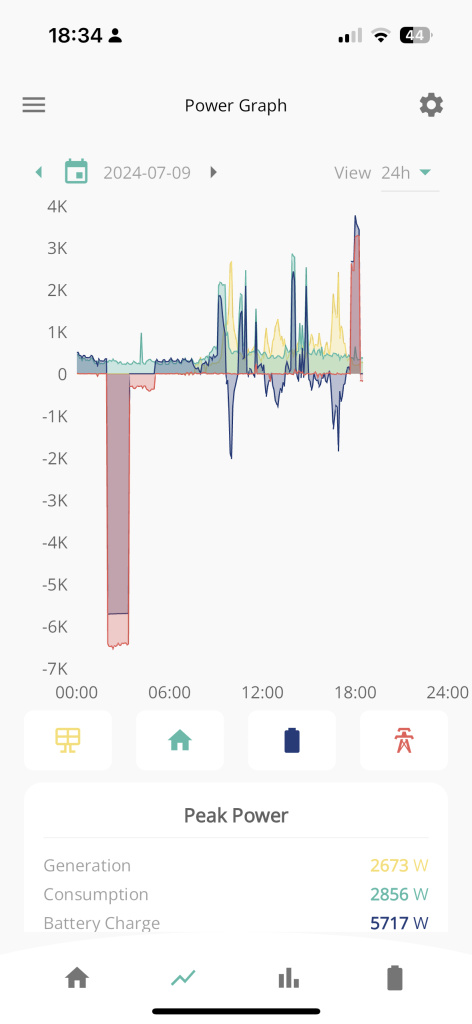


In the meeting I mentioned that we were having some outstanding issues in respect of the Tariff we had decided to move on to – this was a move from Octopus Flux (import and export) to Intelligent Octopus Flux. This move just didn’t work for us. We had to give up control of our battery to Octopus and it began to emerge that they were manipulating the settings to maximise operational benefits for themselves. We might have got some small financial benefit over standard tariffs, but not really very significant ones.
We’ve now changed to Agile Octopus for Import and Octopus Fixed (12m) for Export. As we don’t really want to export energy, but maximise the use of our battery, this makes much more sense. The very low Import rates on Agile we can utilise to charge our battery – something which wasn’t happening the way we’d wanted it to on the other tariffs.
So hopefully a closed chapter – I’ll of course update you on any subsequent developments.
Remember the digital chip that was inserted into the Covid 19 vaccine….the one that would kick into action at some unspecified date and force you to do things that you might not have considered before? Mine forces me to buy tech products. That digital chip even knows my P.I.N. number. An Apple Watch was one of my most recent purchases but I might say that I’m absolutely delighted with the device. It looks after me; a bit like having Jiminy Cricket on my shoulder. It does things for me that are really useful, potentially even vital.

Things to be aware of.
The Apple Watch works in conjunction with your iPhone. It won’t do much on its own.
I haven’t looked in to this, but I’m pretty sure that there are alternatives in the Android world that will do pretty much the same thing.
There are other, far cheaper brands of Smart Watch available. I tried a £40 model but I had to stop using it because it made my wrist itch.
Oh, and just one more thing, especially for the gentlemen in the group.
From How An Older Man Should Dress | Older Man’s Clothing Tips 2024
Older Man Clothing Tip #4: Own the Latest Technology
Great article Jenny! I missed this when the mag. came out a couple of weeks back. Our Jenny has an article in “The Pensioner” – the magazine of the Civil Pensioners’ Alliance (which I joined because of the good deals on Insurance products).
Immobilise is a free register of home items. It is available to the police if you are burgled.
Immobilise System set up 2003
Benefits of Registration.
This article will record the progress of the planned switch-off of the analogue PSTN (public switched telephone network) by 2025, and its implications to all of our generation, as Openreach moves to implement a fully digital service. The issue was brought to the attention of the Cardiff u3a Computer Group by Jenny Sims, a group member, who has a number of roles including being Chair of the National Pensioners Convention (NPC) Digital Working party and an NPC Executive Member.
It’s an article that will change over the next few months and years, so please look back for updates and further information as we become aware of issues, problems and hopefully solutions.
What implications might this have for older people?
What implications might this have for people with certain disabilities?
A video showing the opportunities and issues for Telecare
Here’s a link to the Progress Openreach has reported by January 2022. Much of this is very technical, so some of the following information might be more readable.
Here’s a briefing from BT on the project; and an update on what’s happening in Wales forwarded to Jenny in her role sitting on the National Pensioners Convention. Which? have also published a briefing on the subject which I encourage you all to look at.
Some additional references
Switchover from analogue to digital telephony: UK consumer and micro-business reactions
The UK’s PSTN network will switch off in 2025 – BT Business
Internet revamp for the humble landline – BBC News
OpenReach PSTN Switchover – a technical presentation
Jenny has also written the article below, which will hopefully appear in the latest Cardiff u3a magazine …
====
Ring, ring: Ready for the big ‘phone switchover?
Only three years until 2025 when all telephone providers will do the big “switchover” moving landline customers from the country’s traditional telephone network to digital technologies and analogue services are finally shut down.
Though BT published a timescale back in 2019, many older people’s organisations have expressed concern that the public have not been given enough information about the Public Switched Telephone Network (PSTN) moving to Voice Over Internet Protocol (VoIP), what it really means and how it could adversely affect older and vulnerable people.
Among them is the National Pensioners Convention (NPC), which represents 1.5 million members in Wales, England and Northern Ireland.
Among the big questions is what happens if there’s a break in power supplies and people need to access emergency services – because the new system will run off broadband – and handsets will have to be plugged into an electricity socket.
Providers say solutions will be found – which will include the provision of emergency battery-powered backups for phones and routers.
This scenario became a reality last November when Storm Arwen hit the UK, causing widespread power outages and left 9,000 homes without power for more than a week.
Jan Shortt, NPC General Secretary did interviews with Talk Radio and other stations, and heard from affected listeners.
She said: “They raised the issue of not being able to charge mobile phones and other devices and therefore not able to summon help. It is clear that the majority of the population had not heard of the digital switch.”
In January Ofcom held an online public meeting to give an update on the “switchover” rollout throughout the UK and provide an opportunity to ask questions.
Jeff Richards, an NPC Wales executive member and a retired Swansea BT engineer, attended. He said: “Unfortunately they did not answer any questions that I raised regarding vulnerable customers nor anything on power supply. I felt that my questions were merely swatted away.”
BT have agreed to meet the NPC to address their concerns – which include, who will pay for the battery packs (some around £160) – the customer or provider?
Virgin Media has already promised that vulnerable customers with “accessibility needs or don’t have a mobile phone” will be given an emergency backup line at no extra cost.
Unsurprisingly, customers in various areas have reported teething problems as the system is being rolled out. For example, people in the Salisbury pilot area with visual problems have experienced difficulties with the withdrawal of the 1471 service and the need to get new phone numbers.
Hopefully, in the three years left of the rollout, teething problems will have been sorted. But be prepared: only an estimated 1.5million out of 29million landlines have so far been converted – and one day those old phones will stop ringing!
For further information:
Jenny Sims is a Cardiff U3A Computer Group Member, Chair, NPC’s Digital Working Party and an NPC Wales Executive Member
I’m a man who likes to set myself a challenge. About 40 years ago I set myself the challenge of walking around the entire coastline of England and Wales. It took me 20 years to complete but I did it. Then I set of walking up all the mountains and 15 years later I finished that list. At about the same time I set off trying to find a pint of Guinness in all 52 European Capital cities. Fortunately I completed that challenge in 2019, just before Covid hit.

Ever since then people have been asking me what my next challenge is. I kept saying I hadn’t got one as yet but I was beginning to feel under pressure to think of one. And this is what I have come up with – the Armchair Travel Challenge.
Travelling at the present time is itself a bit of a challenge. Plus there are other factors to consider such as advancing age, cost and the environment. So I thought do I need to travel? Why not do it virtually. There’s a lot I can do from home to take in the atmosphere of a destination such as the food and drink and music. It would also have the advantage that I wouldn’t get robbed, lost or fall ill with and exotic disease.
There are around 197 countries in the world. If I were to spend about a month in each that should take me about 16 years. I like the random nature I approached the Guinness challenge where my next destination was picked out of a hat by the person pouring me the Guinness in the previous destination. In this challenge I would use a random number generator to pick the next country.
So far my list of things to do in each country includes:
Try to eat and drink something typical of that country, either in a restaurant or making it at home.
Read something of the history, culture, politics, news etc.
Read something by a local author (or a book set in that country).
Read a travel book or travel blog based in that country
Listen to some of their music.
Watch a film made in that country.
Make a clock in the shape of that country (that sounds weird I know but believe it or not I used to make clocks in the shapes of different countries)
Try to meet someone from that country (and maybe give them a clock!)
Sporting – follow the football or cricket team or some other sporting event.
Go on some ‘virtual trips’ within that country – using my vivid imagination.
Railways – I especially like train travel so a ‘virtual’ rail trip would be good.
Highest point – anther ‘virtual’ trip – to climb the highest mountain in that country.
Geocaching – solve a puzzle cache in that country. That’s another fairly specialist one, but geocaching is a hobby of mine and they can be found all around the world.
Stamps – purchase some stamps from that country
Charity – find a way of helping someone out in that country in some small way
I’m wondering what you, my U3A friends, would if you tried to travel to a country ‘virtually’?
We started in mid-November and have so far spent a month in Burkina Faso and a month in Libya. This month we are in Rwanda (the random number generator seems to like Africa!)
We met up with someone from Libya but are still trying to find someone in Cardiff from Burkina Faso and Rwanda. If anyone in U3A can help put us in touch with someone from either of those countries then please let us know.

So what’s this got to do with the U3A Computer Group? Well, last week I tried to order some Rwandan banana beer from a website, U&I Drinks. I forgot some of the basic advice we had spoken about at some of our previous meetings, manly is the website genuine? It looked genuine but the beer hasn’t arrived as yet. What I forgot to do was to search to see if there were reviews of that company online, positive or negative. Going back now and doing a search I can’t find any independent reviews. The thing which raised my suspicions was that as soon as I placed my order I received 3 emails back, an order confirmation, a PayPal confirmation and an e-mail from a USA tracking company implying my luxury handbag was on its way! I’ll keep you all updated as to whether I receive some banana beer, a luxury handbag or nothing.
In the meantime, here’s a link to the Armchair Travel Challenge