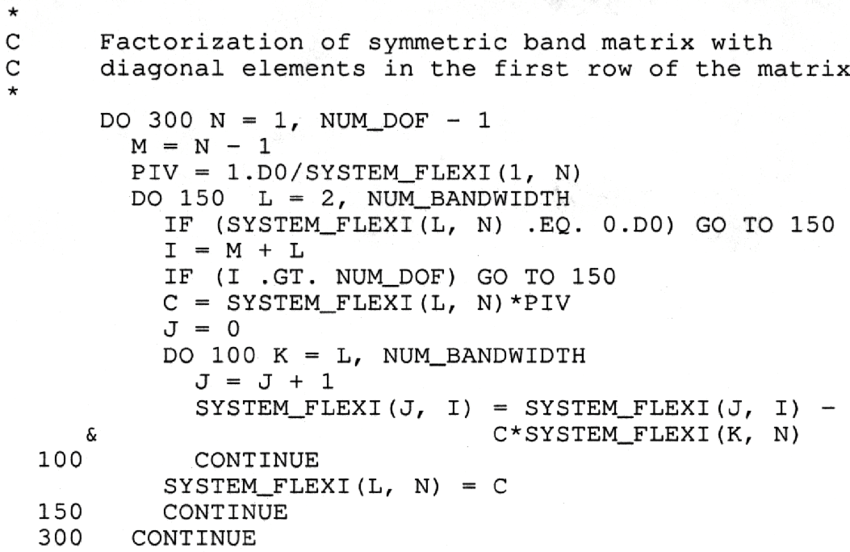
My first encounter with computers was in 1975. I was then working as a highways engineer for Mid Glamorgan County Council. My team had an ICL mainframe computer which was housed in a very large room in County Hall, some 10 minutes’ walk away from our offices in Greyfriars Road. Our terminals in the office had no screens, so we had to send someone to fetch our print-outs from County Hall twice a day. This created a mountain of paper, and much of it was wasted because of simple errors. In those days we had no bespoke computer packages, we had to write our own software, and if we had a comma in the wrong place or a digit in the wrong column we had to start all over again. The first programming language I learnt was Fortran.
One of our routine tasks was to collect traffic flow data from the entire highways network in the County. This was done by sensors on the road, such as pneumatic road tubes, or piezoelectric sensors or magnetic loops embedded in the road which transmitted the data to roadside cabinets. Every few weeks one of our team had to go and collect the punched tapes from the cabinets and bring them to the office to be analysed. The data obtained included traffic flows by hour, day, direction of flow, type of vehicle etc. This enabled us to design new roads using traffic flow projections some 30 years into the future.
This is just one example of programming developed in those early days of computing in the field of highways and transportation.
Some notes, following the Zoom meeting last Thursday.
Updates: Going to ‘Settings’ you will find a link to ‘Update & Security’ at the end of the list of links. That has a section, ‘Windows Update’, which will tell you if there are any updates waiting to be installed, and also give you some ‘Advanced options’ on how to handle them. One of those is the facility to pause updates being automatically installed for up to 35 days, for instance.
Booting up: Another setting is ‘Apps’, which includes a link to ‘Startup’. This shows a list of your apps, and which of them are selected to start automatically when you log in. If you want your computer to boot up more quickly, it might help to turn off one or more of these apps. I will just mention Skype, which I found was selected to start, although I have never used it.
There are probably similar settings for Apple users.
After Netscape Navigator was eclipsed by Microsoft’s Internet Explorer as the browser of choice for many – mainly because it was hard-wired into Windows initially – the world of internet browsers has seen first the rise of Firefox from the Mozilla Foundation as an alternative open source option and then the succession to Google’s Chrome and it’s huge market presence.
I’ve written about Google’s dominance and the alternatives to Chrome before in “Just Google it …”
Now Microsoft has stirred from its inactivity in the browser market place. It has ditched its proprietary Edge browser and replaced it with … Microsoft Edge. No confusion there then!
It is interesting because it will run on MacOS as well as Windows, something the old Edge didn’t do, and will use the same open source code base – Chromium – as Google’s Chrome and of course Brave (my browser of choice). This allows them to use Extensions written for that code base. I already use many extensions written for Chrome in my Brave browser.
What will this mean for Google especially as Microsoft Edge will effectively have a built-in ad-blocker? Who knows. It’s certain that as more users decide to use the Microsoft version of Chromium, so Google’s business model and revenue stream will come under attack. Will they retaliate in some way? Probably not. Interesting times.
Here’s an article that describes keyboard shortcuts that you can use with Microsoft Edge.
I tried to log in to my Windows 10 laptop with a password as usual yesterday, but Microsoft insisted I had to choose a PIN instead. While I resented that at the time, it does in fact speed things up.
Update: Whatever happened when I was asked to choose a PIN, I do now have the option to go back to using a password, should I so wish.
This update apparently was because I’m using an old version of Windows 10 (?!), which won’t be supported after November (?! again). Once again I had a hint one was on the way, because a few times last week I lost control of the cursor, presumably as the update was being downloaded. It was finally installed this morning, taking about an hour.
On another matter, a member of the Photography Group had some trouble logging in to some sites, and finally took her laptop in to the shop she bought it from. It turns out she was still using Internet Explorer as her browser, which is now past its ‘use by’ date. She is now using Firefox, (but as we know, other browsers are available). Does that help anybody?
Boot-up Renee has asked a question about PDF converters. I’ve attempted to answer part of the question, but have not come up with any answer yet on electronic signatures – any thoughts, anyone? A former colleague has suggested that OpenOffice might provide the solution that Renee requires. I haven’t had the time to test that idea, but if it works – it might mean that this software is a better choice than LibreOffice which we looked at earlier in the year but you’d have to forego the ability to read AND write in Office formats (.docx and .xlsx), I believe.
The other thing I wanted to raise with you was how I was going to decide whether to use Apple Music (rather than Spotify, Google Music, Amazon Music, or whatever). I really haven’t had the time to give it a serious tryout but I can see that there’s some music available that I haven’t seen anywhere else – compilations of live music for an artist, for example – which looks very interesting. So I’ll subscribe for a while, see how the breakup of iTunes this autumn works out and then make a decision about whether £9.99 a month is a worthwhile subscription cost.
There was no interest from my family – I could have added them at an additional cost of £5pm – they’re all Spotify users. I guess that’s the issue. If you’re a user of another service and have set up Playlists, or whatever, and know the interface – why would you change? Me … I’m very slow into digital music. I’ve always wanted to hold the CD, and before that the vinyl/cassette, but as I have no interest in the latter anymore, perhaps it’s also time to ditch the former too!
Whatever I decide to do, I must remember to back-up my iTunes Library and iTunes Media Folder before I do anything – and that includes cancelling my iTunes Match subscription, which I’ve not been totally sure what it gives me, but which I know now is unnecessary if I have Apple Music.
The challenge was thrown down by Renee. To paraphrase what she said: “How do I get music off old analog devices” (ie cassette recorders and record decks). I knew I had a a device to help in that – it was just a challenge to find it, to see if it would still work and more importantly whether it would work with current hardware PCs and Macs.
I’m delighted to say I found it (in the same box as my record deck); it appeared to be still working; which was then confirmed when I connected it to both a PC and my Mac running the latest versions of Windows 10, and MacOS (Mojave). So as long as I didn’t want to use the software provided by Creative – which I didn’t – all was ready to go.
Here’s the Creative SoundBlaster Audigy NX-2 external sound card – to be found in every home … NOT, just in a geeks home, like mine! On the back you have a number of ports and the power connection, but most importantly the USB port.
On the side you have the port I’m going to use for input (Line In) – but you can see also a port for Mic In.
So having connected the power cable, and the USB cable to the SoundBlaster and the computer, it’s now time to connect the sound source cables. For that you’ll need either a cable like this …
… or have a splitter to join two red and white hifi cables to the Line In …
… or in my case for testing only, a cable like this …
… so that I can connect my iPhone to it! Yes, I know that’s totally pointless as the music on that device is already digital BUT I wasn’t going to lug a cassette deck in today, let alone a record deck! I haven’t tested output from a headphones socket into Line In which would use a similar cable. I can’t see any reason why that wouldn’t work as well. [NB This won’t work with more recent Apple devices than the iPhone 6s which I had at this time, as Apple have discontinued the headphone jack on their devices.]
You might also be able to connect another music device – keyboards or whatever using this method.
There is one caveat if you’re using the red and white cable connectors. You may well (certainly in the case of a record deck) need to take the feed from an amplified source as the sound output is unlikely to be sufficient for the software on the computer to pick-up. So you may need to take the feed from your hifi amplifier rather than the decks. Which neatly leads us to the software we’re going to use. Which is called Audacity …
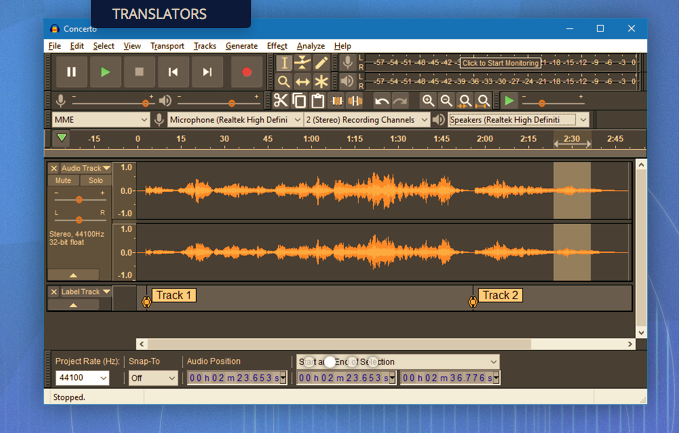
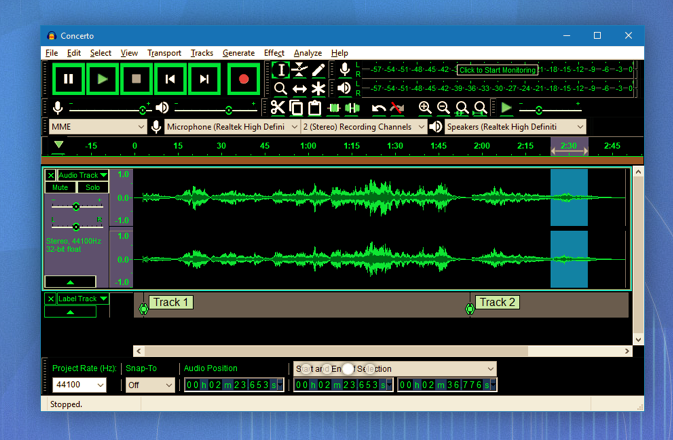
and which can be downloaded from this link. Make sure you choose the right format – Windows or Mac. Below are a couple of screen shots of the software in action, but now (drum roll), I’m going to try another live demo, which I have absolutely no confidence of achieving success, whatsoever! However, hopefully, Jim will have helped me a bit and it’s not been a complete disaster and it’s good to know that the software is well documented here.
I’ve got a printout of the instructions on how the SoundBlaster card works, and I can make them available if anyone wants to borrow the device and cables.
Just to say that I couldn’t go into town for lunch yesterday, because my laptop insisted on installing two updates when I tried to shut it down. Each one took about an hour, and since then there have been a couple of smaller ones.
I had a clue that something was up when I was prevented from finishing an email for about twenty minutes, presumably due to an update downloading. Something for you to watch out for.
Looking at Windows Update in ‘settings’, I see that there are some more, which I can install when I am ready. That won’t be for a couple of days though, when a new data download month begins for me.
Boot-up
Any progress with websites?? Here’s the Guide I promised to help you set up a blog using WordPress.com. I’m now thinking that it might be a lot easier to get you started using Blogger, and then for you to transfer information across to WordPress if you wanted to, at a later stage.
I showed you last time how to install LibreOffice, an open-source Microsoft Office compatible replacement, but my son said why don’t you just use Google apps, which of course I do – I was just unsure of whether they worked off-line. They do working in partnership with Google Drive which you get with your Google account and which gives you 15Gb of cloud storage. Go here to find how to use an “offline” version of the Google apps with Google Drive.
John has offered to lead the session on 13th June. Many thanks – what are you doing?
My ideas for the Computer Group/Digital Projects are still fermenting. It looks as though I’ve got a helper for the winter months as Phil Edwards has offered to lead some sessions, Paul has also offered, is there anyone else who’d like to meet-up to discuss how we can best do this. Given there are offers of helpers, I’m looking to keep the Computer Group running as it is, on alternate Thursdays (2nd and 4th of the month) and finding another time for the Digital Projects – possibly a Tuesday afternoon? Support for General Meeting 9th July, Chris Higley: Maps of Wales and Maps of War. Thanks for the five members who’ve offered to help – we could still do with more; you’ll have seen the guidance sheet hopefully of what’s involved – not much really. I really have to respond to the Committee tomorrow, so please let me know today if you can assist. Many thanks.
Anything else, issues, problems. News Things that might be slowing-down your Home WiFi Samsung brings Apple TV to some of their 2018 and 2019 SMART TVs meaning no need for an Apple TV(2) box, and you then have access to all your iTunes content, plus access to Apple’s streaming service when it’s launched. Google Assistant and Sonos working together – Paul may be dealing with this one later, as well he might be referencing this link on making your Smart Home more accessible. Checking a website link to see if it’s pukka. How to spot a phishing email. Switching-off auto-correct in your iPad/iPhone. Windows 10 settings and Google Assistant
I will run through this page with you, run being the operative word for as you know I’m not a Windows user – so help welcomed … Guide to Windows 10 settings. Google Assistant – over to Paul. What is it ? A Speech Interfaced artificial intelligence-powered virtual assistant mainly available on mobile and smart home devices.
Here’s Google’s introduction to what Assistant can do for you.
It can also recognise commands: Next, Pause, Stop ?
Read aloud Text and Email messages
Listen and send Text and Email messages -but NOT edit them, it just deletes and lets you start again
Open an App
Check your Appointments, Flights, Travel
Create a shopping list …
Translate …
Listen to music …
Show my Pictures …
Navigate to …
And MUCH MUCH More ……. Where is it ?
On a Smart phone, Smart Speaker, and other Smart Devices
I shall concentrate on the Smart Phone Application today using Android phone, but it’s also available on the iPhone and this link shows how it can be installed on an iOS device. However it’s functionality on an iPhone/iPad may not be as extensive as on an Android device because of the restrictions Apple places on links to third-party apps. I’ve tried to find a more recent article than this one, but it shows what can be done on an iPhone/iPad. Perhaps if you’re an Apple user you might prefer to look at what Siri can offer instead? How do I find it?
Usually Hold Down on the Home Screen Button (Demo) Basic tips
A quite comprehensive guide to what Google Assistant can do (using an Android phone) is available on this video; you probably don’t want to watch it all in one session, but can come back to it as your confidence in using the app increases Other things it can do …… Useful or useless, have fun!
Here’s a comprehensive set of tips on things that Google Assistant can do, and if you want to see a whole range of things that Google Assistant can do (again using an Android phone as the platform) then be sure to watch this short video which although it has some “mindless” suggestions for its use, also has some useful ideas as well.
Finally, if you’d like to see a Review Article (admittedly from Macworld) that compares the various speech activation systems including Cortana and Alexa as well, take a look at this.
My laptop was running slow, so I decided to restart it. It then took an hour to configure the update it had obviously been downloading. You have been warned!