And so we turn to passwords and online security. I’ve dealt with this at some length previously in a post entitled “Keeping safe online” which I last updated in May 2023, and although much of it is still relevant and most, if not all, of the links are still working, I thought to write something from scratch, rather than do another edit/revision.
I’m going to skip to the content at the end of the article referred to above and pick-up the theme of Passwords, Passkeys and Two-Factor Authentication (TFA).
First-of-all – you want a fright? Try typing your favourite password(s) – you do have more than one, don’t you? – into this website.
Secondly, check to see just how vulnerable your email address might be, using …
Screenshot
… go to haveibeenpwned? – and if you want to know what pwned means, and how to pronounce it, look here. If a service you use is in this list, you seriously should change your password!
Another approach is to use a tool that looks at your “digital footprint” to examine where you might be exposed. Such a tool is this one from Malwarebytes.
So that’s got your attention, right? You really need to deploy/use a Password Manager to hold your passwords – preferably one that is usable/consistent across all your devices. Two such products are 1Password and Dashlane. Both of which get very good reviews.
The alternative to using a Password Manager application is to use the password security offered by your browser. In Apple’s case this is iCloud Keychain – which stores the passwords – with its associated Passwords app; in Google’s case this is Google Password Manager. Both of these now offer support from one ecosystem to the other – so multi-platform users can choose one or the other. Microsoft also offer a Password Manager using the Edge browser, but its features are possibly not as well developed as those of Apple or Google, nor of dedicated password manager applications such as 1Password or Dashlane which score best with users who have a mixture of Microsoft, Apple and Google devices and applications.
And now we have Passkeys. When assessing whether you want to move to a Password Manager, you MUST check that the chosen one supports Passkeys as defined in the FIDO Alliance …
… and the key to its success and inter-operability is its integration with biometric signatures. So Passkeys are the platform for increased and improved internet security and should be welcomed with open arms – for Apple, for Google and for Microsoft.
If a Passkey can’t be employed on your favourite website, or even if they are, you may be asked to use 2FA (two-factor authentication). Using this means that when you’ve typed in your username and password you’ll be challenged to provide a code from a mobile phone, an authenticator app such as Google Authenticator, or go to another app (particularly if its a Google app), and do that extra second step (hence 2FA) to authenticate you are who you are.
We’re entering the passwordless world. It’s long overdue!
Finally, some other links to help you navigate the digital security world.
Best antivirus: Which? Best Buys and expert buying advice – a review for both PCs and Macs of anti-virus software – of course you could just be relying and using Windows Defender (for Windows) or nothing at all (if on a Mac), both of which are acceptable decisions, which then leads into …
So you’re an unhappy victim of a scam, apart from resolving the problem which was covered in the earlier post, what else should you do, and are there any other scams you should be aware of. Let’s look at the latter first.
Scams are not restricted to your computer, they can be “served” to you by phone or by text as well. [They can also be enacted face-to-face with vulnerable people.] The advice is constant and clear …
Don’t give your details to anyone you don’t know – if in doubt say you’ll ring them back
Don’t click on links in text messages (and emails of course) from people/organisations you can’t verify
Don’t immediately answer a call from an unknown number, or a number withheld, if it’s a genuine call the person at the other end will speak; if they don’t, the connection will be dropped.
Then there’s a UK website “Stop scams” – where you can report a scam by ringing the number 159. It works in exacgtly the same way as 101 (for the police) and 111 (for the NHS).
I would also suggest sharing details of the scam with Which? using their Scam Sharer Tool
By doing this – if you subscribe to their free newsletter – you will help others, and you, become aware of the scams that are current at that time. Here’s an example of what you’ll see delivered to your Inbox.
A couple of useful tools to check the veracity of a caller …
Who called me – a service that returns details of the likelihood, or otherwise, of the caller being a scammer …
It was indeed pleasing to be able to report that the member resolved the problem and it didn’t re-occur – as far as I know – but pop-up scams are a concern and this short post just gives some illustration of what the issue is, plus some advice on how to resolve the problem if you find your machine has been “taken over”.
I like this US video from the FTC (Federal Trade Commission) which explains the issue really well …
Perhaps the most common scam is the Tech Support Scam – which is what the Windows Defender one mentioned above was. The objective of the scammer is to get complete control of your computer by persuading the user they have a problem which can be resolved by you letting them “repair” the problem remotely – so please let them have your userid and password. Quite the opposite of course – the result will be either you’re locked out of your computer whilst the scammer harvests your personal details (bank accounts, etc), or they are going to implant malware so that they can record what you’re doing online, or use your computer as a relay (an intermediary) for other attacks on other services. Not a happy place to be then!
So read this article carefully. It describes in far greater depth and detail what these scams are and how you can remove pop-ups.
A more extensive article which explains how to reduce and remove malware from a Windows PC is provided here.
A single issue post to just alert folk to the murky world of credit reference agencies and their dual-role as data brokers – which I was (I’m ashamed to say) totally unaware of.
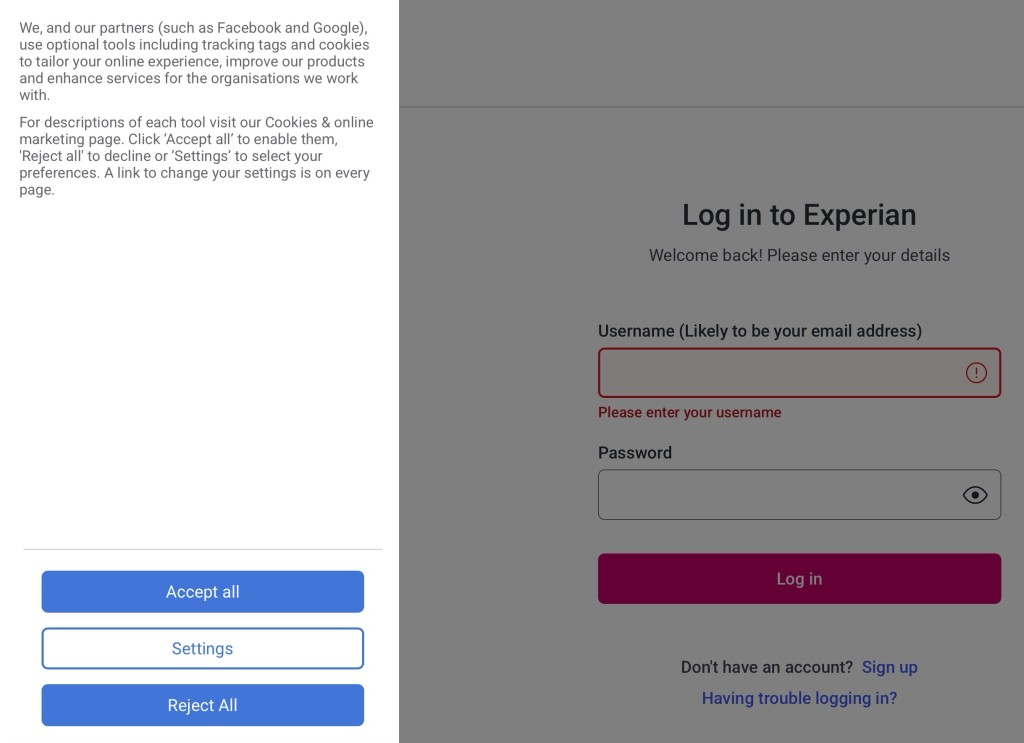
This came to my attention when I received an email from Experian – who I had an account with due to a data breach with my Pension provider which resulted in them giving members free 12-month access to their services – which advised that I had 19 “experienced” Soft Searches on my account with them. Now I’d not been seeking any credit recently, so this immediately sparked my interest and so I clicked on the link in the email (see above) and logged in to see what was happening. At which point I was greeted by this screen and the rather alarming sidebar, you can see here …
Screenshot
… just ponder this for a moment. I had always assumed that Experian was a credit reference agency which provided a service to organisations wishing to extend credit to consumers and businesses to give an assessment of credit worthiness. Indeed when I had an account with them, I could see my score, and you were able to challenge that if you didn’t think it looked right. But that’s all immaterial to what I was seeing on the screen. I was being asked to accept that it was perfectly OK for Experian to share personal information with their partners which included Facebook and Google. What!!!!!!!!!
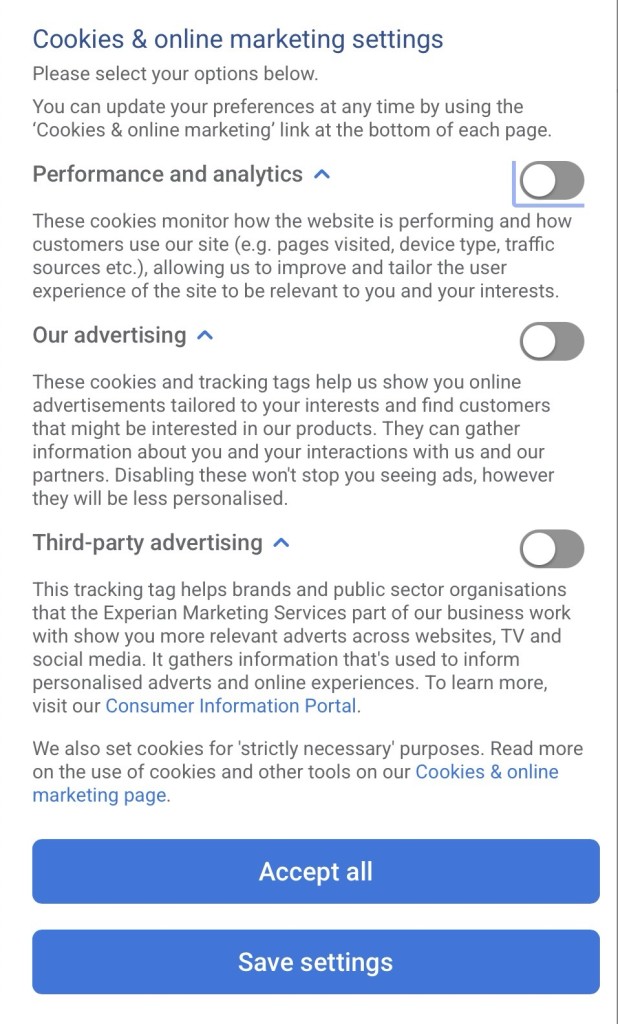
This got me going, so I clicked on Settings …
Screenshot
Performance and analytics – OK, but the other two … no way! How could this be? I had to do some searching to find out that Experian (and a couple of other “credit reference agencies”) were also DATA BROKERS, and that they’d been hauled up about NOT declaring this part of their role in 2018. This appears to have been resolved now – because we are past the nine months they were given to clean-up their practices, but their other business purpose – sharing information with others would continue if you clicked on the Accept all button.
A real lesson learnt, with a secondary one being to engage brain before clicking on Accept all – the minimum requirement GDPR had imposed upon them and many others.
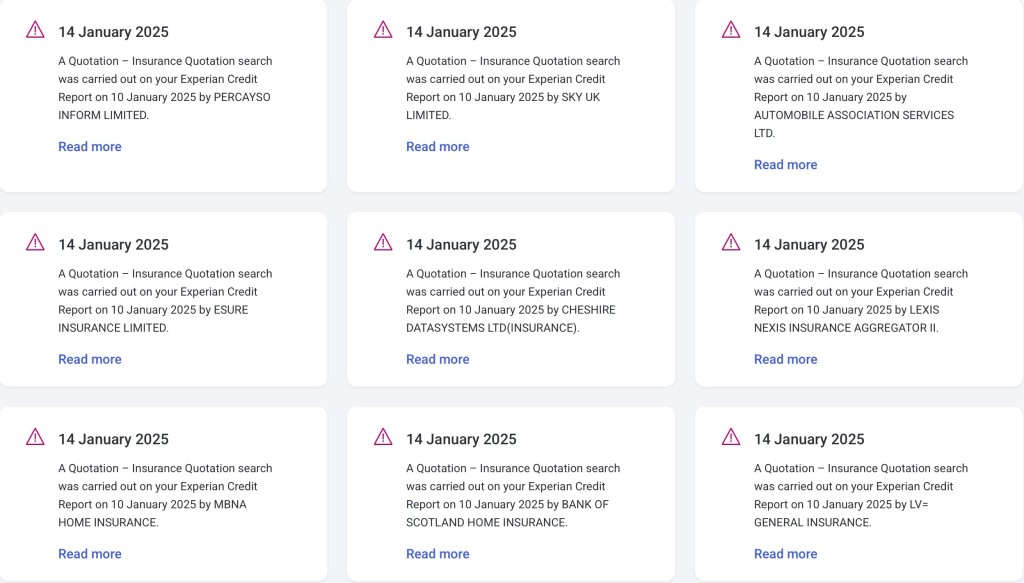
And what was the outcome of this. How had it come about, what is a “soft search”? The latter is explained on this page. How it had come about is more difficult to work out so this is just conjecture – our house insurance was about to come up for renewal and all 19 of the organisations who’d made an enquiry of our credit worthiness – or had been sent details of the upcoming renewal by Experian – were like these 9 …
A really useful security enhancement to your phone is to implement a SIM lock which ensures that only the pairing of your phone with your SIM can be used together. Thus meaning that a SIM taken out of your phone cannot be used in another phone to receive confirmation text messages in financial scams.
Towards the bottom of the post the procedures to be followed are described. You just need to remember the PIN you’ve given to the SIM to lock it, as without that it will be IMPOSSIBLE to reconnect your phone to your SIM and your phone number.
As hardware/software has developed, has enough consideration been paid to redundancy (ie failsafe solutions). This article, whilst bemoaning the underlying architecture of Microsoft’s Windows operating systems (since Windows 3.1), points more widely to the way that modern systems don’t really address the issue of … “What if this happens, then what?”
A further update to comment upon our experience with Intelligent Octopus Flux. The change to the tariff went smoothly enough; the extraction from it to change to another one didn’t go smoothly, although I can’t fault the support from Octopus – just the documentation they had to follow to enable a move off the tariff. After a few weeks on Intelligent Octopus Flux, it became apparent that it might well be a good tariff for the winter (and for anyone not wanting to actively manage their solar and battery), but not necessarily for the summer when our solar power generation was at its optimum level. I won’t go into details – maybe another post sometime – but we moved on to Agile Octopus for Import and Fixed Octopus for Export, which enabled us to take advantage of both “plunge pricing”, and also allowed us to choose when to charge up the battery from the grid, and to what level. [This takes about 2mins each day after 16:00 when the pricing for the following day becomes available using this website – which gives the pricing of electricity from the grid region by region.] In summary, Intelligent Octopus Flux appears to maximise the benefit to Octopus by allowing them to use your battery for off-grid storage, and not enable the maximum charging of your battery. Good for the planet, but not necessarily good for the consumer with an investment in solar panels and battery.
Updated 18th July 2024
This post to accompany the presentation on 11th July could be sub-titled “The data driven house”; but most certainly not “The smart house” – it would be along-time before our early-Edwardian semi could even begin to compete in that category. However, over the last year we have move significantly to reduce our carbon footprint and I believe saved quite a lot of money off our household bills – at the expense it has to be said of a reduction in our capital. Spending the kids Inheritance so-to-speak, but with their full support and encouragement. So here goes …
A brief history of our energy in days gone by.
We’ve tried over the years to switch suppliers and have been with EDF, E-On before a long-stint with British Gas which we switched to when we got our first smart meter, partly on the promise of supplying us with a tool to monitor our energy usage in an app.
However the smart meter they supplied us with was a SMETS-1 one which was soon after our installation replaced in the national rollout by a SMETS-2 version – but not given to existing customers. We were assured that British Gas was working with the regulators to ensure compatibility which would also allow users to switch providers seamlessly – but this never happened. Whilst other suppliers (eg Octopus) have found a way of jury-rigging SMETS-1 meters to work with their smart tariffs, British Gas have done nothing. In fact our experience was even worse because after a period of time (perhaps a couple of years) the app ceased giving usage information to us. We pursued them for at least 18 months but eventually – disgusted with their lack of customer service and inability to respond to enquiries first, and then complaints, we decided we should move suppliers. Family members had already chosen Ovo, and Octopus, and on their experience and after substantial review and research, and also following the recommendation from Which? we chose to switch to Octopus using our existing SMETS-1 meter – with the assurance that we could, and would, be upgraded to the SMETS-2 system in due course. This meant initially we would have no monitoring locally, but we would have access to their excellent website to monitor our usage. We had to take quite a few meter readings during the switch-over period – presumably whilst they got their systems talking to our SMETS-1 meter -but we did the switch and joined their standard Octopus Flexible tariff.
Around about the same time we got confirmation that we would have to tackle the heating of the kitchen as Jenny had a confirmed diagnosis of a health issue that meant we would have to ensure the house was much warmer than it had been in previous years. [We have been extraordinarily fortunate that last winter must have been one of the mildest on record.] So we (or Jenny to be accurate) set about getting draft excluders, heavier lined curtains, the purchase of Chimney Sheep draft excluders, replacement of double glazing with triple glazing in the main rooms Jenny used, enhancement of the insulation in the space above the kitchen extension and … upgrading of the heating in the kitchen and garden room using Infra-red Panels.
These we researched on the recommendation of a friend who has started progressively to replace all the traditional gas-heated water-filled radiators in their house with IR panels.
We visited Herschel in Bristol. We were hugely impressed at the rapid and effective performance of the panels, the fact they could be mounted on the ceilings, or walls, or standalone, and that some could have pictures or even mirrors on them, and also the low power draw and the fact they could be controlled as smart devices. Herschel provided us with an estimate of the requirement to meet our needs. We asked them to provide details of a local approved installer, who we contacted and came to do a site visit. They proposed a larger pair of panels than Herschel had suggested and furthermore suggested also fitting an IR unit in the garden room, which has not been used as yet, but it was logical to install it at the same time – future-proofing the back of the house in its heating needs..
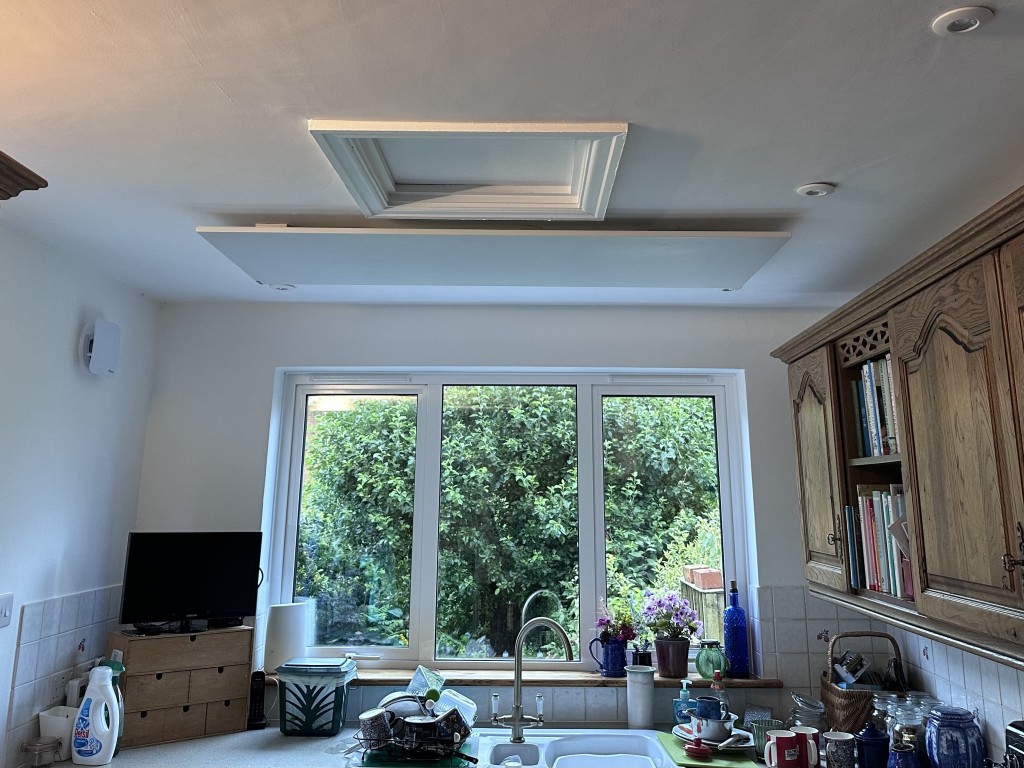
View of kitchen triple glazed windows with IR Panel (1100W) in ceiling
The installer mentioned that he could provide good pricing on Solar panels and batteries and VAT-free panels if done as one installation. [It also has to be added that he was able to get the panels at discount from Herschel, so although the units could be installed by any competent electrician (or even me!) the purchase of the units was cheaper than if we had ordered direct.] We had experience soft-pressure from the family to “do something green” – so went for it realising that we could never recover the installation costs in our lifetime but we could reduce our usage costs which were heading towards £3,600 (British Gas) in our old Edwardian house and likely to go higher.
At this time I also researched whether an air source heat pump might be a good idea but determined that given the generally poor insulation of our old house, such a solution would not be a great idea, but that a gradual replacement (as my friend was doing) of replacing radiators with IR panels when a room was being decorated was the better way to go.
The installation of the IR panels, the solar panels and the battery was very professional and they followed my preference for siting of cable routing and units so that it was very difficult to see what had been done. The after-sales support, warranty and documentation they provided was excellent, and it’s comforting to know that Craig is just a WhatsApp call away and can monitor our system and make changes as necessary.
Enphase solar panels (5) on top roofSolar panels on kitchen extension (4) – solar panels on side (top) roof not shown (2)GivEnergy All-in-One Battery using micro-inverters (13.5kWh capacity)GivEnergy Gateway connecting Battery to Grid and to Household supply
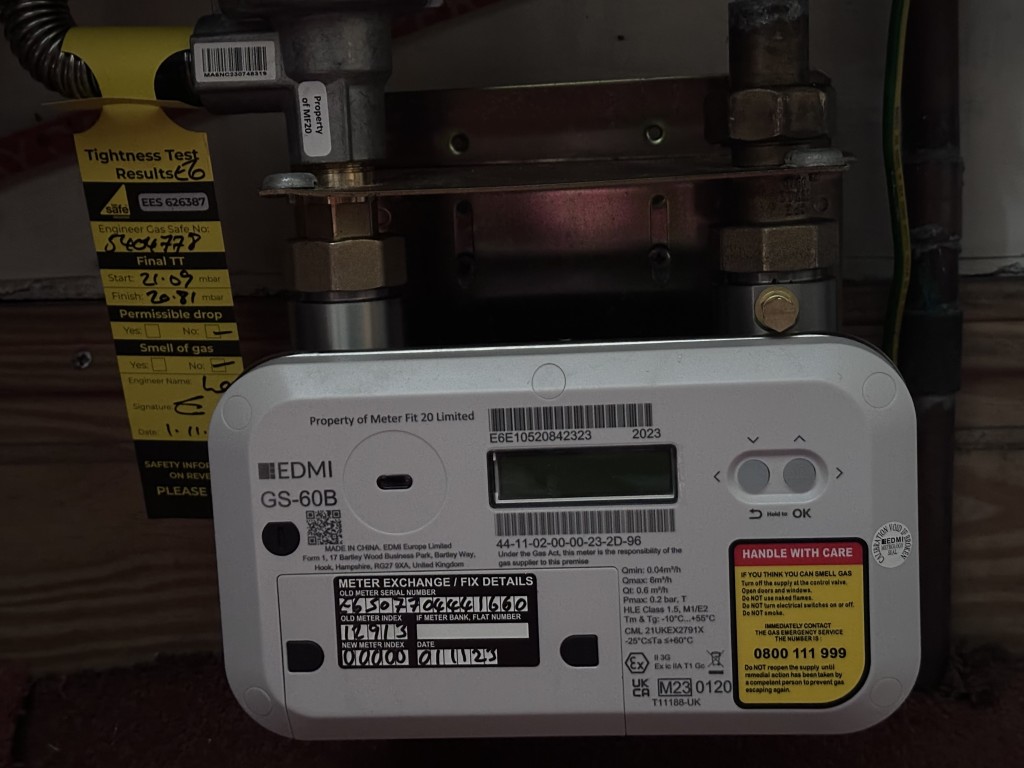
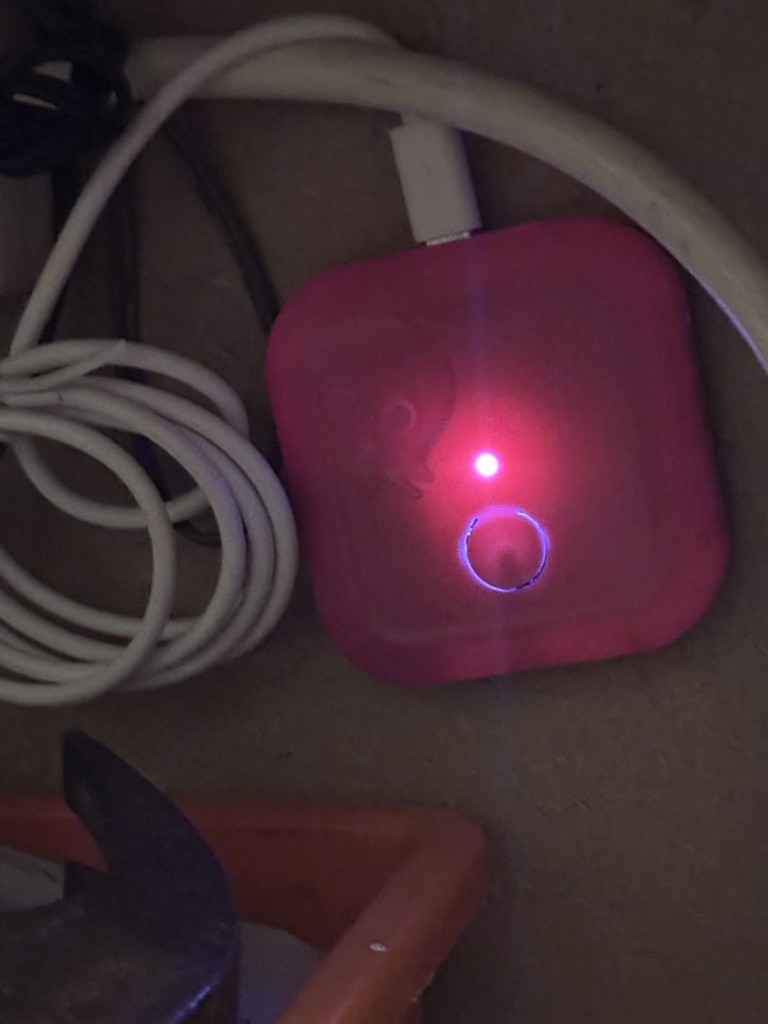
When we had committed to the installation I also started pressuring Octopus to provide us with a SMETS-2 meter so that we could benefit from Smart Tariffs. They responded in a reasonable time (I suppose given the backlog of their work), but after continual pressure, the electric and gas meters were replaced, and we had new meters and the mini-hub – which allows the meters to communicate with the app on the smart phone/tablet – in place by late-October following a September installation of the solar panels and battery. Now the fun could really start!
Replacement SMETS-2 gas meter from OctopusOctopus mini-hub to connect smart meters to Home network for monitoring locally.
Choice of tariff
Octopus has many, many tariffs. It would be impossible to go through them here, but be advised that if you have an EV (electric vehicle), or a heat pump, there are tariffs for you. They also provide tools to help you decide which tariff is the right one for you. We however were only interested in those that worked best with our solar panels and battery. The obvious one for us to start with was Octopus Flux. This had the benefit of allowing us to charge our battery up to its maximum for a very low rate between 02:00 and 05:00 and enable us to discharge from the batter gradually through the day whilst with the management of the GivEnergy battery we could ensure that there was a full battery for the hours of 16:00 to 19:00. It also ensured that the battery was full when we most wanted heat from the IR panels so we set them to kick-in at 04:00 in the morning and with scheduled time periods arranged for them to be on (subject to the temperature not exceeding the threshold) when we needed them on.
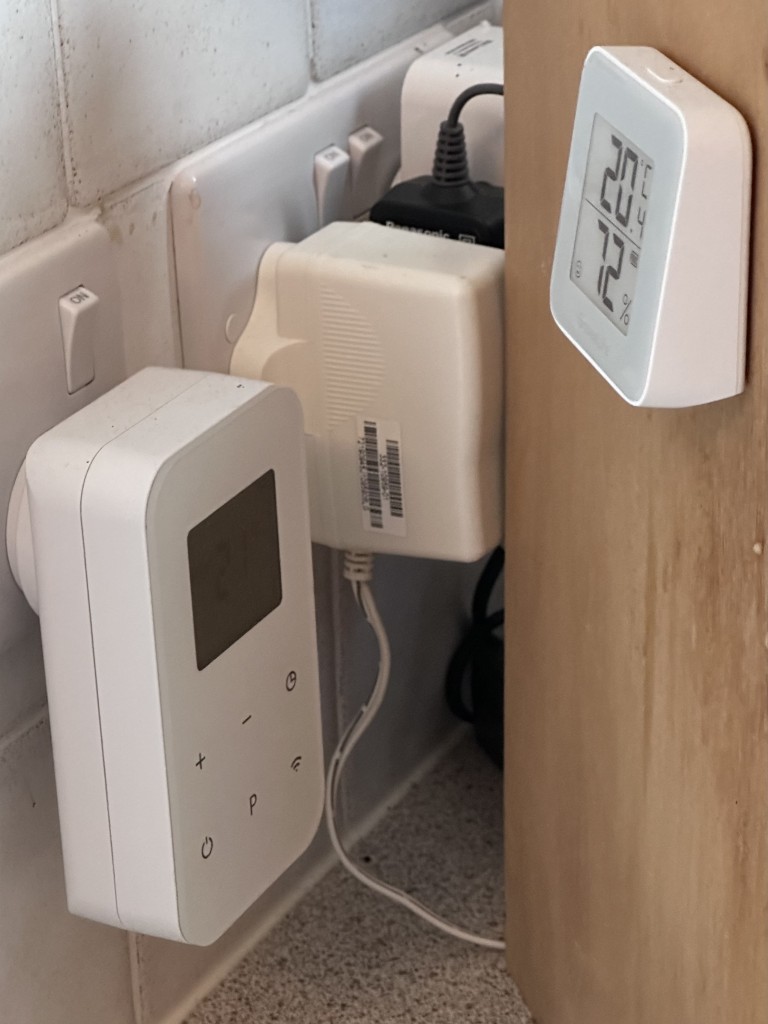
Herschel Plugin WiFi Thermostat and Govee smart temperature device to check thermostat
Monitoring, reduction in monthly direct debit
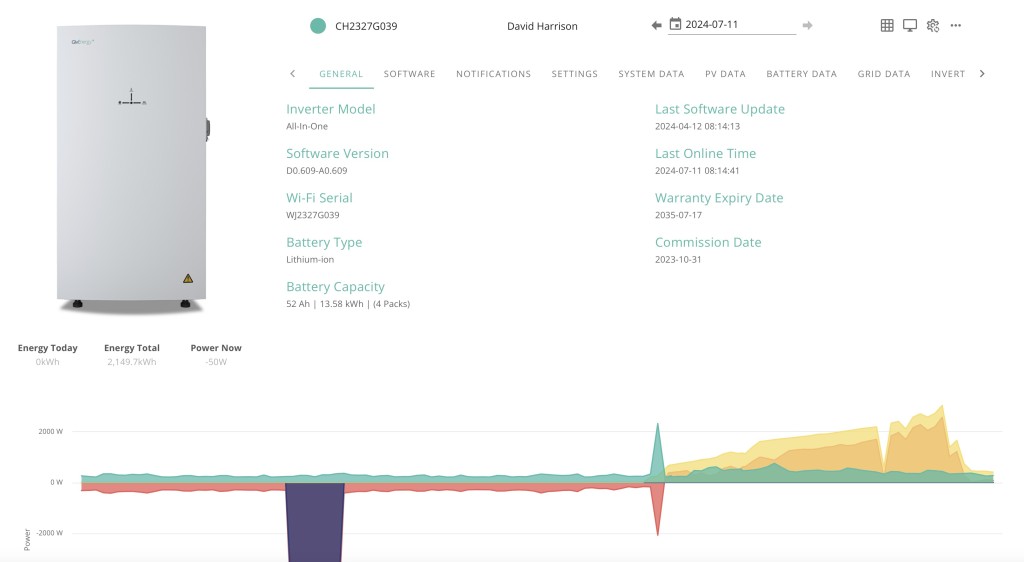
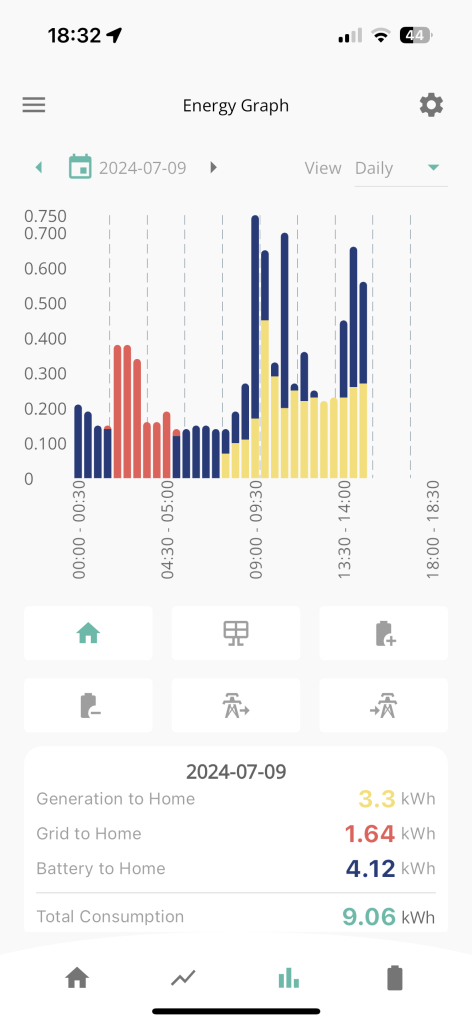
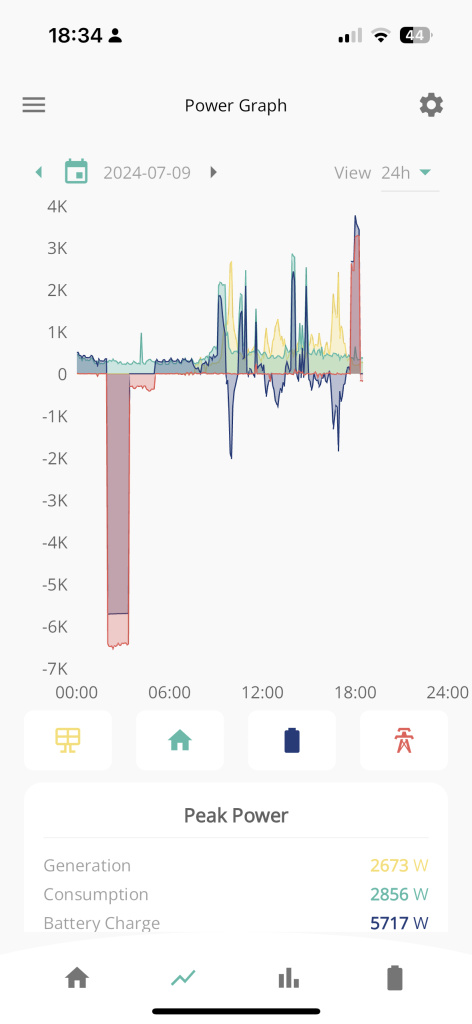
I started an intensive monitoring of our electricity usage, changing the various settings possible on the GivEnergy Dashboard
The dashboard control for the inverter and batteryScreenshot of what is happening to your GivEnergy Battery on the web dashboard
I won’t detail the experiments and changes I tried. Suffice to say it educated me about how the system could work and what I needed to consider to get optimum benefit from the system/installation. I was also very soon able to reduce the monthly direct debit that we were paying to Octopus from the initial figure they suggested (when on the standard Flexible tariff – which in itself was less than the £300 that BG had wanted from us) to now £200 a month – and we’re over £600 in credit at the moment. So an immediate 33% reduction in our energy costs – but it could be more!!!
Octopus Flux pays you when your system exports to the grid. The payment you get is less than the amount you’re paying for the import of power into the household. Last year Octopus introduced a tariff that was the same for import and export, which meant that charging the battery at a fixed time no longer was necessary and that you could get a higher payback for export during the grid high-demand period of 16:00 to 19:00. So it seemed a tariff I should try out.
We’ve been on this tariff now since May and I have had some issues with understanding how exactly it works, but essentially you’re letting your battery be controlled by Octopus and become part of the National Grid. I don’t have any difficulties with that after learning that the grid is just one huge battery effectively and that the cable that feeds your house doesn’t effectively belong to anyone except the National Grid (or its surrogates). However I’m having a dialogue with them currently on the range of battery charging/discharging they’re deploying and whether it’s too narrow. When I was on Octopus Flux I was charging the battery to 100% between 02:00 and 05:00, or something less if there was a lot of sun expected in the day, and discharging down to as low as 4%. Currently Intelligent Octopus Flux appears to be only operating in a range of 55% to 77%. I’m asking them why??
The upshot of this is that if you’re prepared to be an active battery monitor, it might be worthwhile to be on Octopus Flux, if you’re passive (or just want to save the planet), then Intelligent Octopus Flux is the one for you. I suspect a combination is best for us with Octopus Flux in the winter 6 months, and Intelligent Octopus Flux in the summer 6 months. Especially if I can combine it with smart monitoring for the winter months. Watch this space!!
For completeness, the screens from the various apps I’m using …
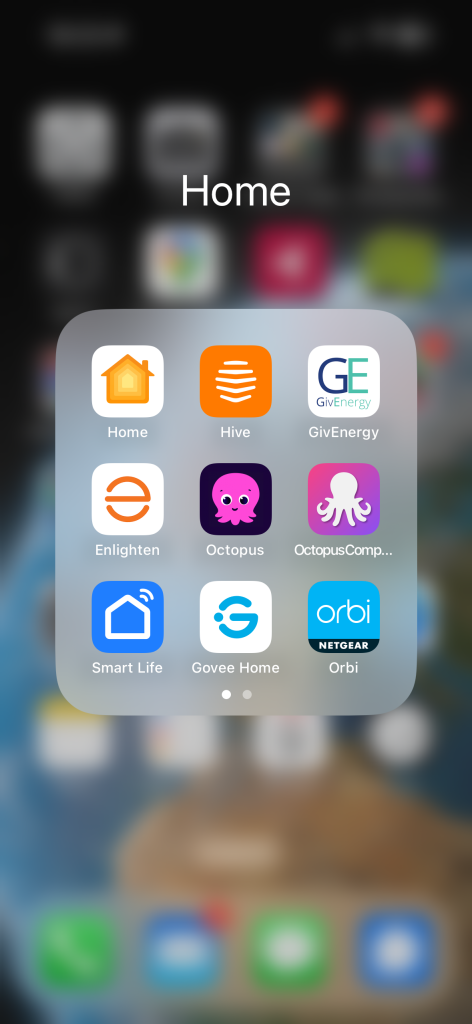
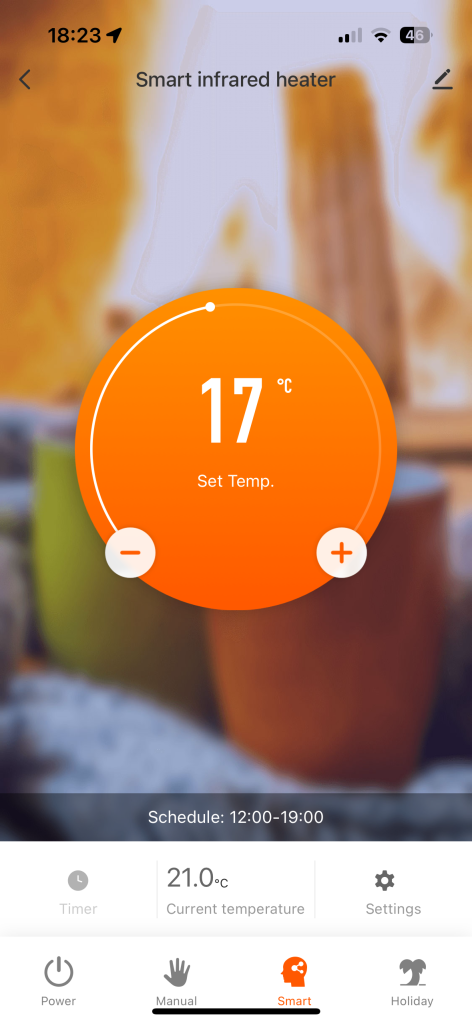
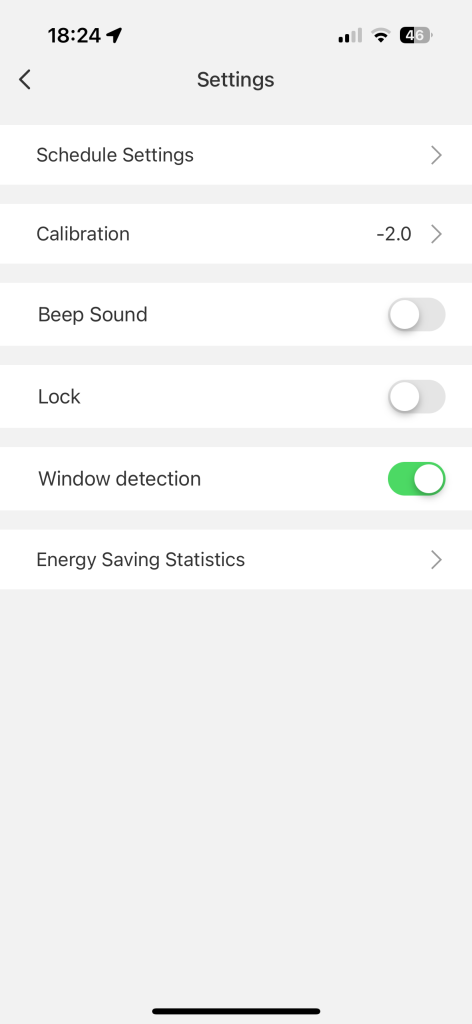
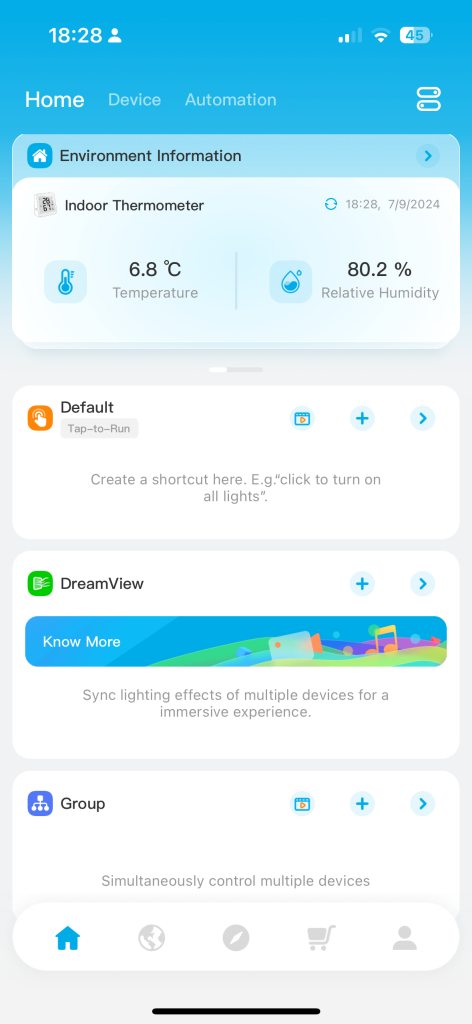
The apps I use in the HomeThe control screen for the IR panelsThe settings screen for the IR panelsGovee smart temperature and humidityGovee dashboardGivEnergy app DashboardGivEnergy app power consumption screenGivEnergy app power graphGivEnergy app customising optionsEnphase app solar panel power productionEnphase app – power production graphOctopus app – recording power usage
Update – 18th July 2024
In the meeting I mentioned that we were having some outstanding issues in respect of the Tariff we had decided to move on to – this was a move from Octopus Flux (import and export) to Intelligent Octopus Flux. This move just didn’t work for us. We had to give up control of our battery to Octopus and it began to emerge that they were manipulating the settings to maximise operational benefits for themselves. We might have got some small financial benefit over standard tariffs, but not really very significant ones.
We’ve now changed to Agile Octopus for Import and Octopus Fixed (12m) for Export. As we don’t really want to export energy, but maximise the use of our battery, this makes much more sense. The very low Import rates on Agile we can utilise to charge our battery – something which wasn’t happening the way we’d wanted it to on the other tariffs.
So hopefully a closed chapter – I’ll of course update you on any subsequent developments.
I’ve posted articles on using Google Photos a few times. Of course with the passage of time, features, and interfaces, change, so it is always useful to just review “what’s occurring”, and see whether there’s anything that needs correcting, or adding to. I will try and go back and edit the posts listed below to reflect changes that I’m aware of.
First and foremost it’s important to note that I don’t tend to use Google Photos for anything other than sharing photos with family and friends, so my use of the editing features is a bit limited. I am however a strong advocate of using Snapseed (available from both the Google Play, and Apple App Store) as a photo editor, but as it works best with the Google Photos app, it’s necessary to install Google Photos as well. [Snapseed is not available as a native desktop app on Windows or MacOS; it’s only available on mobile devices (Android and iOS/iPadOS).] So the first link that’s important to be aware of is this one …
Google Photos and Apple revisited – if you’re an Android user you can skip this article and move to the next paragraph – all your photos taken with your camera will be safely housed in the Google Photos app!!! If you’re an Apple user it’s important to understand how synchronisation works with Google Photos and the Photos app on iOS. If you’re not careful you can either end up with duplicate photos on both platforms, or worse still deleting photos from a device thinking that there’s a copy “in the cloud”.
The next bit of housekeeping is to understand what happens if you want to delete a photo from Google Photos – it’s not entirely straightforward (but it is easier than in the Apple world!!!). This article I wrote – “How do you delete photos from Google Photos?” – attempts to help you delete what you want to delete from your device, or from Google Photos on the web. This is particularly a problem if you’re an Apple user with a Camera Roll, rather than an Android user with Google Photos – so you’d be advised to read it.
So we finally get to editing our photos and using Snapseed. This article – “Snapseed and Google Photos” – is a good overview and will take you quite a way down the road of installing Snapseed, it covers the basics of how to get photos from a camera (rather than a smart phone) into Google Photos, and some basic editing of a photo. There are also links in the article to earlier posts on using Google Photos as well as a video on “getting started” and some additional references that I found useful.
The new stuff!
How To Use Google Photos: The Ultimate Beginner’s Guide [2023] – if you want to just stick with what’s possible for you to do in Google Photos this is just about as good a guide as you’ll get. It goes through all the features of the app, but doesn’t cover editing photos in any detail. If you want a video that covers the same ground, you might like to watch this[I’d like to remind you of the point I made about his reference to Backup and Sync if you’re an Apple user – my earlier comments apply!!! He has decided to use both iCloud and Google Photos on the web for two backups.]. Google’s help guide to editing photos is provided here.
So we turn to Snapseed – here’s a beginner’s video on how to use Snapseed for editing, you should also refer to the article quoted in the earlier post – Complete Guide To Using Snapseed To Edit Your iPhone Photos – from which I also recorded the video from my computer screen, but it’s obviously better using the link from the article. Also please note that although iPhone is mentioned in the title, it’s 100% applicable to Android phones as well. Finally you might probably want to look at this – SNAPSEED: ULTIMATE USER GUIDE + TIPS (2024 UPDATE) – if I’ve convinced you that Snapseed is the “goto” app for photo editing on your smart device.
Google is always updating its apps, and this is particularly true now that we have AI. So a recent update introduces the possibility of background blur – which can make a portrait of a person stand out more, by weakening the effect of the background. Google writes about its new AI features here, and here,
Finally … this article has been all about using Google Photos, which might have let you think that Apple’s Photos app is not so good. In a forthcoming post, I will be examining how Apple Intelligence (available in the autumn) will quite possibly revolutionise Apple’s photo applications, and will for some, if not all, Apple users mean they might be less likely to use Google Photos going forwards. They’ve already moved to allow the sharing of albums stored in iCloud to anyone via a link. That’s progress!!!